
 1
1  1
1 Problem with USB after Updating the OS
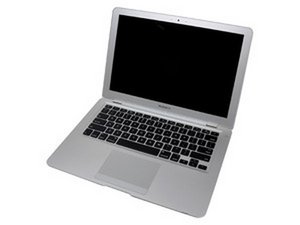
My Apple MacBook Air MC233LL/A doesn't want to recognize any USB devices after I updated the OS software through standard Update tool. Nothing's working now, no mice could be recognized or any other USB (or mini-USB) device such External DVD-drive. When I plug something in, for ex., iPhone 3Gs, it shows that it's charging, but inside the OS nothing's recognized, no iTunes starts or whatever. How to shake the OS? Please advise on what to do with it, so USB could work again. Thank you very much.
P.S. before that Update everything worked well.
Update
Majesty, I did all things like you said. Man, u're a genious !! Everything's fine now. OS X has gone to its default settings after I removed and placed the battery back. Thanks for the tip! I really appreciate your tip. Thank you, thank you.

 33
33 

1条评论
BTW, does anybody know why LED-backlit doesn't work on Windows XP ? I've installed XP sp3 on my MBA, it seems that everything's working good: sound, video, touchpad (although it doesn't respond to OS X two-finger thing and etc). Please advise on both touchpad and backlit on Windows XP. Thank you.
由 zanoza zanoza 完成的