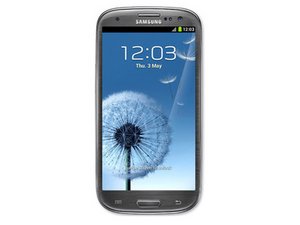

turning itself on and off
what can I do to fix my phone it keeps turning itself off

声誉积分: 160.3千
 11
11
 201
201
 370
370
If the power button is not stuck and the device can actually stay in download mode without turning itself off (Hold Volume Down + Power + Home to boot download mode) then follow the instructions below:
If you haven't already try another good / replacement / known working battery as faulty batteries can cause this issue.
That is a software issue either one of these should work. If you don't want to lose data, flash downloaded samsung firmware from sammobile with the matching model number of your device located either in the battery compartment on a label or on the back of your device on a label or printed on the back of the device.
When searching for firmware on Sammobile:
You can use the CSC code specified in recovery mode to help you choose the right firmware for your device. The CSC code can be used to identify which firmware comes with the carrier (service provider) and/or region that came with your device. You can google this CSC code to find out which region this is but this isn't really necessary, choosing the one that matches the sim card installed or country you are in is good enough.
Use Odin with the device booted into download mode and plugged in. Instructions on how to use Odin and flash firmware onto device are on every download page of firmware from sammobile.
If you don't need to backup data then you can either use Samsung kies (software you can download from samsung) with firmware upgrade and initialization (It will ask for model number of device and serial number of device). If you need to turn the device off you can do so by taking out the battery for a few seconds and putting it back in or holding volume down + power for 8-15 seconds to force shut off. If it's already off, put it in download mode as explained previously before starting the firmware upgrade and initialization if you do decide to choose that.
Or you can use this other method which might not always fix it because the firmware / system software may be corrupted:
Then hold the power, volume up and home buttons until the white Samsung splash text pops up and immediately stop holding the power button and keep holding volume up and home.
Then it will boot into the recovery menu. And you can use the power button to select and vol up and down to select in the menu. Select wipe data factory reset and reboot device from recovery mode.
这个答案有帮助吗?
No its not stuck and I don't know what the firmware is
过去 24 小时: 0
过去 7 天: 1
过去 30 天: 4
总计 173

2条评论
There are plenty of guides online on what can cause this and how to fix, A lot of the time I find that the power button is either stuck or broken to the point it just stays on. Good luck
由 Hortman 完成的
is the power button stuck? What firmware are you on?
由 echow2001 完成的