
跳转到主内容
加入维修社区 - 创建账户

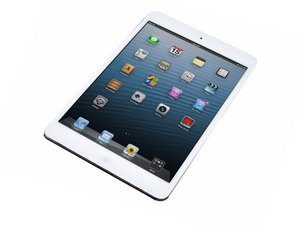
Apple's 2012 first-generation 7.9-inch iPad mini, with 16, 32, or 64 GB of storage and an A5 processor.

Dock Port Replacement Almost Works

I have done a replacement on an ipad mini dock port and acheived partial success. It can connect to itunes and charge when the lightning cable is one side up but if I turn over the cable it the ipad complains that I am using a bad accessory and will not connect to itunes. I was hoping for a complete repair and would like some advice on how to do so. Also if anyone has a pin-out for this portion of the board that would be handy so I can know which pins to focus on.

Here is a photo of my attempt.

Block Image
回答此问题 我也有这个问题

这是一个好问题吗?

得分 0
添加一条评论

2个答案

First things first, Try a known good cable.

Then I would reflow the solder points just in case you are getting 1 or 2 with a bad connection (these joints can be difficult.)

If not then it would seem the new port may be faulty and unfortunately may need to be replaced again.

这个答案有帮助吗?

得分 0
添加一条评论

put a sea of flux across all points

get a blunt tip on your iron

put a liberal tin on the iron

go from top to bottom over all of those points, very slowly

put another sea of flux down

put a piece of solder wick down and lightly go over the points from top to bottom

It looks like you have a couple of points that could be arching. It happens. You did a pretty solid job on the soldering, just need to clean it a bit. The wick won't suck up any of the solder making the connections, it will just grab the excess. You want to reflow the solder before you use the wick, with lots of flux. This will make it so you don't have to scrub with the wick, just a light pass vertically.

这个答案有帮助吗?

得分 0
添加一条评论

添加你的答案

Jim Stass 将永远感激不已
浏览统计数据:

过去 24 小时: 0

过去 7 天: 1

过去 30 天: 8

总计 140