跳转到主内容

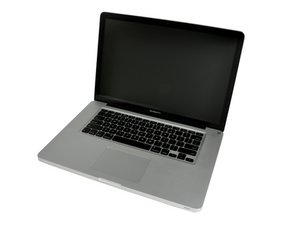
Released June 2012 / Core i7 processor with Turbo Boost / Up to 1 GB GDDR5 Video RAM

Problems installing El Capitan

Hi, this is the same issue with me - Installed El Capitan and everything on the right side of my macbook pro 2013 has stopped working. The USB, HDMI and the SD Card ports.

Could this be a hardware problem? Should I take it to an apple service centre?

Tried the AHT but it doesn't show any errors... When installing El Capitan, it did have problems though.

Everything was showing a big question mark on the dock and only the mouse was responding. Had to re-install OS after holding Command+R while restarting...

Will take it to the reseller and see if they can fix it. The problem is, I had opened the system once when I initially got, to install RAM which I bought from eBay as the resellers here in India said I have to buy RAM from them in order for them to even touch the MacBook Pro. And there was a huge difference in the price, so did it myself. Will this make my warranty void? (I have apple care valid till next month).

回答此问题 我也有这个问题

这是一个好问题吗?

得分 0
1条评论

From your description you have in fact a standard MacBook Pro 15" (non-retina).

Apple until just last month was still selling the 2012 model of the MacBook Pro 13"

完成的

添加一条评论

1个答案

最有帮助的答案

No, you won't void the warranty as long as the memory modules are the correct ones & the clips aren't damaged in the module holders.

It does sound like you have a HD problem here. The standard Apple Apps should show up on the dock correctly after the upgrade. Some Apps may not show up correctly in dock tray as they are not able to run under El Capitan. If you open the Application folder for these Apps have a gray circle & bar across them these apps won't work.

But I suspect your issue is more likely a corrupted drive or the drive doesn't have enough free space. Which messed up the OS upgrade.

To start with I would backup anything important and create a bootable drive (USB thumb drive) so you can reboot under it to run Disk Utility off of it to check your internal drive. You'll want to remove anything not needed to free up at least 1/4 of the drive. you'll also want to clear out the old cache & Log files using a too like this: Disk Doctor and then defrag your drive using a tool like this one: Drive Genius

Once you've clean things up you should try reinstalling the OS that should fix things.

Do be careful were you go in India! Some store fronts claim they are Apple Stores which they aren't! Go to Apples web site to find the real Apple authorized services centers.

这个答案有帮助吗?

得分 1
添加一条评论

添加你的答案

Viral Oza 将永远感激不已
浏览统计数据:

过去 24 小时: 0

过去 7 天: 1

过去 30 天: 2

总计 110