
跳转到主内容

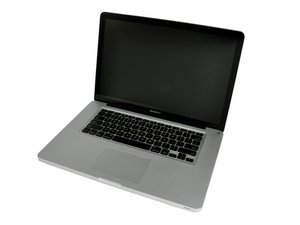
Released April 2010 / 2.4, 2.53 GHz Core i5 or 2.66 GHz Core i7 Processors

Doesn't install OS X, can't boot into recovery mode

Hi

I have a MacBook Pro from 2010 with OS-X and Windows 7 on it.

The current hard drive is damaged as I can only boot Windows in Safe Mode and OS X doesn't load at all. I can't even access recovery mode, it goes to a white screen.

I would like to do a clean install of OS-X on to a 250GB SSD from a USB pen drive (that has been tried and works fine on other Macs) but the computer won't go into recovery mode.

However installing windows 7 from the DVD disc starts fine up, after completing the process the network driver isn't there off course.

What am I doing wrong here? And how to I fix this?

已回答! 显示答案 我也有这个问题

这是一个好问题吗?

得分 0
添加一条评论

1个答案

已选择的解决方案

To start with you'll need to get another USB thumb drive and then from a working Mac prep it up as a bootable OS-X drive with the OS installer on it to fix your HD or to prep up your new SSD drive.

Here's the steps:

  • From the other Mac open Disk Utility and delete the FAT32 partition on the thumb drive.
  • Next using Disk Utility again setup GUID partition mapping and create an extended journaled partition.
  • Using the OS-X installer install onto the thumb drive the Mac OS. Once done copy over to the thumb drive the OS installer application and shut the system down before removing the thumb drive.
  • Now insert the thumb drive into your system and hold the option key when you start the system up to get to the Disk Manager to select the thumb drive as the boot disk.

The next action is either to run Disk Utility to try to fix your HD or if you don't want to save anything instead before starting your system up in the last step swap out the HD for your new SSD. And then repeat the process you used to prep up the thumb drive with the SSD.

这个答案有帮助吗?

得分 1

1条评论:

Once your system is running I would recommend you check your systems firmware following this Apple T/N: About EFI and SMC firmware updates for Intel-based Mac computers. Make sure you are at the level listed or newer. The newer firmware offers additional recovery options so I do recommend you update if needed.

If you install Mavericks or El Capitan both automatically update the firmware to a newer release.

完成的

添加一条评论

添加你的答案

Sami420 将永远感激不已
浏览统计数据:

过去 24 小时: 1

过去 7 天: 1

过去 30 天: 3

总计 12,988