
跳转到主内容

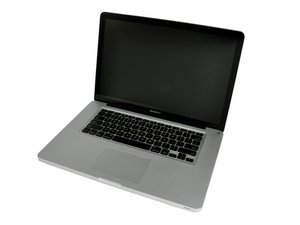
Released April 2010 / 2.4, 2.53 GHz Core i5 or 2.66 GHz Core i7 Processors

Why is my windows bootcamp on MacBook stuck on loop?

Hello,

I'm having problems with my MacBook Pro 15" system.

I have BootCamp installed on it running Windows. Whenever I try to start it up it goes into a startup loop and stays this way.

I can't press shift or any of the keyboard buttons because the keyboard does not work and the keyboard light does not show.

Also the fan makes a lot of noise when I switch it on. I can only start it up by taking the charger out and holding the power button. I have changed the battery and the charger but still does not work.

I would appreciate if someone could offer some advice.

Thanks

已回答! 显示答案 我也有这个问题

这是一个好问题吗?

得分 1
1条评论

完成的

添加一条评论

1个答案

已选择的解决方案

Do you have access to a second Mac system? If you do try connecting your system via a FireWire cable and starting up your system in Target Mode. Once you get there run Disk Utility form the other system to test out your HD. Let us know what you find.

Update (04/13/2016)

OK, can you create a bootable drive? What I do is get a 16 GB USB thumb drive and prep it up.

First delete the FAT32 partition and create a GUID partition map and a journaled partition using Disk Utility. Then download if you haven't already the Mac OS installer app from the App Store and run it to install the OS onto the USB thumb drive. Once done I would copy the OS installer onto the thumb drive so you'll have it for the future.

OK, now with the bootable drive restart your Mac by holding down the option key so you get the disk manager, select the USB thumb drive as your boot disk and then run Disk Utility to repair both the permissions and disk. See if that flxes things.

这个答案有帮助吗?

得分 1

1条评论:

Unfortunately I do not have another mac system to do that. My Model no: A1286

Is there anything else I can do?

Thanks

完成的

添加一条评论

添加你的答案

H991 将永远感激不已
浏览统计数据:

过去 24 小时: 1

过去 7 天: 2

过去 30 天: 11

总计 6,458