
跳转到主内容
加入维修社区 - 创建账户

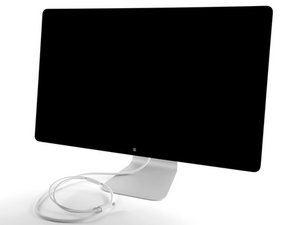
27“显示屏,分辨率为2560 x 1440像素 Thunderbolt&MagSafe电缆附件

Random Shutdown, Ports not Working

I had to replace the charging cable on my Thunderbolt Display, and ever since it's been acting weird. It shuts down seconds after booting up and on the rare occasions it stays on the ports in the back will work sporadically. It charges my computer beautifully, even after it shuts down.

What part do I have to replace to get it back to normal?

回答此问题 我也有这个问题

这是一个好问题吗?

得分 0
添加一条评论

1个答案

- Take the cable back to the store. Have them plug your cable into one of their Thunderbolt Displays. If the problem doesn't occur then you know that the cable is not defective.

- Once you know for sure that the cable is not defective then see if there is anything in the hole that may be causing a short of some kind.

https://hum3d.com/360-view/?id=109575

The shutting down symptom leads me to believe that it is trying to protect itself from something. Either over heating or dirty power. Ensure all other peripherals are unplugged.

这个答案有帮助吗?

得分 0
添加一条评论

添加你的答案

Hector 将永远感激不已
浏览统计数据:

过去 24 小时: 0

过去 7 天: 0

过去 30 天: 0

总计 185