Sadly, there is no 'Soup to Nuts' kit here to replace the HD to a SSD. There are just to many drive options!
Lets start off talking about the thermal sensor issue: Apple over the years has slowly migrated from a stuck on sensor to using what the manufactures use to test their drives to one they contracted the drive makers install. It is really required! Some folks have tried using a software solution but time has proven it's not a good solution as the system ends up cooking its self either because the software was not able to adapt to the changing temp fast enough or over drove the fans killing it then over heating the system. I strongly recommend you stick with the hardware solutions.
The problem you face here is Apple used the manufactures test sensors each HD vendor needed a different cable harness to access the correct pins of the internal sensor within the HD in this series of systems. In this case you are replacing the HD for a SSD which due to its design does not heat up to the level the HD's do so they don't have an internal thermal sensor. So we do need to find a replacement sensor which you are in luck OWC makes: In-Line Thermal Thermal Sensor for iMac 2009-2010 Hard Drive Upgrade.
The next issue you face here is drive size: The original HD is 3.5" drive todays SSD's are 2.5", You will need a metal adapter frame to mount the drive to, then mount into the system where the original HD was. Luckily OWC also makes what you need: 2.5" to 3.5" Drive Adapter Bracket.
The last piece of the puzzle here is the SSD drive its self: This systems SATA port is only SATA II (3.0 Gb/s) so you will need to find a SSD that is able to run at this SATA speed. Not all SSD's will work here so make sure to review the drives spec sheet. I would recommend going with a Samsung EVO SSD drive. Here's the spec sheet info: Samsung 2.5" SSD spec sheet.
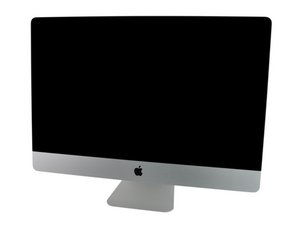
Now the details of the surgery: You'll need to follow this IFIXIT guide: iMac Intel 27" EMC 2309 and 2374 Hard Drive Replacement to replace the the HD for the SSD.
You do have a few options here!
- The other option here which is cheaper is to upgrade your current HD to a SSHD hybrid drive like Seagate Desktop SSHD's. Here is this drives spec sheet: Seagate Desktop SSHD spec sheet. You will still need the external thermal sensor (or the Seagate OEM drive sensor harness Apple makes). Here you gain the speed of the cache the SSD offers and yet hang onto the deep storage of a traditional HD.
Frankly, given the age of your system I think going with the SSHD is the best solution as you gain more performance without the heavy costs an equally sized SSD would be (1 TB or 2 TB) if you were to go for the direct HD replacement. The next option would be the dual drive setup here we can get a much smaller SSD for the boot drive and hang onto the deeper storage of the HD.


 35
35  338
338  974
974 




2条评论
HD Specs sheet: HGST Ultrastar A7K2000 - OEM drive
由 DanJ 完成的
Systems specs: iMac 27 Core 2 Duo 3.06 GHz (Late 2009)
由 DanJ 完成的