
跳转到主内容

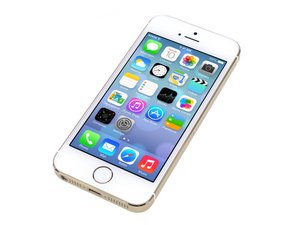
苹果 iPhone 5s 于2013年9月10日公布。该设备的维修与以前的型号相似,需要螺丝刀和撬棒。可使用GSM或CDMA / 16、32或64 GB。颜色有银色、金色和太空灰。

Replaced LCD screen, now it wont switch on

Hello,

first and foremost thank you for taking the time to read my question.

I have an iPhone 5S that recently fell and cracked the whole front screen, so I purchased a replacement LCD screen and decided to go the DIY route of fixing it. However, after putting the LCD screen back together, and when I attempt to either charge it or switch it on, I get no response whatsoever from the device..

What can I do? I have tried every single solution I could find on the net to try get a response but to no avail.

回答此问题 我也有这个问题

这是一个好问题吗?

得分 2
添加一条评论

2个答案

Is it recognized in iTunes? This will help us determine if its actually not getting power or if the screen itself is just malfunctioning. iPhone 5s is also prone to longscrew damage so be sure you reinserted the screws in the correct order.

这个答案有帮助吗?

得分 0

4条评论:

Not at all, however when I pryed the front screen out, I used a needle in the bottom screwholes to push the screen out a bit because my suction thing was rubbish

完成的

Its quite possible a capacitor was knocked off the dock connector or another part of the motherboard from pry-damage. No need to worry (unless it was on the board and not dock connector), its actually a common occurrence and can happen sometimes. I would start with trying a new dock connector

完成的

I will try this, thanks!

完成的

This didn't work, I replaced the dock connector + headphone jack+ speakers, but its been on charge for 24 hours and still no life from the iphone.. what else can i do?

完成的

添加一条评论

If the phone isn't powering on at all it sounds like a bad connection, regardless of whether it's the screen or something else it requires disassembly.

It's probably something relatively simple, and easy to do when you're inexperienced.

Disassemble it again and slowly reassemble, paying careful attention to the connections. Let us know the outcome.

Edit:

Try this:

  1. Remove the bottom 2 screws
  2. Elevate the screen ( don't detach)
  3. Remove the shield that connects the battery to the main board
  4. Disconnect the battery
  5. Hold down the power button at the top of the phone to remove and remaining power. (Device holds a little power without battery)
  6. Reconnect the battery
  7. Place shield back
  8. Reconnect screen to the phone
  9. Power on the phone

这个答案有帮助吗?

得分 0

3条评论:

I did this several times, even putting the old screen back on.

I even tried unplugging the battery connector and reconnecting everything again about 3 times

完成的

Updated my answer with something to try.

完成的

How would I determine if there is a particular connection at fault?

EDIT: yeah I tried that several times but made no difference

完成的

添加一条评论

添加你的答案

Dee Yonnie 将永远感激不已
浏览统计数据:

过去 24 小时: 0

过去 7 天: 0

过去 30 天: 0

总计 126