跳转到主内容

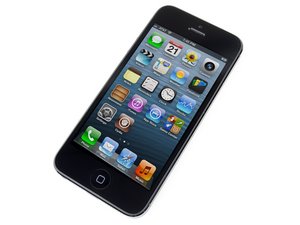
Apple发布于2012年9月12日的第六代iPhone,维修时与前代型号一样,需要螺丝刀和撬棒。iPhone 5以多种版本销售:通讯制式有GSM/CDMA;存储容量有16/32/64G;颜色有黑/白。

Reboot loop and unworking power button

Hi! i've changed the screen of my iPhone 5 but when i charge the phone with the plug it appeaears the apple logo for few seconds black screen and than apple logo agin. I've read it is called reboot loop. The real problem is that the power button did not work so i am unable to get the recovery mode. more over when i connect the iPhone with a pc or Mac by USB, the phone don't wake up and the screen remain black. When i charge the phone with the plug if i hold the home button for few seconds, appears the iTunes logo and the plug symbol but not when i connect it to the mac

Can anyone help me?

Ciao a tutti. ho sostituito lo schermo del mio iphone 5. già prima non funzionava il tasto d'accensione e l'unico modo che avevo per accenderlo era caricarlo. Ora quando lo attacco alla corrente esce il logo apple per qualche secondo per poi tornare a schermo nero e poi riappare, così continua all'infinito, ho letto si chiami reboot loop. il problema è che senza power button non posso andare in modalità recovery e inoltre se attacco il cellulare al pc o mac tramite usb questo rimane spento, si accende solo quando lo attacco alla rete elettrica per poi spegnersi appena lo stacco dalla presa.

Attaccato alla presa comunque se premo il tasto home per 5 secondi appare il simbolo di Itunes e della presa di corrente, ma se stacco la spine per attaccarlo al pc si spegne tutto.

qualcuno sa come aiutarmi??

已回答! 显示答案 我也有这个问题

这是一个好问题吗?

得分 0
添加一条评论

2个答案

已选择的解决方案

You have got to change that home button cable out. If you can't get it into recovery mode, things toast

这个答案有帮助吗?

得分 1

2条评论:

Sorry what do you mean with "change that home button cable out"? the home button seems to work properly it is the power button that doesn't work

完成的

Sorry, I did mean to write power button cable. You need that, to put it into dfu mode

完成的

添加一条评论

The first thing that you need to do is replace the Power button flex. If that isn't working properly then it is impossible to manipulate the device (e.g. DFU mode, Hard reset, etc.). If you don't feel comfortable changing that flex or don't want to spend the time doing that then try this...

  1. Open your device
  2. Disconnect the battery
  3. Allow the device to sit without a battery connect for a couple of minutes so that all the electrical energy dissipates from the logic board.
  4. Reconnect the battery
  5. Properly re-seat the screen so that you have proper connectivity between the home button and the contacts on the charging port flex.
  6. Enter recovery mode
  7. # Press and hold the home button while connecting the USB cable

# Restore through iTunes.

Hope this helps! If not, replace the Power button and try again!

这个答案有帮助吗?

得分 1
添加一条评论

添加你的答案

Emanuele Casiraghi 将永远感激不已
浏览统计数据:

过去 24 小时: 0

过去 7 天: 1

过去 30 天: 6

总计 196