跳转到主内容

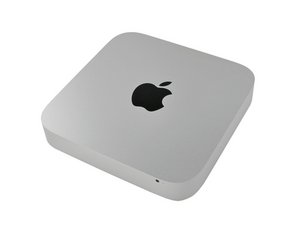
发布于2011年7月21日。Core i5或Core i7处理器。雷电(Thunderbolt)接口。本机也用于Mac mini Server配置。

Overheating Mac Mini 2011 after RAM upgrade

Hi all,

Today I've updated my Mac mini's RAM from the standard 4GB 1333MHZ DDR3 Memory to 16GB 1600MHZ DDR3 from Corsair (Corsair Vengeance). The Mac mini boots properly and everything works fine... but suddenly the Mac is overheating A LOT. Is there any problem with speeds or voltages of the RAM? Setting the fan manually to almost 5k RPM the Mac mini stops overheating and stays in around 50ºC.

Any help would be much appreciated.

已回答! 显示答案 我也有这个问题

这是一个好问题吗?

得分 1
添加一条评论

2个答案

已选择的解决方案

First I think you need a better tool here to locate the reason why your system is overheating. Download this App: Temperature Gauge Pro. Make sure you remove the fan control software you are currently using so as not to conflict with Temperature Gauge. Post a snapshot here for us to see.

这个答案有帮助吗?

得分 1

2条评论:

http://ark.intel.com/products/52229/Inte... Intel says that maximum speed should be 1066 or 1333. Is that the reason of overheating? 1600 is requesting too much power and that causes overheating?

完成的

The modules speed isn't a real issue here, as the system controls the speed not the module, it only means if the system is able to run at this speed it could. Think of it this way: The roadways are constructed for something faster than what they are posted for. Not the speed the car can travel on it at. In this example slower or equal on what the speed is posted. Does that help explain things? But, that still doesn't rule out the modules yet! Until you check things out we just don't know whats getting hot.

完成的

添加一条评论

What about a complete thermal paste replacement? The one used by Apple just sucks after some years...

这个答案有帮助吗?

得分 1
添加一条评论

添加你的答案

raulongo 将永远感激不已
浏览统计数据:

过去 24 小时: 0

过去 7 天: 1

过去 30 天: 6

总计 2,692