
 1
1  1
1 Keyboard not functioning after repair
Hi there,
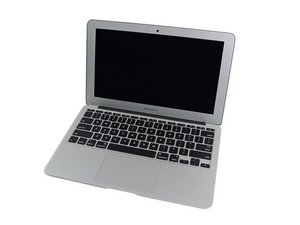
I recently replaced the keyboard on my 11" MacBook Air due to the old one being sticky. I replaced the entire top case and have rebuilt the unit. Everything works great except 95% of the buttons on the keyboard. The volume buttons and power button works however everything else does not. The computer however does recognise the key presses as it makes the familiar Mac error sound when you have an error window pop up, you hit too many keys, or you try to CMD+C (copy) with nothing selected.
I have seen a few others with this issue but no real results, I have checked to see if Mouse keys was enabled under accessibility, wore gloves throughout the whole repair process, reconnected the keyboard connector 4 times and have also used a USB keyboard to enable the US keyboard as suggested somewhere else.
I wanted to try the various resets available however due to the keyboard not working I cannot hold down anything but the power button on boot meaning no special key sequences can be used.
Thanks for your time :)

 974
974 