
跳转到主内容
加入维修社区 - 创建账户

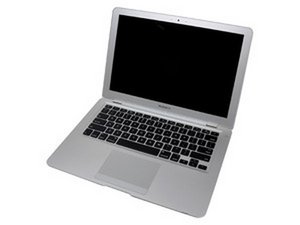
Model A1237 or A1304 / 1.6, 1.8, 1.86, or 2.13 GHz Core 2 Duo processor

'over'heating MacBook air after installing new audio cable?

Are there more people experiencing their MacBook airs to heat up more after installing a new audiocable?

My MacBook always seemed to heed up quite much. But according to apple it always stayed within limits...

Now after installing a new auidio cable, my MB air seems like to heat up even more as before...

My cooling fan sounds like it's working fine...

Are there more people with this problem? Can it be fixed?

Kind regards,

Ardy van Broekhoven

The Netherlands

已回答! 显示答案 我也有这个问题

这是一个好问题吗?

得分 1
2条评论

I noticed you never got an answer to this. Are you still having this problem?

完成的

Update:

Can't work on it without putting it on a cooling stand. And the hotter the MB air gets the slower it seems to start to operate, but that could be my imagination :-p

Maybe it's good to know that it's getting hot in the upper left corner next to the keyboard

完成的

添加一条评论

1个答案

已选择的解决方案

Looks like

a problem with your DC in board. And logical that the machine slows as it heats.

Cooling cures the symptom not the problem, overheating is not good for the CPU or other parts.

Were I you I'd replace the DC in board and see if that's it... if it isn't then it's most likey the logic board and I guess you can continue as is until it fries.

If this answer was helpful please remember to mark it accepted.

Good Luck,

N

这个答案有帮助吗?

得分 1

2条评论:

I've been thinking... The DC in board is the connection to the magsafe adapter, right?

Maybe it's good to know that the Macbook also heats up insanely when I'm not charging it.

Could it still be the DC in board or am I now just screwed?

Thanks again!

完成的

Yes DC in=Magsafe connector. As I said replace it to see if that's the problem or use it until it stops.

完成的

添加一条评论

添加你的答案

ardy 将永远感激不已
浏览统计数据:

过去 24 小时: 1

过去 7 天: 6

过去 30 天: 10

总计 2,157