
 1
1 Bootable flash drive for Windows Bootcamp install won't work
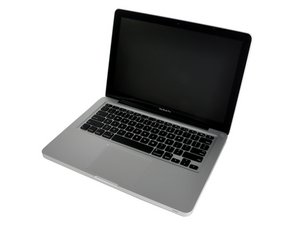
Hi, I have a MacBook Pro from 2010-2011 (when I bought it brand new it was running 10.6.8).
I just barely did a clean install of Yosemite. I did a clean install because I wanted to defrag my HD so I could create a windows partition in boot camp (before the clean install, it would only let me partition 33 GB no matter how many files I deleted).
Anyway, now I can make the windows partition as large as I want it. But now here's the problem. I have a broken disc drive due to a physical accident a while back. So I want to use a USB flash drive to install windows with boot camp. I created a bootable flash drive of windows that I downloaded from Microsoft.
My computer successfully creates the partition, but when it restarts to install Windows, it does not recognize the bootable flash drive. The black screen says "no bootable disk, press any key to reboot."
Note: I'm using the exact same flash drive I used to install Yosemite. It worked great. It is a 15 GB 2.0. Also, I created the bootable drive using boot camp (I used the terminal and bootcamp's .plist to allow Yosemite's boot camp the "create bootable USB drive" option.
Thanks!

 35
35  974
974 