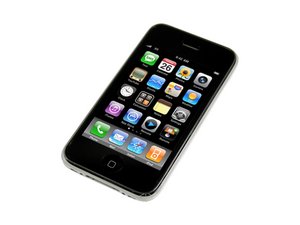

Why is iPhone stuck in restore mode?
iPhone went into restore mode with icon on screen of white synching/power cord going to iTunes icon. On attempt to restore error code 1611 appears and iPhone won't complete restore.

声誉积分: 35.2千
 145
145
 71
71
 53
53
did you try to restore it in dfu mode ?
here is a copy of a techarena posting:
Activating iPhone "Restore mode"
1. The iPhone to your Mac / PC
2. Both buttons on the iPhone, the top (power button) and bottom (square), hold
3. Hold as long until the iPhone restarts, the glowing apple appears
4. When the apple appears release the top button
5. iPhone to iTunes icon with plug show -> restore mode
Activation of the iPhone "DFU mode"
1. The steps 1-2 above to initiate
2. Once the red slider to turn off the iPhone will continue to hold the buttons, but about 4 seconds to count (while the iPhone is "off" - black screen)
3. Button down and hold up let go (iPhone screen should still be black - no Apple logo!)
4. iTunes reports that it had (after about 5-10 seconds), the iPhone in restore mode detected (but a different mode when the iPhone screen remains black -> DFU mode.
here is another post about a possible fix:
1. Whatever firmware you are running, download the previous major version. ie if you are running 3.1.11, then download 3.0 firmware.
2. open iTunes, and restore old firmware that you just downloaded.
On a MAC 'alt / option + click restore', locate old firmware and update
On a PC 'shift + click restore', locate old firmware and update
这个答案有帮助吗?
过去 24 小时: 0
过去 7 天: 2
过去 30 天: 2
总计 14,974
