Yes, you do have a spare SATA data port and there is also a spare power connection for your 2nd SATA device.
Replacing your dead primary HD:
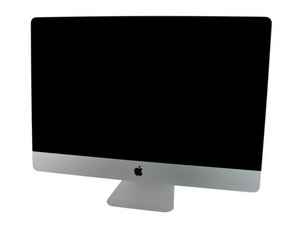
You do have an issue with the primary HD you will need to deal with and that is the imbedded temperature monitoring Apple started within this models HD. You will need to either get a HD or SSHD that has the needed monitoring services or you'll need to get an special external monitoring add-on by OWC Hard Drive Upgrade Kit if you have a SSD or non compliant HD. Here's the IFIXIT guide to install the HD or SSHD: iMac Intel 27" EMC 2429 Hard Drive Replacement
You should replace the HD with a 3.5" drive or will need to figure out how to mount your 2.5" drive and if needed deal with the different data & power connections the 2.5" drive uses. You will still need to deal with the sensor issue.
Frankly, I would recommend installing a 3.5" SSHD hybrid drive from Seagate to replace your dead drive. This will give you the best bang for the buck.
Adding in a second drive:
Here you will need a kit to install the second drive (HD or SSD). Here's IFIXIT's kit iMac Intel 27" Mid 2011 Dual Hard Drive (or SSD) Kit. Here's the instructions on how to do it: Installing iMac Intel 27" EMC 2429 Dual Hard Drive Kit.
Here' is were I would use a 2'5" SSD as my boot drive. Keeping both drives independent.
If you had the idea of creating a Fusion Drive setup I would recommend using a straight high speed primary HD instead of a SSHD. While Apple is still pushing Fusion Drive in their newer systems. We have found recovery is often difficult when either drive dies. Our users are not very good on backing up so this maybe a factor. We don't use Fusion Drive setups any more due to the work involved.
At no time did we alter the optical drive config here.

 2
2  1
1 
 974
974 


