
跳转到主内容
加入维修社区 - 创建账户

Model A1297 Unibody: Early 2009, Mid 2009, Mid 2010, Early 2011 & Late 2011

optical drive won't take the disc

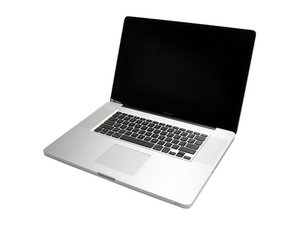
MacBook Pro 17" early 2009

What can I replace this with? I don't see one on your site. Is there a brand or model no. I can search for?

I wonder if it is fixable. I tried some of the posted fixes from Apple, nothing worked. The drive will not let me insert a disc at all. There is no disc in the drive but it feels like something is stopping it. Electrical glitch?

已回答! 显示答案 我也有这个问题

这是一个好问题吗?

得分 0
添加一条评论

1个答案

已选择的解决方案

The drive is stuck in the wrong mode (play) which is why you can't install the disk. Best to just replace the optical drive.

Here's the part you need: Unibody 8x SATA SuperDrive (Pre-Mid 2009).

Update

I fixed my response for the correct model now that we know you have a unibody model.

As for the Hard Drive you can use any 2.5" 9.5mm high SATA II (3.0 Gb/s) unit. I would recommend a hybrid drive (SSHD). Seagate makes a 1TB drive that would work for you.

Before you open your system make sure your firmware is upto date. Follow this Apple TN EFI & SMC firmware updates for Intel-based Macs

这个答案有帮助吗?

得分 2

2条评论:

Thank you for your response. I don't want a second HD although I want a larger HD. I want to replace my optical drive also and I looked up the ones you mentioned but it says it is "excluding unibody" machines. Mine is a unibody machine. I assume maybe wrongly that these units would not work in my unibody machine. Is that true? What can I use then?

完成的

PS I thought I needed SATA not PATA.

完成的

添加一条评论

添加你的答案

Ellen Lerner 将永远感激不已
浏览统计数据:

过去 24 小时: 0

过去 7 天: 0

过去 30 天: 1

总计 392