
 1
1  1
1 Won't detect new Hard Drive
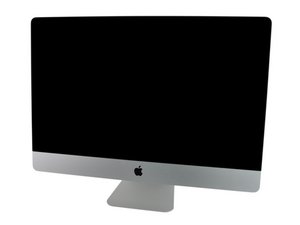
My original 1TB Seagate drive that was in my iMac failed, so I decided to do some upgrading. I bought a samsung SSD and a new Seagate 1TB hard drive and installed both via the OWC instructional video and the ifixit guide.
My SSD is recognized perfectly and the iMac is running off a fresh install on the SSD and I love it! However I only got a 120GB SSD because I was planning on using the 1TB Seagate drive I bought for the storage.
My problem is that my mac isn't detecting the new Hard Drive, I have tried Disk Utility both from my desktop and from the recovery partition, I even tried detecting it under the windows Bootcamp. For whatever reason it won't come up...
Does anyone have any suggestions as to what could be going on?
Here is the replacement hard drive I bought:

 360
360 
I want to add that I am confused based on some reading I have done if the problem maybe comes for it being a SATAIII drive that writes at 6Gb/s? I thought it was backwards compatible but from what I have read others have had issues with them as well?
由 Haytham Akremi 完成的
Yes it's quite common that new drives are not as backward compatible as promised. The freeze, hang or wont format. Some can/must be manually jumpered to a lower speed. A 6Gb/s drive must have a 3Gb/s transfer speed in order to work.
由 originalmachead 完成的