
跳转到主内容

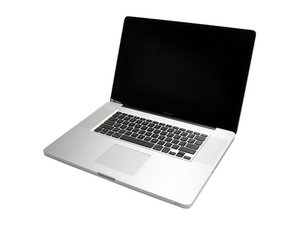
Model A1297 Unibody: Early 2009, Mid 2009, Mid 2010, Early 2011 & Late 2011

Need help diagnosing stripes on LCD Screen

I have an early 2009 Macbook Pro 17" and there are now stripes on the left hand side of the screen.

Connecting to external monitor is fine, taking a screenshot is fine.

Problem first appeared intermittently 6 months ago for a few weeks, then it disappeared. It appears by fading in and then disappears by fading out. It just appeared again a week ago and has not gone away since.

What are the proper troubleshooting steps? Is this is the cable, the LCD, the logic board, or does the whole display need to be replaced?

Block Image
Block Image
已回答! 显示答案 我也有这个问题

这是一个好问题吗?

得分 -1
添加一条评论

2个答案

已选择的解决方案

The driver logic on the back of the LCD is damaged. This often happens when you bang the edge of the lid or something heavy was pressed along the corner.

Sadly, there is no fix for this, other than replacing the LCD display unit (I don't even try this fix any more) or the complete log assembly (which is the easier fix which I recommend).

这个答案有帮助吗?

得分 3
添加一条评论

Chinese: 我是中国的,一个专业维修 笔记本电脑的,你这种情况99%是屏幕坏了,需要更换。

English: I was in China, a professional laptop repair, 99% of you this is the screen is broken, needs to be replaced.

这个答案有帮助吗?

得分 2
添加一条评论

添加你的答案

Joy 将永远感激不已
浏览统计数据:

过去 24 小时: 0

过去 7 天: 0

过去 30 天: 5

总计 298

