
跳转到主内容

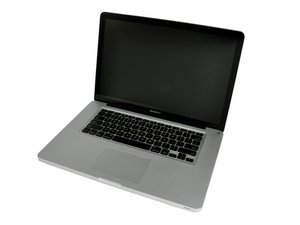
Released April 2010 / 2.4, 2.53 GHz Core i5 or 2.66 GHz Core i7 Processors

LCD displaying vertical lines and red dots

Hi Guys, i need help.

i got the macbook pro 15" mid 2010 model with i5 processor, which is affected by defective graphics card so i just got it replaced by apple. this issue was present before i brought it to apple and thought it was the graphics card issue.

when the repair was being done, the apple genius rang me and informed me that after the logic board replacement, the screen was still displaying the colours and said i needed to replace the lcd assembly for $500 so i didn't change it.

so now i am trying to figure out the actual issue. can it possibly be lcd connector, inverter or the actual LCD?

i have attached some pictures of the screen. it displays red dots where it is black colour and blue vertical lines on white space as you can see on the images attached

Please help me figure it out so i could fix this issue as cheap as possible

thank you for the help in advance guys!

Block Image
Block Image
Block Image
Block Image
Block Image
已回答! 显示答案 我也有这个问题

这是一个好问题吗?

得分 -1
2条评论

When connected to and external display does the same problem present or is it normal. If normal the problem is in the display chain you mentioned. . . but I believe you don't have an inverter board you have a LED controller board.

完成的

Thank you for answering!

Screen works perfectly when connected to external display. So do you think I need a new LED controller board or new lcd?

完成的

添加一条评论

2个答案

已选择的解决方案

Try this: Press Shift key when your Mac starts boot into safe mode. If the problem appears, it could be a display problem, and if it doesn't appear, it's likely an unsupported third-party kernel extension

If this Answer is helpful please remember to return and mark it Accepted.

这个答案有帮助吗?

得分 1

5条评论:

Tried that, still same. When apple was doing the hardware test and vst test, it was same, blue vertical lines on white space..so you think I need to replace the lcd?

完成的

Sadly yes - it follows what the Apple Genius told you. . . you can pick up a screen and do it your self (it's an advanced project). . . but check out the costs you might find someone/someplace that will do it for less than you can.

完成的

Does the display image change when altering the angle of the display up/down or slight corner twist? If it does you could try replacing just the LVDS cable first. LVDS Cable. Otherwise it's the LCD display drivers (part of the LCD).

完成的

same distorted display no matter what angle. i have ordered lcd and will post the results after i replace the lcd.

Thanks

完成的

It was lcd...

完成的

添加一条评论

Hi,

When i booted in safe mode the screen was back normal. What should i do?

这个答案有帮助吗?

得分 0
添加一条评论

添加你的答案

nick 将永远感激不已
浏览统计数据:

过去 24 小时: 0

过去 7 天: 0

过去 30 天: 3

总计 8,383
