
跳转到主内容
加入维修社区 - 创建账户

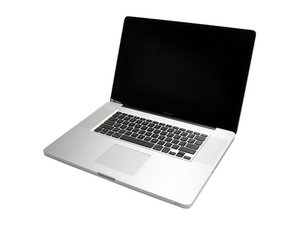
Model A1297 Unibody: Early 2009, Mid 2009, Mid 2010, Early 2011 & Late 2011

Right fan doesn't work properly.

My problem with my macbook is that the right fan makes this loud metallic sound when it goes above 2000RPM. After a while the right fan stops working and reboots. When the fan goes harder than 4000 RPM it's makes less noise and it just keeps working.

So my question is if someone had a similar problem and how did they fix it? And is it a good thing to try it myself or just go to an apple store?

(edit: spelling in title)

已回答! 显示答案 我也有这个问题

这是一个好问题吗?

得分 -1
添加一条评论

2个答案

已选择的解决方案

It does sound like your fans bearing has gone. Follow Jacks links to the needed steps and part.

But, I suspect you have some underlying issue here than needs to be addressed. Often a system like this is caked up with dust which will push the fans too hard. Make sure to fully scrub down the logic board, heat sink fins (both sides) and the other fan with a soft brush. Using can'ed air blow out the junk. Follow proper ESD practices!

If the system is not that dirty you should consider pulling the logic board fully out so you can apply fresh thermo paste onto the CPU & GPU to get better heat transfer as the old paste is most likely not doing a very good job any more (causing the fans to run hard). Logic board guide

这个答案有帮助吗?

得分 1
添加一条评论

Replace the fan. A guide for another 17" unibody macbook pro would work.

MacBook Pro 17" Unibody (Mid 2010-Late 2011) Right Fan

MacBook Pro 17" Unibody Right Fan Replacement

The repair is an easy repair.

Replace a right fan compatible with Mid 2010 to Late 2011 MacBook Pro 17" Unibody A1297 model laptops. Part #922-9294.图片

产品

MacBook Pro 17" Unibody (Mid 2010-Late 2011) Right Fan

$34.99

这个答案有帮助吗?

得分 0
添加一条评论

添加你的答案

Sam 将永远感激不已
浏览统计数据:

过去 24 小时: 0

过去 7 天: 0

过去 30 天: 0

总计 448
