
跳转到主内容

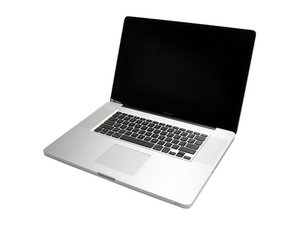
Model A1297 Unibody: Early 2009, Mid 2009, Mid 2010, Early 2011 & Late 2011

transferring data from hdd to ssd

I would like to transfer my os and apps to the ssd from the hdd. I dont have an external enclosure. Can you explain the order in which to install. I would like to put my os and apps on the ssd and keep the remainder on the hdd. Will I have problems with some apps that have info in the library? ie plug ins for photoshop etc

已回答! 显示答案 我也有这个问题

这是一个好问题吗?

得分 -1
添加一条评论

2个答案

已选择的解决方案

With no other source for one of the drives you can't do this. You have to have both of the drives powered and mounted at the same time to transfer data.

If this answer was helpful please remember to mark it accepted.''

这个答案有帮助吗?

得分 1

2条评论:

Both hd's will be installed in the macbook so both powered. Im going to put the ssd in the old hdd place and the hdd in the opti bay. Im just a little concerned that if I move only the apps and user folder to the ssd will the apps support etc still work across the 2 drives. I could do with a step by step how to migrate etc.

完成的

Having two drives in the laptop works the same way as having one drive in, and an external drive for storage (that's what you're proposing). One drive has to have the boot system (SSD) and it's best you launch apps from there and then write (store) data on the HHD.

完成的

添加一条评论

Here's a step by step from Apple--hope it helps. On step five you would use from a time machine or other drive.

http://support.apple.com/kb/HT4413

这个答案有帮助吗?

得分 1
添加一条评论

添加你的答案

Dave 将永远感激不已
浏览统计数据:

过去 24 小时: 0

过去 7 天: 1

过去 30 天: 2

总计 1,720