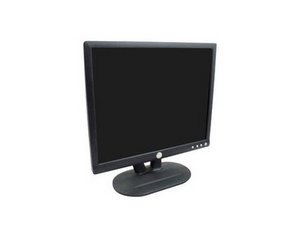
显示屏故障
屏幕黑屏、模糊或闪烁。
线缆连接不当
- 确保与显示器连接的计算机或设备已开启。
- 确保显示器的电源线在背面连接良好,并已插入电源插座。
- 确保显示器通过 VGA 端口正确连接到目标设备。根据设备型号,可能需要使用适配器。
屏幕损坏
- 检查屏幕是否有明显的损坏(裂纹、孔洞等)。
- 请参阅我们的 屏幕指南。
电源按钮故障
按下电源按钮时,显示器无法开关。
按钮损坏
- 按钮触点可能错位或损坏,请参阅我们的 按键指南。
电路
- 这可能是由于电路板内部问题导致的。可能需要更换电路板(位于按键下方)。请参阅我们的 按键指南 以接触到电路板。
坏点
部分像素保持常亮或常灭。坏点(Stuck pixel)会保持单色。死点(Dead pixel)则不显示任何颜色。
- 确定故障像素的位置。可以通过更改屏幕显示的图像并观察像素是否未发生变化来确认。
- 关闭显示器。
- 在标注的位置轻轻按摩屏幕。
- 重新开启显示器,查看是否有变化。
- 如果没有变化,你可能需要更换屏幕。请参阅我们的 屏幕指南。
显示亮度异常
画面过暗或过亮。
显示器亮度
- 重置显示器。
- 按下“自动调整(Auto-Adjust)”按钮。
- 选择“亮度(Brightness)”并相应调节。
逆变器故障
这需要进行更换操作。请参阅我们的 逆变器指南。
显示画面偏移
屏幕上的图像未居中或被截断。
显示器设置
如果问题是由显示器引起的,请执行以下步骤:
- 按下“自动调整(Auto-Adjust)”按钮。
- 选择“居中(Centering)”并相应调节。
- 如果问题依然存在,请参阅计算机设置。
计算机设置
- 在控制面板或系统设置中调整分辨率设置。

团队

Cal Poly, Team 5-36, Amido Fall 2011 Cal Poly, Team 5-36, Amido Fall 2011 的会员
CPSU-AMIDO-F11S5G36
4 名成员
创作了72篇指南

2条评论
my issue is not listed- when the computer boots up the display turns on for a split second then goes away. Pressing the on/off button and then back on brings the screen up for just a second and then it goes out again. Attached it to a desktop and another laptop- same results. Suggestions???
Eric Ferguson - 回复 分享
My E193FPc display turns on when my computer starts, but then goes out. Pressing the off button and then pressing it on again, brings the display up for a split second then it goes out again. I attached it to a desktop and two laptops and it did the same. Any suggestions?
Eric Ferguson - 回复 分享