简介
转到步骤 1 ↓7 月 21 日,Apple 为我们带来了丰硕的收获!今天,Apple 发布了 11 英寸和 13 英寸 MacBook Air 的更新,以及一款更新的 Mac mini。
虽然对于消费者来说今天是个令人激动的日子,但对于消费者维修而言却是个悲伤的日子。Apple 决定用“轻薄性感”的 MacBook Air 取代“简单易修”的 白色塑料 MacBook(至少对普通消费者而言是这样——白色塑料 MacBook 仍可供教育用户使用)。虽然这意味着你的书包会轻便许多,但也意味着你短期内将无法自行升级或维修电脑。
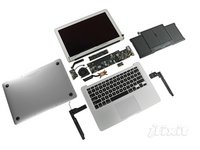
今天,就请跟随我们一起探究这款改变游戏规则的设备内部。
你所需要的


-
-
-
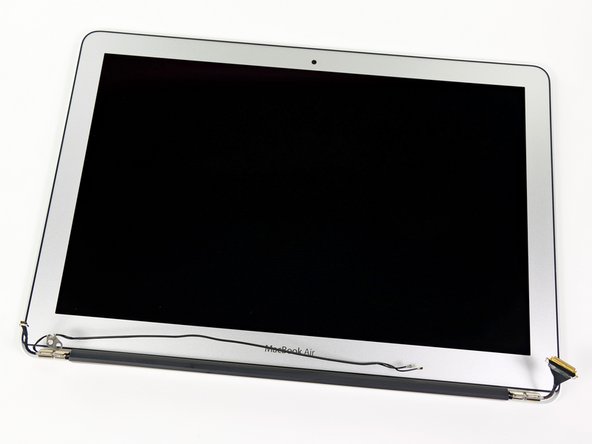
我们现在拿到的是 Apple 的最新果实:升级版 MacBook Air!
-
这款 13 英寸 Air 令人垂涎的规格包括:
-
Core i5 或 Core i7 处理器
-
128 或 256 GB 闪存
-
4 GB DDR3 SDRAM
-
Intel HD 3000 显卡,配备 384 MB 显存(与系统内存共享)
-
Thunderbolt 接口和 SD 卡槽
-
这款 MacBook Air 的尺寸完全相同,所以如果你需要 切个蛋糕,应该也没问题。
 询问修复机器人
-
-
在这个步骤中使用的工具:P5 Pentalobe Screwdriver Retina MacBook Pro and Air$5.99
-
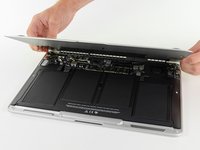
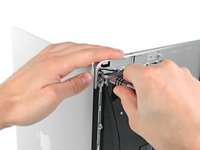
幸运的是,这款 MacBook Air 外壳上使用的 Pentalobe 螺丝 与上一代相同。
-
事实上,从外观上看,这一代机型与上一代并没有太大的区别。
-
看来我们只能拆开它看看了!
-
值得注意的是,这一代 Air 出厂时并未附带 OS 安装盘。从 Lion 系统开始,Mac 出厂即内置了 Internet 恢复功能,即使系统驱动器损坏,它也可以重新下载并安装操作系统。
-
-
-
在这个步骤中使用的工具:T5 Torx Screwdriver$5.49
-
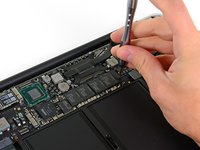
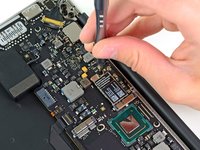
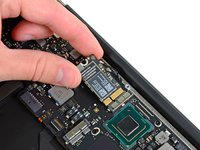
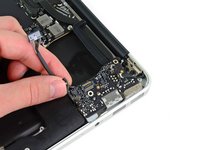
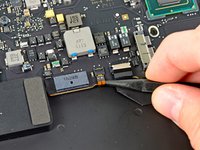
第一张图片中正在断开的线缆是新的背光键盘排线。
-
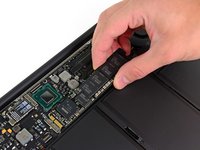
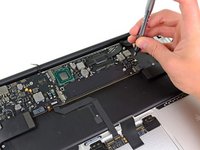
断开我们能找到的所有线缆后,我们继续拆卸固定逻辑板的 T5 Torx 螺丝。
-
-
-
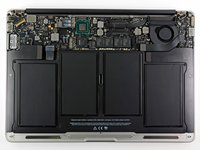
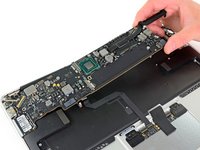
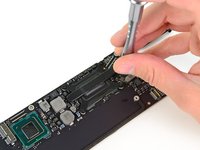
逻辑板正面主要的芯片包括:
-
Intel E78296 01PB10 / E116A746 SLJ4K 平台控制器中枢 (PCH)。我们推测其集成了 Thunderbolt 控制器。虽然它不是 此型号部件,但功能相似。
-
Genesys Logic 822 SD 卡槽控制器
-
DSL2310 L123TA46 Eagle Ridge SFF Thunderbolt 控制器
-
Linear Technology 3857
-
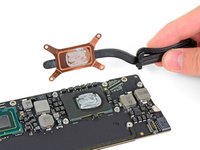
改用处理器集成显卡为电路板腾出了大量空间——足以让 Apple 加入体积较大的 Thunderbolt 兼容 PCH。
-
如果你对 Intel 移动芯片组的更多信息感兴趣,维基百科上有许多有趣的信息。
-
-























12指南评论
I'm surprised that Apple didn't move the Thunderbolt connector to be adjacent to the Magsafe connector so that both heads of the dual power/Thunderbolt cable in the new Cinema Display would connect on the same side of the Air. As it is, you have to plug cables onto both sides. Surprisingly ungainly for Apple.
Scott Trappe - 回复 分享
you were very smart thinking of that! i'm asking me the same. perhaps the cable is enough long to plug it on both sides
tomitofazzio - 回复 分享
Hey -- I have a few questions.
1.) What interface is the SSD? Is it's PCIe or SATA? If PCIe, is it PCIe 1.0 or 2.0? If SATA, is it SATA 3gbps or SATA 6gbps?
2.) Do you see any way of upgrading the RAM to 8gb...even if you get a professional to carefully solder it in? Would you guys consider doing it for a price? I ordered the 11" i7 with 4GB ram and 128GB SSD.
Let me know, thank you for your wonderful site!
My understanding is that it's some sort of modified SATA to be smaller. As for the RAM, honestly, I wouldn't even try soldering it in. First of all, for all we know, the motherboard can only handle 4 GB, which is unlikely, but possible. The costs of 8GB of ram and soldering service.... I wouldn't want anyone to screw up my motherboard My guess is that if it was feasible, Apple would have allowed it but for a hefty price. I guess we'll have to wait for next generation. The SSD should help mitigate some of the RAM bottlenecks because it's a faster scratch disk, unless you're doing a lot of VMs, in which case you shouldn't have gotten a MacBook Air. OtherWorldComputing has some very fast SSD upgrades for the MacbookAir you can install yourself easily. Hope this helps :)
John Furfaro - 回复 分享
In step two, you say this model uses the same pentalobe screws as the gen2, but you show them being taken out with your bit-driven screwdriver (which is an excellent set!), as opposed to the dedicated pentalobe screwdriver! Fess up! Is there a set of pentalobe bits available?! IAC, thanks for the teardown!
Riley Werts - 回复 分享
