跳转到主内容
加入维修社区 - 创建账户

iPad Pro 11" Screen Cable Replacement

仅作为前提条件
本指南仅提供前提条件!本指南是另一个程序的一部分,不能单独使用。

你所需要的

  1. iPad Pro 11" Screen Cable Replacement, Display cable information: 步骤 1 中的图像 1,2 iPad Pro 11" Screen Cable Replacement, Display cable information: 步骤 1 中的图像 2,2
    • If your replacement screen didn't come with the two removable display cables, follow the next six steps to remove and transfer these cables.

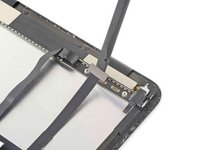
    • The display cable connectors are located under a bracket near the bottom right corner of the screen.

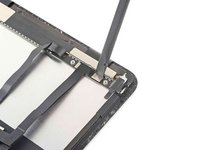
  2. iPad Pro 11" Screen Cable Replacement, Separate the non-removable display cable: 步骤 2 中的图像 1,3 iPad Pro 11" Screen Cable Replacement, Separate the non-removable display cable: 步骤 2 中的图像 2,3 iPad Pro 11" Screen Cable Replacement, Separate the non-removable display cable: 步骤 2 中的图像 3,3
    • Slide an opening pick under the non-removable display cable to loosen it from the bracket.

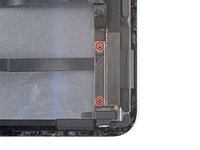
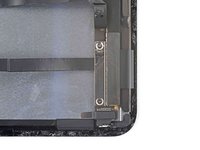
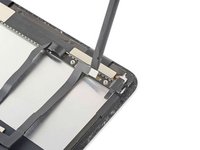
  3. iPad Pro 11" Screen Cable Replacement, Unfasten the display cable bracket: 步骤 3 中的图像 1,2 iPad Pro 11" Screen Cable Replacement, Unfasten the display cable bracket: 步骤 3 中的图像 2,2
    • Use a Phillips screwdriver to remove the two 1.2 mm screws securing the display cable bracket.

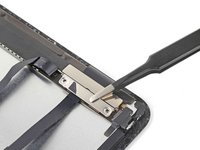
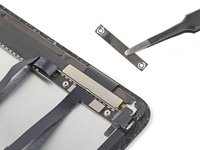
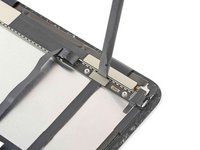
  4. iPad Pro 11" Screen Cable Replacement, Remove the display cable bracket: 步骤 4 中的图像 1,2 iPad Pro 11" Screen Cable Replacement, Remove the display cable bracket: 步骤 4 中的图像 2,2
    • Remove the display cable bracket.

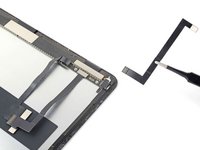
  5. iPad Pro 11" Screen Cable Replacement, Disconnect and remove the display cables: 步骤 5 中的图像 1,3 iPad Pro 11" Screen Cable Replacement, Disconnect and remove the display cables: 步骤 5 中的图像 2,3 iPad Pro 11" Screen Cable Replacement, Disconnect and remove the display cables: 步骤 5 中的图像 3,3
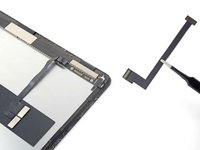
    • Use the flat end of a spudger to pry up and disconnect the narrow display cable.

    • Remove the narrow display cable. Set it aside for reassembly.

  6. iPad Pro 11" Screen Cable Replacement: 步骤 6 中的图像 1,3 iPad Pro 11" Screen Cable Replacement: 步骤 6 中的图像 2,3 iPad Pro 11" Screen Cable Replacement: 步骤 6 中的图像 3,3
    • Disconnect and remove the wide display cable. Set it aside for reassembly.

结论

To reassemble your device, follow these instructions in reverse order.

Chayton Ritter

于08/21/20注册

25,549 声望

创作了105篇指南

团队

Guide Team Guide Team 的会员

Staff

10 名成员

创作了16,138篇指南

0指南评论

添加评论

浏览统计数据:

过去 24 小时: 0

过去 7 天: 2

过去 30 天: 9

总计 94