简介
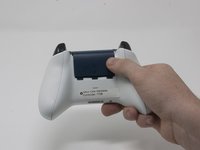
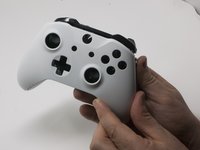
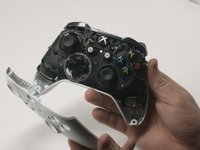
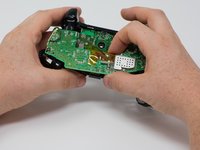
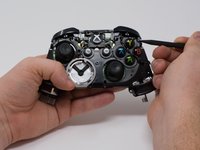
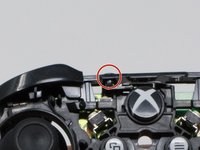
Xbox One的前面板按键有时候会反应迟钝或者手感变粘。这种情况下您可能需要清洁或更换按键。本指南将向您展示如何取出并更换您的Xbox One 1708型手柄前面板按键。
你所需要的
-
-
-
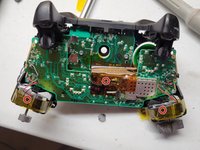
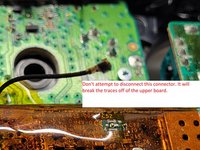
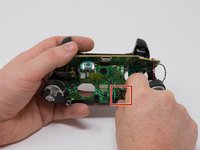
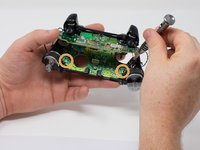
从底部主板中心取下三个 70mm torx-6 螺丝。
-
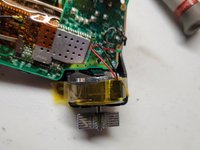
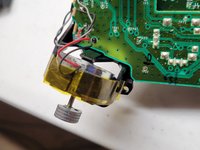
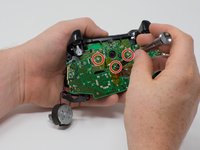
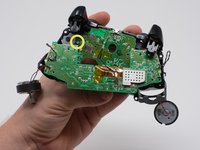
从震动马达边上的底部主板上取下两个 70mm torx-6 螺丝。
-
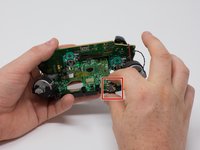
从底部主板左侧取下一个 70mm torx-6 螺丝。
-
















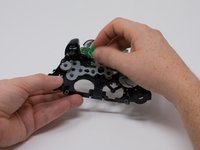
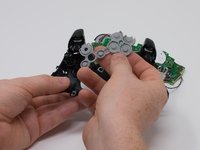
维修结束需要复原?倒序执行本指南即可。
60等其他人完成本指南。




团队

Cal Poly, Team S18-G3, Forte Fall 2017 Cal Poly, Team S18-G3, Forte Fall 2017 的会员
CPSU-FORTE-F17S18G3
4 名成员
创作了37篇指南
8指南评论
Thanks for the contribution for you and helped a lot of people.
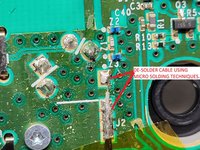
You don't need to desolder anything to remove the top motherboard!
Those black and grey wires go to the vibration motors in the triggers. Remove the covers on the triggers along with the motors, and carefully remove the wires from clips on the front of the controller. Make sure you get the black signal wire. You can now safely remove the two boards from eachother.
I needed a guide for this because my “X” button was sticking and I ended up doing the whole thing without separating the motherboards, cleaning everything that touches the button, and it worked like a charm. Thank you very much for the guide!
I wore out both the sticks playing COD, this helped me to make it usable enough for P2. cheers!
