跳转到主内容
加入维修社区 - 创建账户

Xbox Disc Drive Replacement

你所需要的

    1. Xbox Disc Drive Replacement, Hard Drive: 步骤 1 中的图像 1,1
      • Make sure your Xbox is safely unplugged and is laying on a flat, stable surface.

      询问修复机器人
      添加评论

    2. Xbox Disc Drive Replacement: 步骤 2 中的图像 1,1
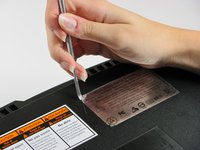
      • Turn the Xbox over to reveal the four rubber feet.

      • Use a metal spudger to pry off the four rubber feet.

      添加评论

    3. Xbox Disc Drive Replacement: 步骤 3 中的图像 1,2 Xbox Disc Drive Replacement: 步骤 3 中的图像 2,2
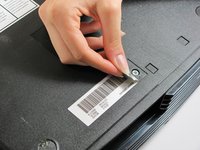
      • There are 2 more screws hidden under the two labels on the bottom of the case.

      • You can either remove the labels or simply feel for the screw holes through the labels and then cut or punch a hole through them.

      添加评论

    4. Xbox Disc Drive Replacement: 步骤 4 中的图像 1,1
      • Remove the six T20 Torx screws securing the top cover to the bottom cover.

      询问修复机器人
      添加评论

    5. Xbox Disc Drive Replacement: 步骤 5 中的图像 1,2 Xbox Disc Drive Replacement: 步骤 5 中的图像 2,2
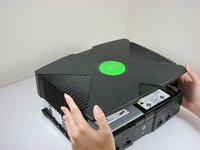
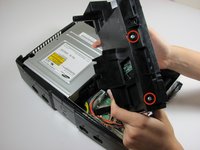
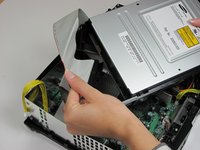
      • Once the bottom and top shells are no longer attached, carefully turn the Xbox right-side-up, lift and remove the top cover.

      询问修复机器人
      添加评论

    6. Xbox Disc Drive Replacement: 步骤 6 中的图像 1,2 Xbox Disc Drive Replacement: 步骤 6 中的图像 2,2
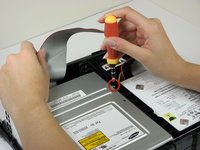
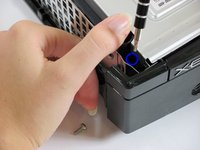
      • Remove the three 3 mm T10 screws securing the hard drive to the Xbox.

      • There is one screw on the rear left side of the hard drive that is only visible when the IDE ribbon cable is lifted up. The other two are at the front right and left sides of the hard drive.

      • The screw on the lower left corner of the disk drive is not in the hole that it appears to be in, but rather just closer to the corner.

      添加评论

    7. Xbox Disc Drive Replacement: 步骤 7 中的图像 1,2 Xbox Disc Drive Replacement: 步骤 7 中的图像 2,2
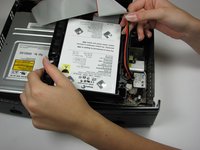
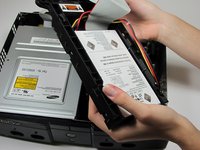
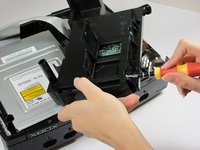
      • Free the hard drive power cable from the carrier for sufficient slack to lift the hard drive out.

      • Lift the plastic hard drive carrier out of the Xbox case.

      询问修复机器人

      添加评论

    8. Xbox Disc Drive Replacement: 步骤 8 中的图像 1,3 Xbox Disc Drive Replacement: 步骤 8 中的图像 2,3 Xbox Disc Drive Replacement: 步骤 8 中的图像 3,3
      • Remove the four 3.4 mm T15 Torx screws from the plastic hard drive carrier (two screws per side).

      • Carefully remove the hard drive from the plastic carrier. Gentle rocking will see the hard drive come out quite easily.

      询问修复机器人

      添加评论

    9. Xbox Disc Drive Replacement: 步骤 9 中的图像 1,2 Xbox Disc Drive Replacement: 步骤 9 中的图像 2,2
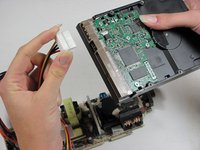
      • Pull both the hard drive data ribbon cable and the power cable straight up from the hard drive.

      • They may be firmly seated, so be careful trying to remove them. DO NOT pull the wires as you may damage the cable assembly.

      添加评论

    1. Xbox Disc Drive Replacement, Disc Drive: 步骤 10 中的图像 1,3 Xbox Disc Drive Replacement, Disc Drive: 步骤 10 中的图像 2,3 Xbox Disc Drive Replacement, Disc Drive: 步骤 10 中的图像 3,3
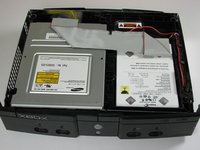
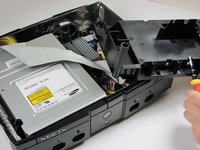
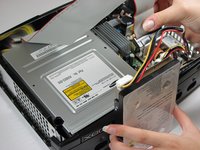
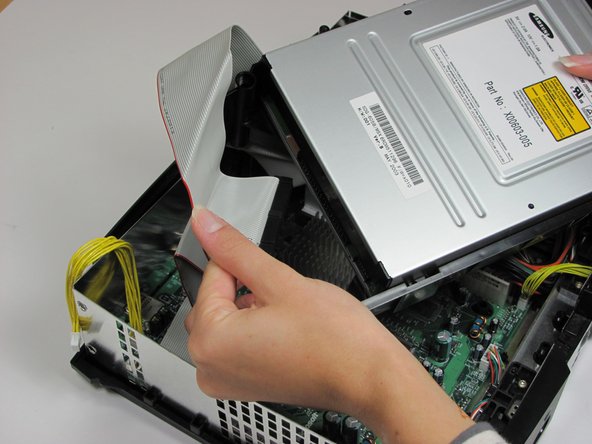
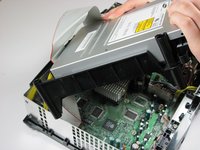
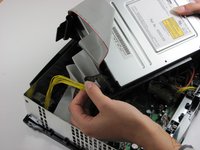
      • Remove the disk drive. It should come right out.

      • Unplug the ribbon cable and yellow cables from back of disk drive.

      添加评论

    2. Xbox Disc Drive Replacement: 步骤 11 中的图像 1,1
      • Pry back the black plastic tabs around the disk drive in order to remove it from its housing. Once removed, set the drive aside.

      • If you are removing the disk drive in order to gain access to the motherboard underneath, you do not need to remove the plastic housing.

      添加评论

结论

To reassemble your device, follow these instructions in reverse order.

取消:我没有完成这个指南。

70等其他人完成本指南。

rmarstel

于10/29/09注册

6,324 声望

创作了5篇指南

团队

Cal Poly, Team 18-2, Maness Fall 2009 Cal Poly, Team 18-2, Maness Fall 2009 的会员

CPSU-MANESS-F09S18G2

3 名成员

创作了55篇指南

8指南评论

http://www.ebay.com/gds/How-To-Determine...

Utilize the information on this website to determine what Xbox version you have so you know what replacement parts to look for.

Navy Vet 2015 - 回复 分享

The final comment mentions “only remove if dead.”   What about a disc drive that closes and opens immediately….in other words, won’t stay closed.  Is this a sign of a defective disc drive too?

Miguel - 回复 分享

I am having the same issue, Miguel.

Did you buy a new drive or figure out a better fix?

Thanks

Ben C. - 回复 分享

I learned that you need to change out the drive belt in the disc drive. Over time it wears out and either won't open, stays open, or will open/close continuously. I changed my drive belt and it started working fine.

Turtlelaw - 回复 分享

Can anyone help..My Xbox can't read games..I took it apart and cleaned it, still can't read games

mr.mistermitchell@yahoo.com - 回复 分享

添加评论

浏览统计数据:

过去 24 小时: 29

过去 7 天: 205

过去 30 天: 815

总计 90,407