跳转到主内容

此翻译可能不反映源指南的最新更新。 帮助更新翻译查看源指南

Why! NH57ADS Keyboard Disassembly

你所需要的

  1. Why! NH57ADS Keyboard Disassembly, Battery: 步骤 1 中的图像 1,3 Why! NH57ADS Keyboard Disassembly, Battery: 步骤 1 中的图像 2,3 Why! NH57ADS Keyboard Disassembly, Battery: 步骤 1 中的图像 3,3
    • Remove the two screws holding the battery in place.

    • Slip your finger into the finger hole provided at the top of the battery.

    • ...and lift to remove it

  2. Why! NH57ADS Keyboard Disassembly, Bottom Cover: 步骤 2 中的图像 1,3 Why! NH57ADS Keyboard Disassembly, Bottom Cover: 步骤 2 中的图像 2,3 Why! NH57ADS Keyboard Disassembly, Bottom Cover: 步骤 2 中的图像 3,3
    • Remove the five Phillips screws securing the bottom to the case.

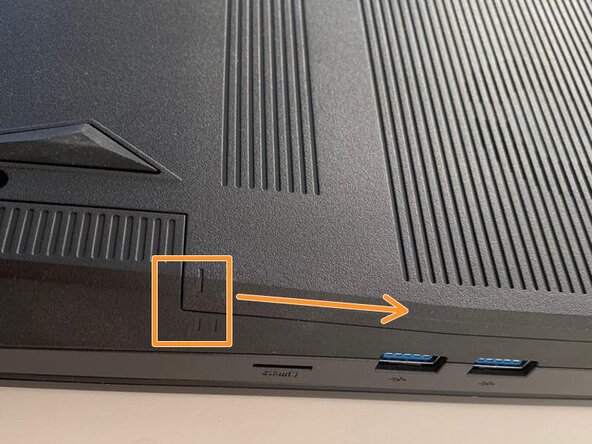
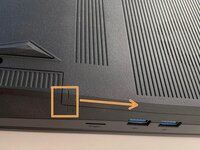
    • Slide the cover up slightly to release the clips holding it in place. This is the view on the right. The mark on the cover should now line up with the second mark on the case of the computer.

  3. Why! NH57ADS Keyboard Disassembly, Removing the Bottom Cover: 步骤 3 中的图像 1,3 Why! NH57ADS Keyboard Disassembly, Removing the Bottom Cover: 步骤 3 中的图像 2,3 Why! NH57ADS Keyboard Disassembly, Removing the Bottom Cover: 步骤 3 中的图像 3,3
    • This is the view on the left before and after sliding the cover. The mark on the cover should now line up with the second mark on the case of the computer.

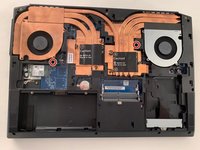
    • Slide the bottom cover to remove it.

  4. Why! NH57ADS Keyboard Disassembly, Keyboard: 步骤 4 中的图像 1,3 Why! NH57ADS Keyboard Disassembly, Keyboard: 步骤 4 中的图像 2,3 Why! NH57ADS Keyboard Disassembly, Keyboard: 步骤 4 中的图像 3,3
    • Remove the two Phillips screws with the keypad symbol next to them.

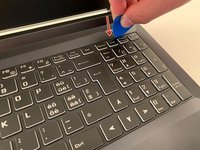
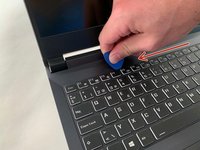
    • Insert an iFixit opening pick into the upper slot of the keyboard and slide it to the end.

  5. Why! NH57ADS Keyboard Disassembly, Remove the Keyboard: 步骤 5 中的图像 1,3 Why! NH57ADS Keyboard Disassembly, Remove the Keyboard: 步骤 5 中的图像 2,3 Why! NH57ADS Keyboard Disassembly, Remove the Keyboard: 步骤 5 中的图像 3,3
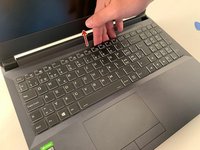
    • Carefully lift the keyboard.

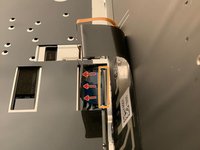
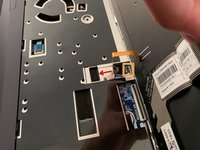
    • Gently flip up the retaining latch on the black keyboard cable and slide it out of the connector.

    • Repeat with the (orange) backlight cable.

结论

To reassemble your device, follow the instructions in reverse order.

由衷感谢以下译者:

fr en

71%

这些译者帮助我们修补全世界! 您也想加入吗?
开始翻译 ›

Felice Suglia

于06/15/13注册

33,538 声望

创作了283篇指南

0指南评论

添加评论

浏览统计数据:

过去 24 小时: 1

过去 7 天: 2

过去 30 天: 17

总计 265