跳转到主内容
加入维修社区 - 创建账户

Watch Battery Replacement

你所需要的

  1. Watch Battery Replacement, Battery: 步骤 1 中的图像 1,2 Watch Battery Replacement, Battery: 步骤 1 中的图像 2,2
    • For this project you will need the watch you are replacing the battery on, the new battery and a mini flat head screwdriver.

    添加评论

  2. Watch Battery Replacement: 步骤 2 中的图像 1,3 Watch Battery Replacement: 步骤 2 中的图像 2,3 Watch Battery Replacement: 步骤 2 中的图像 3,3
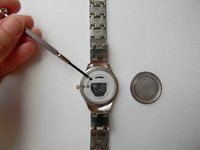
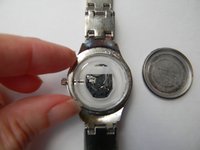
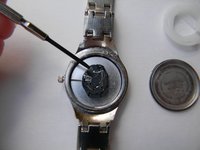
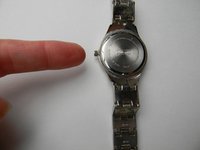
    • You will need to take the back of the watch off. To do this you will turn the watch over to the back side and look carefully for a small groove opening. This is where you will use the mini flat head screwdriver. Insert the flat head screwdriver into the groove and pop the back off of the watch.

    询问修复机器人

    添加评论

  3. Watch Battery Replacement: 步骤 3 中的图像 1,2 Watch Battery Replacement: 步骤 3 中的图像 2,2
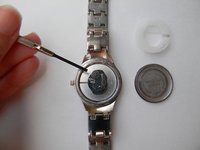
    • Take the white plastic ring out of the watch. You can use the mini flat head screwdriver or your finger to pull it out.

    询问修复机器人

    添加评论

  4. Watch Battery Replacement: 步骤 4 中的图像 1,3 Watch Battery Replacement: 步骤 4 中的图像 2,3 Watch Battery Replacement: 步骤 4 中的图像 3,3
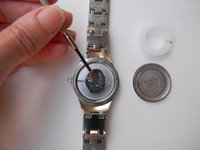
    • Take the old battery out of the watch. You can use the mini flat head screwdriver to do this.

    询问修复机器人

    添加评论

  5. Watch Battery Replacement: 步骤 5 中的图像 1,1
    • Put the new battery in watch. Use your fingers to insert the new battery.

    询问修复机器人

    添加评论

  6. Watch Battery Replacement: 步骤 6 中的图像 1,1
    • Use your fingers to insert the plastic white ring back into the watch.

    询问修复机器人

    添加评论

  7. Watch Battery Replacement: 步骤 7 中的图像 1,1
    • Put the back of the watch on using your fingers. Press down so that you hear a snap to ensure the back is on properly.

    询问修复机器人

    添加评论

  8. Watch Battery Replacement: 步骤 8 中的图像 1,1
    • You are all done and can now set the time on your watch.

    询问修复机器人

    添加评论

  9. Watch Battery Replacement: 步骤 9 中的图像 1,2 Watch Battery Replacement: 步骤 9 中的图像 2,2
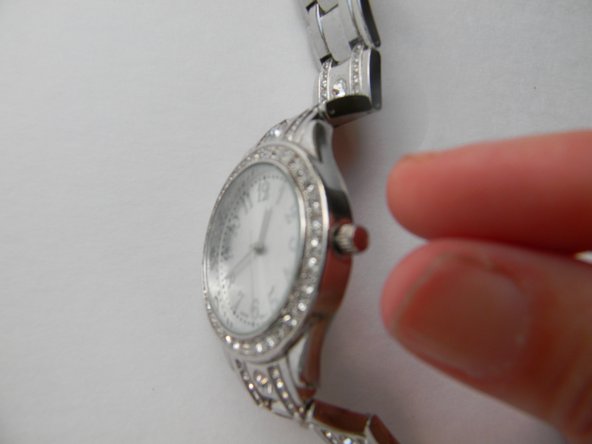
    • When you are not using the watch, pull the pin out to stop the watch from running

    询问修复机器人

    添加评论

  10. Watch Battery Replacement: 步骤 10 中的图像 1,1
    • When the pin is pulled out, the battery is not being used. Only push the pin in and set the time when you are using the watch. This will preserve the life of your new battery.

    询问修复机器人

    添加评论

结论

To reassemble your device, follow these instructions in reverse order.

取消:我没有完成这个指南。

9等其他人完成本指南。

6指南评论

First time I have done this and I have somehow lost the white plastic! Is this essential?

barbaramcraig - 回复 分享

Yes. I can’t get the plastic spacer back in right. I guess that is why I can’t get the back.

jybentneedle48 - 回复 分享

I'm trying to figure out the type of watch that is can anyone help me that? This is the only place I can find an image of it. I recently purchased it private sale and they couldn't remember.

karmstrong20112012 - 回复 分享

Googling the model number on the back, LDC74709W, leads me to believe it’s an unbranded watch that was sold at Walmart in the past.

Austin Blakely - 回复 分享

What is the battery number

David Corley - 回复 分享

添加评论

浏览统计数据:

过去 24 小时: 13

过去 7 天: 106

过去 30 天: 520

总计 58,163