跳转到主内容
加入维修社区 - 创建账户

Vizio VTAB1008 Wi-Fi Antenna Replacement

浏览量: 747

浏览统计数据:

过去24小时
2
过去 7 天:
16
过去 30 天:
93
总计
747
评论: 0

暂时还没有人对本指南发表评论。你想做第一个评论的人吗?

Go to guide comments
已完成: 0

暂时还没有人将本指南标记为“已完成”。你会是第一个完成的人吗?

收藏: 0

暂时还没有人收藏(和订阅)本指南。你会是第一个收藏(和订阅)的人吗?

所需时间: 没有估计
难度: 简单
更好的介绍

通过完成或修改其开头介绍以改善本指南。

Vizio VTAB1008 Wi-Fi Antenna Replacement

Hello! This guide will help you replace the Wi-Fi antenna in your Vizio VTAB1008.

你所需要的

工具

    1. Vizio VTAB1008 Wi-Fi Antenna Replacement, Vizio VTAB1008 Back Cover Removal: 步骤 1 中的图像 1,2 Vizio VTAB1008 Wi-Fi Antenna Replacement, Vizio VTAB1008 Back Cover Removal: 步骤 1 中的图像 2,2
      • Carefully slide the heavy duty opening tool between the gap on the side of the device with no buttons.

      • Do not insert the opening tool too far into the tablet as this can damage connectors close to edges of the cover.

      • The angled tip of the opening tool can be wedged into the device by pressing on the back of the opening tool with the thumb. Move the opening tool in a sliding motion to ensure all tabs separate.

      • Corner tabs may require a more forceful prying tool. If needed, carefully insert the metal prying tool into corners to separate the tabs.

      询问修复机器人

      添加评论

    2. Vizio VTAB1008 Wi-Fi Antenna Replacement: 步骤 2 中的图像 1,1
      • Look into the tablet for loose connectors.

      • There are three loose connectors: one for the screen, one for the digitizer, and one for the motherboard. They are held in place by the pressure of the backing and screen assemblies.

      • Flip the backing from the button-less side over, being careful not to separate the ribbon connector from the display screen.

      询问修复机器人

      添加评论

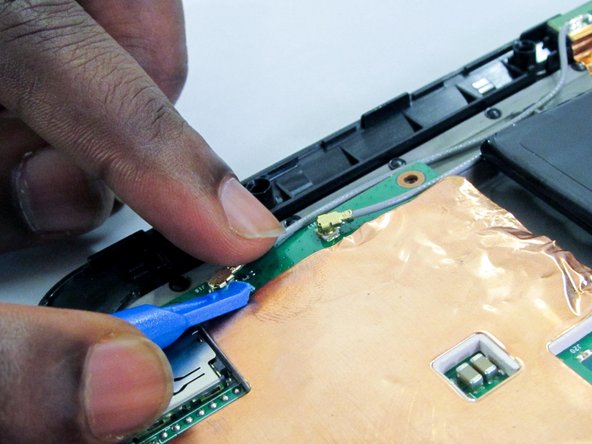
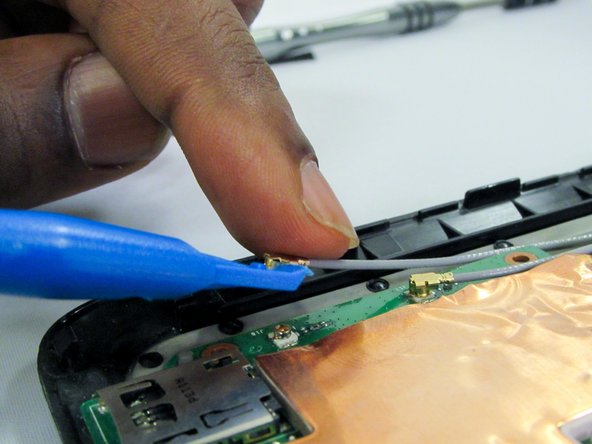
    1. Vizio VTAB1008 Wi-Fi Antenna Replacement, Wi-Fi Antenna: 步骤 3 中的图像 1,3 Vizio VTAB1008 Wi-Fi Antenna Replacement, Wi-Fi Antenna: 步骤 3 中的图像 2,3 Vizio VTAB1008 Wi-Fi Antenna Replacement, Wi-Fi Antenna: 步骤 3 中的图像 3,3
      • Using the blue spudger/prying tool remove antenna connectors by prying them up from the motherboard.

      询问修复机器人

      添加评论

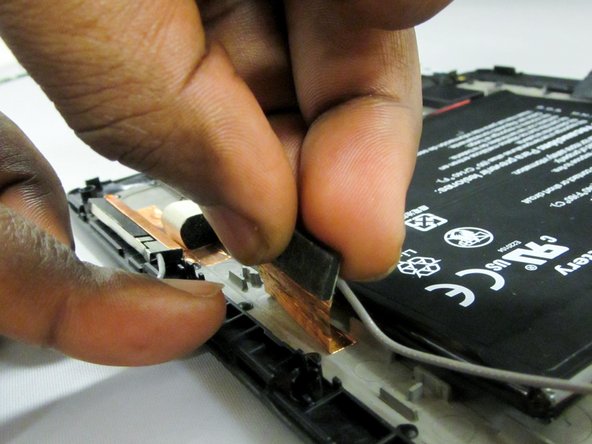
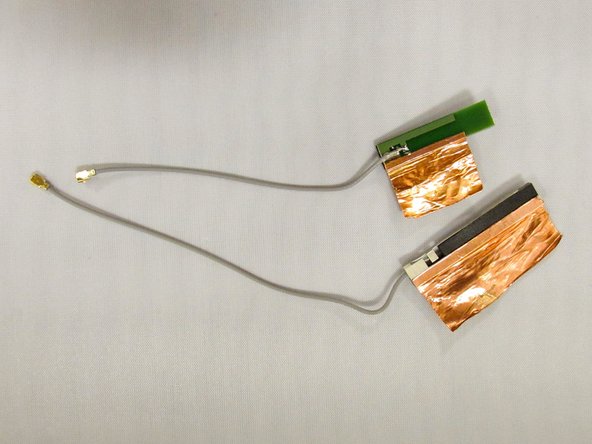
    2. Vizio VTAB1008 Wi-Fi Antenna Replacement: 步骤 4 中的图像 1,3 Vizio VTAB1008 Wi-Fi Antenna Replacement: 步骤 4 中的图像 2,3 Vizio VTAB1008 Wi-Fi Antenna Replacement: 步骤 4 中的图像 3,3
      • Remove connectors from the back cover by gently prying.

      • Connectors are glued down, but copper can be removed from the backing with light pulling.

      询问修复机器人

      添加评论

结论

To reassemble your device, follow these instructions in reverse order.

取消:我没有完成这个指南。

0指南评论

添加评论

浏览统计数据:

过去 24 小时: 2

过去 7 天: 16

过去 30 天: 93

总计 747