跳转到主内容
加入维修社区 - 创建账户

Upper Component Bracket Removal

仅作为前提条件
本指南仅提供前提条件!本指南是另一个程序的一部分,不能单独使用。

你所需要的

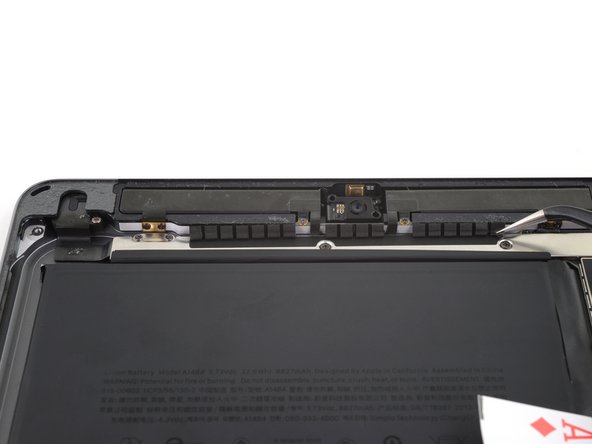
  1. Upper Component Bracket Removal, Remove the upper component bracket: 步骤 1 中的图像 1,2 Upper Component Bracket Removal, Remove the upper component bracket: 步骤 1 中的图像 2,2
    • Carefully peel the LCD buffer tape up off of the upper component bracket.

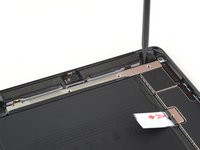
  2. Upper Component Bracket Removal: 步骤 2 中的图像 1,1
    • Use a Phillips screwdriver to remove the five screws securing the upper component bracket:

    • Three 1.4 mm-long screws

    • Two 1.9 mm-long screws

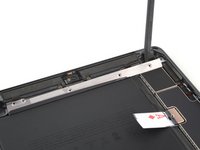
  3. Upper Component Bracket Removal: 步骤 3 中的图像 1,3 Upper Component Bracket Removal: 步骤 3 中的图像 2,3 Upper Component Bracket Removal: 步骤 3 中的图像 3,3
    • Use the pointed end of a spudger to lift up the upper component bracket until you can grip it with your fingers.

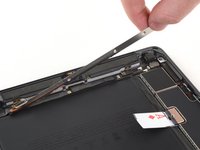
    • Remove the upper component bracket.

    • You may need to peel the upper component bracket off of some tape securing it to the logic board.

结论

To reassemble your device, follow these instructions in reverse order.

Robert Boyd

于02/01/21注册

31,858 声望

创作了94篇指南

0指南评论

添加评论

浏览统计数据:

过去 24 小时: 0

过去 7 天: 0

过去 30 天: 0

总计 41