简介
Follow this guide to disconnect the battery in your iPad Pro 12.9" 4th generation.
你所需要的
-
-
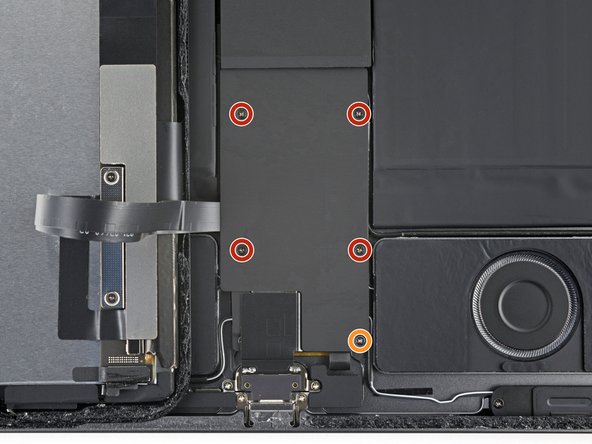
Use your Phillips screwdriver to remove the five screws securing the lower cable shield:
-
Four 1.1 mm screws
-
One 2.0 mm screw
-
-
-
在这个步骤中使用的工具:Tweezers$4.99
-
Use tweezers or your fingers to grab and remove the lower cable shield.
-
-
-
Use your Phillips screwdriver to remove the 1.7 mm screw securing the battery connector to the logic board.
-


结论
To reassemble your device, follow these instructions in reverse order.


团队

