跳转到主内容
加入维修社区 - 创建账户

Tungsten E Power Button Repair

你所需要的

    1. Tungsten E Power Button Repair, Tungsten E Disassembly: 步骤 1 中的图像 1,2 Tungsten E Power Button Repair, Tungsten E Disassembly: 步骤 1 中的图像 2,2
      • Remove the stylus and SD card.

      • Using a T5 torx screwdriver, remove all 4 back panel screws.

      • The screws are small and can be lost easily. Be sure to place them in a secure area.

      询问修复机器人

      添加评论

    2. Tungsten E Power Button Repair: 步骤 2 中的图像 1,3 Tungsten E Power Button Repair: 步骤 2 中的图像 2,3 Tungsten E Power Button Repair: 步骤 2 中的图像 3,3
      • Insert a plastic opening tool under the USB and power input slots.

      • Slide the plastic opener along the seam and gently pry the cover from the PDA body to remove the cover completely.

      添加评论

    3. Tungsten E Power Button Repair: 步骤 3 中的图像 1,2 Tungsten E Power Button Repair: 步骤 3 中的图像 2,2
      • Your device may not have a screen protector. If not, you can move on to step four.

      • Remove the screen protector by lifting the hinge out of the plastic housing.

      • Remove the top cover by gently pulling it away from the device with a plastic opening tool or your fingers.

      询问修复机器人

      添加评论

    4. Tungsten E Power Button Repair: 步骤 4 中的图像 1,2 Tungsten E Power Button Repair: 步骤 4 中的图像 2,2
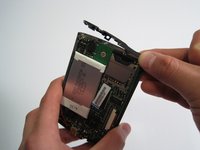
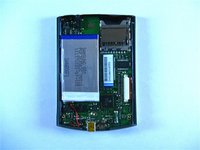
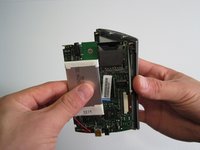
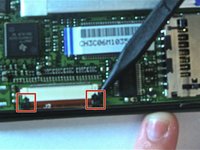
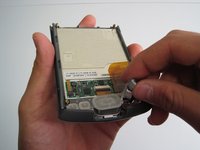
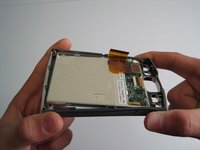
      • Carefully remove motherboard from the standoffs without damaging the LCD flex connector.

      • Using a spudger, unlock both sides of the flex connector block by pushing down.

      • Remove motherboard completely.

      • Metal washers may pop out of the device during this step

      询问修复机器人

      添加评论

    5. Tungsten E Power Button Repair: 步骤 5 中的图像 1,3 Tungsten E Power Button Repair: 步骤 5 中的图像 2,3 Tungsten E Power Button Repair: 步骤 5 中的图像 3,3
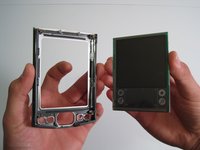
      • Remove buttons using fingers.

      • Gently flex frame to release screen from plastic frame.

      • Lift out screen.

      询问修复机器人

      添加评论

    6. Tungsten E Power Button Repair: 步骤 6 中的图像 1,1
      • Congratulations! You have successfully taken apart a Palm Tungsten E.

      询问修复机器人

      添加评论

    1. Tungsten E Power Button Repair, Tungsten E Power Button Repair: 步骤 7 中的图像 1,1
      询问修复机器人

      添加评论

    2. Tungsten E Power Button Repair: 步骤 8 中的图像 1,1
      • On the motherboard, find the power button near the upper right corner.

      • Check for disconnection of the power button.

      询问修复机器人

      添加评论

    3. Tungsten E Power Button Repair: 步骤 9 中的图像 1,1
      • Use soldering iron to reattach the damaged power button to the motherboard.

      询问修复机器人

      添加评论

结论

To reassemble your device, follow these instructions in reverse order.

取消:我没有完成这个指南。

另外一个人完成了本指南。

Kathleen Hix

于01/21/10注册

49 声望

创作了2篇指南

团队

Cal Poly, Team 13-22, Maness Winter 2010 Cal Poly, Team 13-22, Maness Winter 2010 的会员

CPSU-MANESS-W10S13G22

4 名成员

创作了8篇指南

0指南评论

添加评论

浏览统计数据:

过去 24 小时: 1

过去 7 天: 8

过去 30 天: 29

总计 5,615