跳转到主内容
加入维修社区 - 创建账户

TopTro TR25 Dust Filter Replacement

你所需要的

  1. TopTro TR25 Dust Filter Replacement, Dust filter: 步骤 1 中的图像 1,1
    • Place the projector face down so rear is facing up.

  2. TopTro TR25 Dust Filter Replacement: 步骤 2 中的图像 1,2 TopTro TR25 Dust Filter Replacement: 步骤 2 中的图像 2,2
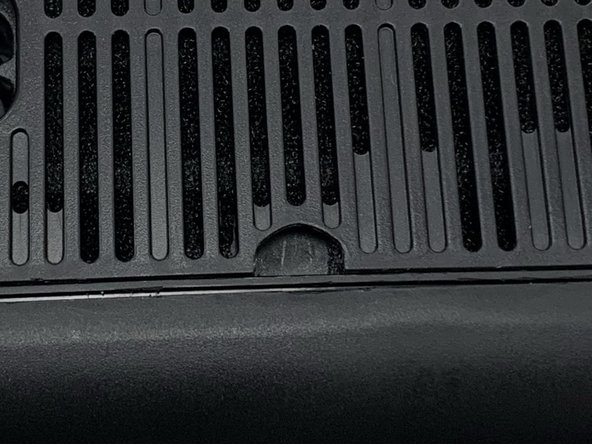
    • Wedge a spudger into the half-circle idnent and pry the panel off until it partially pops open.

    • Go around the perimeter of the panel with the spudger to pry it the rest of the way off.

    • Be careful not to apply too much force so that the pop tabs holding it on don't break.

  3. TopTro TR25 Dust Filter Replacement: 步骤 3 中的图像 1,2 TopTro TR25 Dust Filter Replacement: 步骤 3 中的图像 2,2
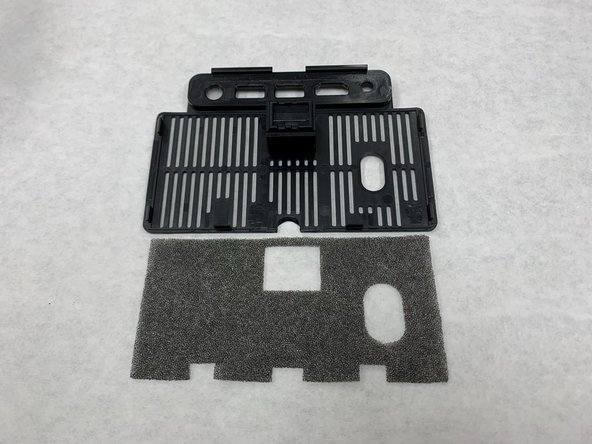
    • The panel you've just removed has a foam dust filter in it. It is not attached to the panel, so just remove it by hand.

    • If possible, clean the original dust filter and put it back onto the panel.

  4. TopTro TR25 Dust Filter Replacement: 步骤 4 中的图像 1,2 TopTro TR25 Dust Filter Replacement: 步骤 4 中的图像 2,2
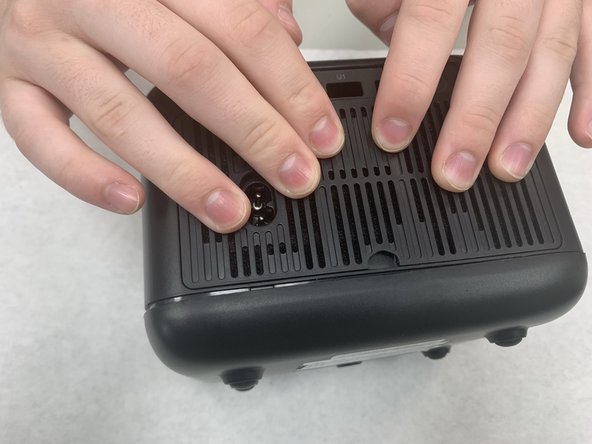
    • Reattach the panel to the projector. The side opposite the indent you used to open it has tabs and that side needs to go in first.

    • Apply pressure all around the edge until the panel is fully attached.

结论

To reassemble your device, follow these instructions in reverse order.

0指南评论

添加评论

浏览统计数据:

过去 24 小时: 0

过去 7 天: 10

过去 30 天: 26

总计 239