跳转到主内容
加入维修社区 - 创建账户

Texas Instruments TI-5130 Printer Unit Replacement

你所需要的

  1. Texas Instruments TI-5130 Printer Unit  Replacement, Printer Unit: 步骤 1 中的图像 1,2 Texas Instruments TI-5130 Printer Unit  Replacement, Printer Unit: 步骤 1 中的图像 2,2
    • Flip the calculator over and remove the 4 main 10mm screws with a PH1 screwdriver.

  2. Texas Instruments TI-5130 Printer Unit  Replacement: 步骤 2 中的图像 1,1
    • Flip the calculator back over and remove the top cover.

  3. Texas Instruments TI-5130 Printer Unit  Replacement: 步骤 3 中的图像 1,1
    • Disconnect the printing unit from the motherboard by pulling up on the connector – located in the bottom left of the motherboard.

  4. Texas Instruments TI-5130 Printer Unit  Replacement: 步骤 4 中的图像 1,1
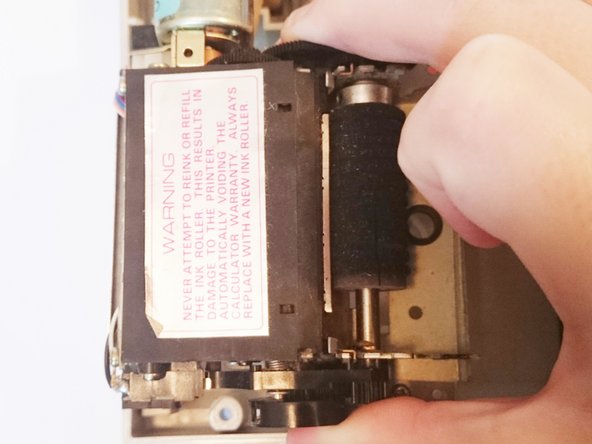
    • Remove the ink cartridge by pushing the tab back then lifting it out to gain access to the screw that holds the printer in place.

  5. Texas Instruments TI-5130 Printer Unit  Replacement: 步骤 5 中的图像 1,2 Texas Instruments TI-5130 Printer Unit  Replacement: 步骤 5 中的图像 2,2
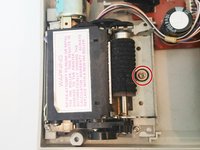
    • Using a PH1 screwdriver remove the 10mm screw that holds down the printer unit.

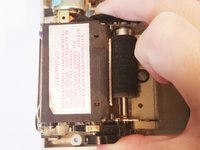
    • Remove the printer unit by lifting it up.

结论

To reassemble your device, follow these instructions in reverse order.

3等其他人完成本指南。

团队

2指南评论

wehre did you buy the replacement printer

Tino ullrich - 回复 分享

what sources are there for TI-5130 printer unit?

Norman Todd - 回复 分享

添加评论

浏览统计数据:

过去 24 小时: 1

过去 7 天: 11

过去 30 天: 55

总计 2,912