跳转到主内容
加入维修社区 - 创建账户

Samsung Rogue Front Function Keys Replacement

你所需要的

  1. Samsung Rogue Front Function Keys Replacement, Battery: 步骤 1 中的图像 1,2 Samsung Rogue Front Function Keys Replacement, Battery: 步骤 1 中的图像 2,2
    • Before disassembling your Samsung Rogue, make sure it is powered off.

    • With your thumbs, push down on the back cover of your phone and slide it away from the camera.

    询问修复机器人

    添加评论

  2. Samsung Rogue Front Function Keys Replacement: 步骤 2 中的图像 1,2 Samsung Rogue Front Function Keys Replacement: 步骤 2 中的图像 2,2
    • You can now remove the battery by prying it up with your finger.

    询问修复机器人

    添加评论

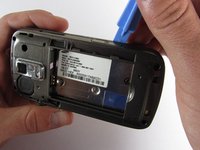
  3. Samsung Rogue Front Function Keys Replacement, Motherboard: 步骤 3 中的图像 1,1
    • Use a plastic opening tool to carefully pry the back cover surrounding the camera up from the phone.

    询问修复机器人

    添加评论

  4. Samsung Rogue Front Function Keys Replacement: 步骤 4 中的图像 1,1
    • Remove the five 3.4mm Philips screws securing the backing of the phone.

    询问修复机器人

    添加评论

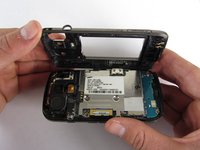
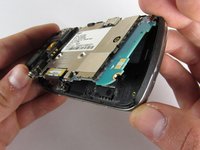
  5. Samsung Rogue Front Function Keys Replacement: 步骤 5 中的图像 1,3 Samsung Rogue Front Function Keys Replacement: 步骤 5 中的图像 2,3 Samsung Rogue Front Function Keys Replacement: 步骤 5 中的图像 3,3
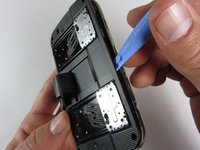
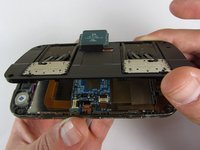
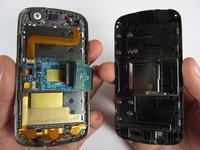
    • Use a plastic opening tool to carefully pry off the back cover.

    • Make sure you are prying along the edge and not between the two halves of the phone that slide away from each other.

    • Be careful to not drop the volume changing piece, for it can easily slip out.

    询问修复机器人

    添加评论

  6. Samsung Rogue Front Function Keys Replacement: 步骤 6 中的图像 1,1
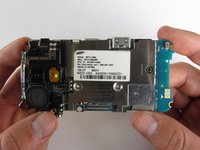
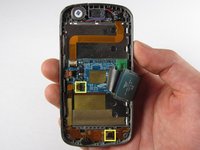
    • Remove the two 3.45 mm Philips screws below the white sticker.

    询问修复机器人

    添加评论

  7. Samsung Rogue Front Function Keys Replacement: 步骤 7 中的图像 1,2 Samsung Rogue Front Function Keys Replacement: 步骤 7 中的图像 2,2
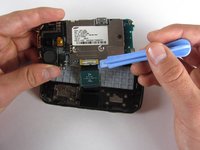
    • Carefully lift the motherboard up from the bottom edge.

    • The film of wires is still attached to the motherboard, so do not completely remove the motherboard just yet or you may damage it.

    询问修复机器人

    添加评论

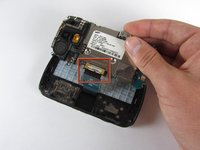
  8. Samsung Rogue Front Function Keys Replacement: 步骤 8 中的图像 1,2 Samsung Rogue Front Function Keys Replacement: 步骤 8 中的图像 2,2
    • Use a plastic opening tool to disconnect the film from the motherboard.

    询问修复机器人

    添加评论

  9. Samsung Rogue Front Function Keys Replacement, Front Function Keys: 步骤 9 中的图像 1,1
    • Remove the eight 1.7mm Philips screws above the keyboard.

    询问修复机器人

    添加评论

  10. Samsung Rogue Front Function Keys Replacement: 步骤 10 中的图像 1,1
    • Carefully remove keyboard frame from the sliding mechanisms underneath.

    询问修复机器人

    添加评论

  11. Samsung Rogue Front Function Keys Replacement: 步骤 11 中的图像 1,1
    • Remove the five 3.0mm Philips screws around the outside of the sliding mechanisms.

    询问修复机器人

    添加评论

  12. Samsung Rogue Front Function Keys Replacement: 步骤 12 中的图像 1,3 Samsung Rogue Front Function Keys Replacement: 步骤 12 中的图像 2,3 Samsung Rogue Front Function Keys Replacement: 步骤 12 中的图像 3,3
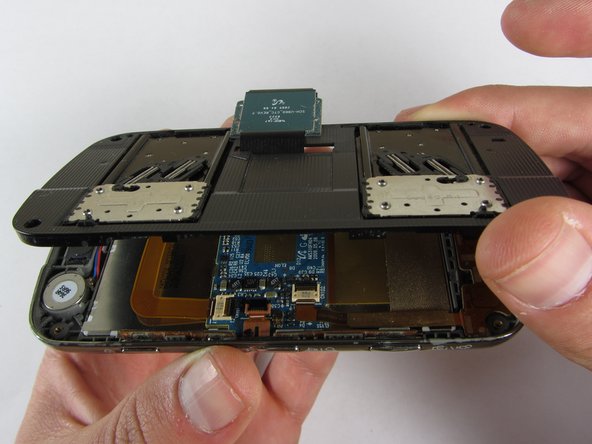
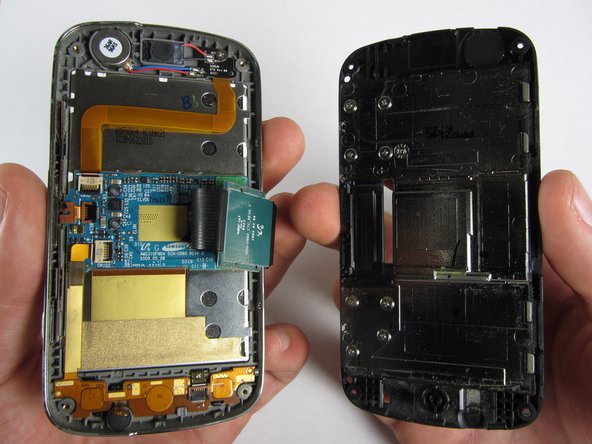
    • Use a plastic opening tool to pry off the upper slide plate.

    • Be careful of the film of wires when taking off the upper slide plate.

    询问修复机器人

    添加评论

  13. Samsung Rogue Front Function Keys Replacement: 步骤 13 中的图像 1,3 Samsung Rogue Front Function Keys Replacement: 步骤 13 中的图像 2,3 Samsung Rogue Front Function Keys Replacement: 步骤 13 中的图像 3,3
    在这个步骤中使用的工具:
    Tweezers
    $4.99
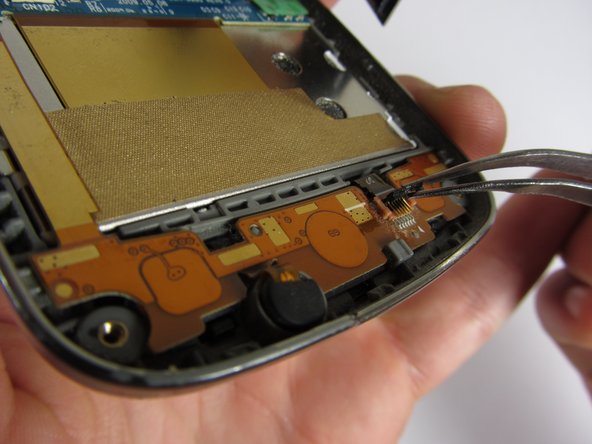
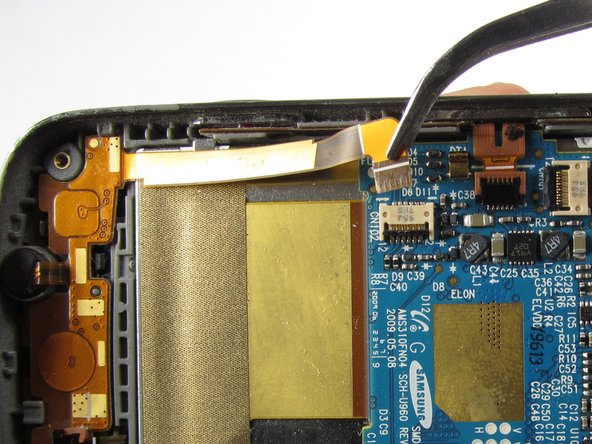
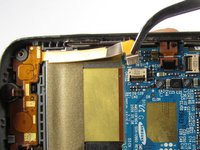
    • Use tweezers to open the two black gates by putting them in the "up" position.

    • With the same tweezers, carefully pull out the orange strips from the two specified gates.

    询问修复机器人

    添加评论

  14. Samsung Rogue Front Function Keys Replacement: 步骤 14 中的图像 1,3 Samsung Rogue Front Function Keys Replacement: 步骤 14 中的图像 2,3 Samsung Rogue Front Function Keys Replacement: 步骤 14 中的图像 3,3
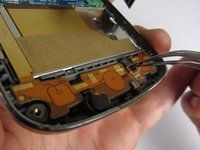
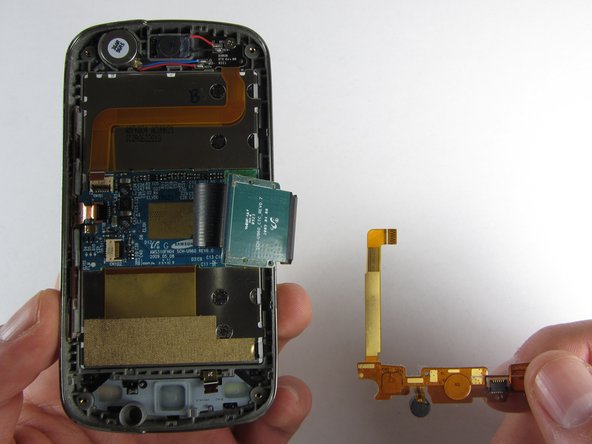
    • Using tweezers, gently remove the bottom orange strip from the device.

    • At this point you can easily lift out the rubber function key pad as well.

    询问修复机器人

    添加评论

  15. Samsung Rogue Front Function Keys Replacement: 步骤 15 中的图像 1,3 Samsung Rogue Front Function Keys Replacement: 步骤 15 中的图像 2,3 Samsung Rogue Front Function Keys Replacement: 步骤 15 中的图像 3,3
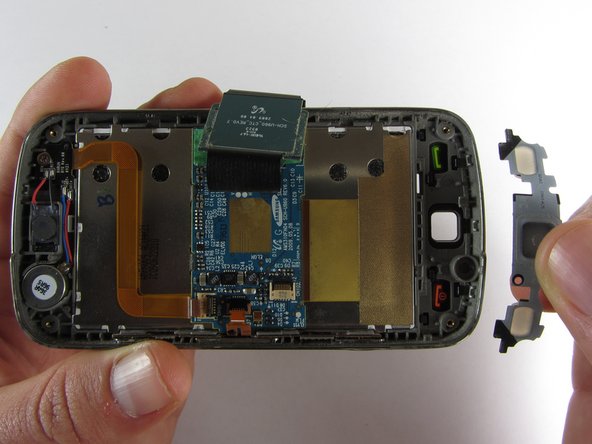
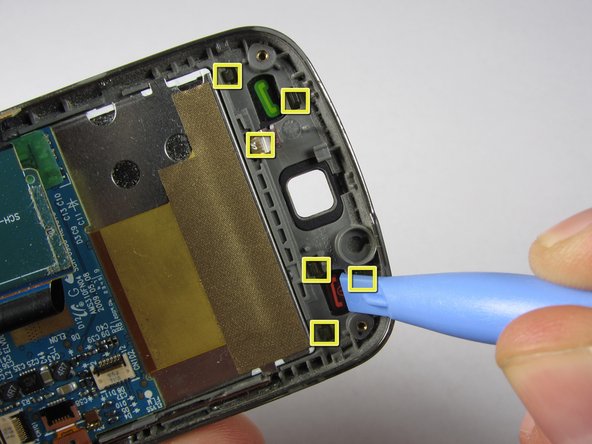
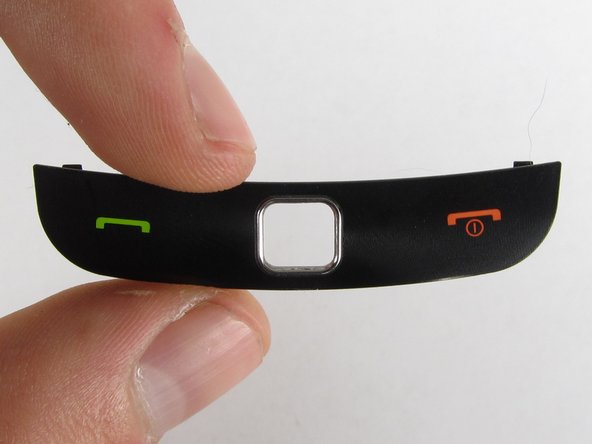
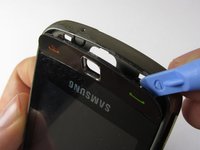
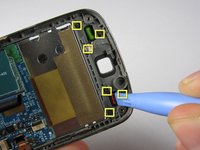
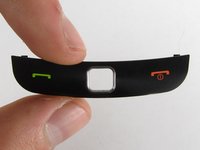
    • There are two ways you can take out the front function keys:

    • 1) Use a plastic phone opening tool to pry out the piece from the front of the phone.

    • 2) Simply pop out the piece from the inside by pushing on its tabs.

    询问修复机器人

    添加评论

结论

To reassemble your device, follow these instructions in reverse order.

取消:我没有完成这个指南。

团队

Cal Poly, Team 7-32, Maness Spring 2012 Cal Poly, Team 7-32, Maness Spring 2012 的会员

CPSU-MANESS-S12S7G32

4 名成员

创作了20篇指南

0指南评论

添加评论

浏览统计数据:

过去 24 小时: 1

过去 7 天: 9

过去 30 天: 37

总计 707