跳转到主内容
加入维修社区 - 创建账户

Samsung POWERbot R7070 Battery Replacement

你所需要的

  1. Samsung POWERbot R7070 Battery Replacement, Battery: 步骤 1 中的图像 1,1
    • Turn the emergency switch off.

    询问修复机器人
  2. Samsung POWERbot R7070 Battery Replacement: 步骤 2 中的图像 1,2 Samsung POWERbot R7070 Battery Replacement: 步骤 2 中的图像 2,2
    • Remove the two exposed screws on the top right of the device.

    询问修复机器人
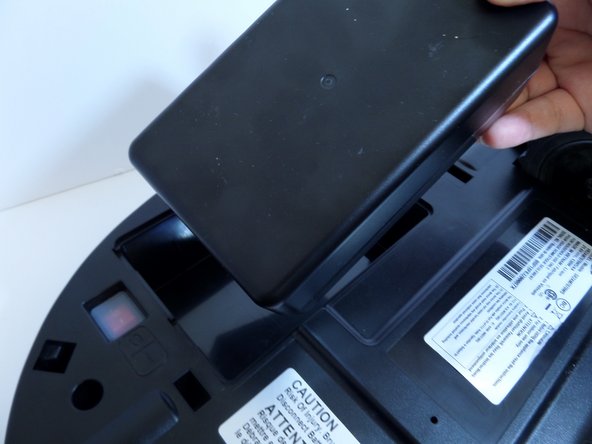
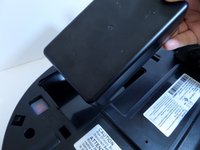
  3. Samsung POWERbot R7070 Battery Replacement: 步骤 3 中的图像 1,1
    • Lift the cover plate to expose the battery.

    询问修复机器人
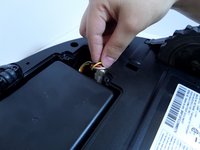
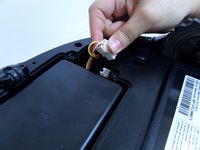
  4. Samsung POWERbot R7070 Battery Replacement: 步骤 4 中的图像 1,2 Samsung POWERbot R7070 Battery Replacement: 步骤 4 中的图像 2,2
    • Using one hand, pinch the white plastic connector where the battery's wiring connects the POWERbot. Pull up to disconnect.

    询问修复机器人
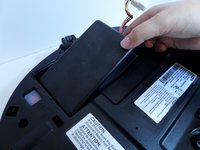
  5. Samsung POWERbot R7070 Battery Replacement: 步骤 5 中的图像 1,2 Samsung POWERbot R7070 Battery Replacement: 步骤 5 中的图像 2,2
    • Lift the battery from the right side, up and out of its compartment.

    询问修复机器人
结论

To reassemble your device, follow these instructions in reverse order.

5等其他人完成本指南。

Lauren Nubla

于09/11/17注册

289 声望

创作了2篇指南

团队

CSU Fullerton, Team S2-G8, Bruce Fall 2017 CSU Fullerton, Team S2-G8, Bruce Fall 2017 的会员

CSUF-BRUCE-F17S2G8

3 名成员

创作了10篇指南

1指南评论

Have a hard time to find a replacement battery for model SR2AM7070WS.

Can you recommend a good site? Thanks

phohle@gmail.com

Pho Le - 回复 分享

添加评论

浏览统计数据:

过去 24 小时: 0

过去 7 天: 3

过去 30 天: 27

总计 6,238