跳转到主内容
加入维修社区 - 创建账户

Samsung Gear 360 Motherboard Replacement

浏览量: 2008

浏览统计数据:

过去24小时
1
过去 7 天:
23
过去 30 天:
97
总计
2,008
评论: 1

1 guide comment.

Go to guide comments
已完成: 1

1 人已将本指南标记为“已完成”。你会是下一个完成的人吗?

收藏: 0

暂时还没有人收藏(和订阅)本指南。你会是第一个收藏(和订阅)的人吗?

所需时间: 35分钟 - 1小时
难度: 困难
特色学生指南

该指南是我们优秀学生的辛勤劳动的成果,iFixit的工作人员认为这个很酷。

Samsung Gear 360 Motherboard Replacement

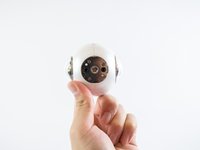
Use this guide to remove the motherboard from the Samsung Gear 360. You will have to complete a full tear-down of the device to get to the motherboard, so follow the directions carefully and take your time to ensure you complete every step correctly.

你所需要的

工具

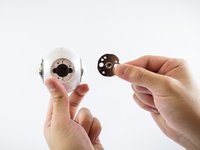
    1. Samsung Gear 360 Motherboard Replacement, Case: 步骤 1 中的图像 1,3 Samsung Gear 360 Motherboard Replacement, Case: 步骤 1 中的图像 2,3 Samsung Gear 360 Motherboard Replacement, Case: 步骤 1 中的图像 3,3
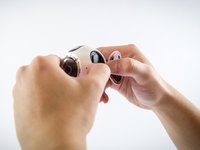
      • Twist silver ring on the lens counter-clockwise with force to remove it.

      询问修复机器人
      添加评论

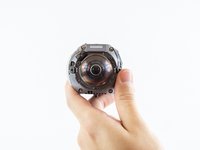
    2. Samsung Gear 360 Motherboard Replacement: 步骤 2 中的图像 1,2 Samsung Gear 360 Motherboard Replacement: 步骤 2 中的图像 2,2
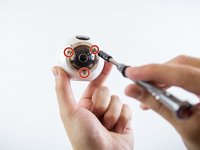
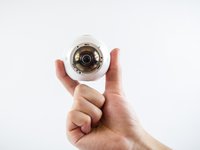
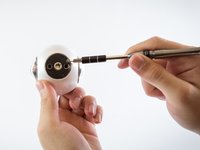
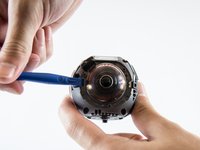
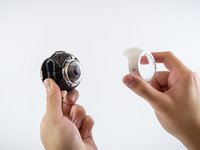
      • Insert a small flathead screwdriver into marked slot on camera lens and pry off camera lens cover.

      询问修复机器人
      添加评论

    3. Samsung Gear 360 Motherboard Replacement: 步骤 3 中的图像 1,2 Samsung Gear 360 Motherboard Replacement: 步骤 3 中的图像 2,2
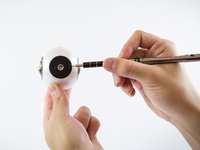
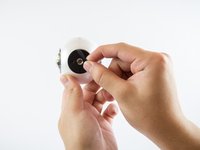
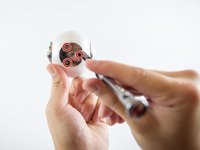
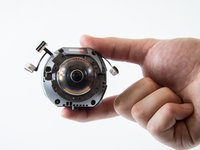
      • Using a PH00 screwdriver head, remove all Phillips #00 0.75 mm screws on the front of the camera.

      • Repeat for the back side of the camera.

      询问修复机器人

      添加评论

    4. Samsung Gear 360 Motherboard Replacement: 步骤 4 中的图像 1,3 Samsung Gear 360 Motherboard Replacement: 步骤 4 中的图像 2,3 Samsung Gear 360 Motherboard Replacement: 步骤 4 中的图像 3,3
      • Peel off the black rubber located on the bottom of the device using your hand or a small flathead screwdriver.

      询问修复机器人

      添加评论

    5. Samsung Gear 360 Motherboard Replacement: 步骤 5 中的图像 1,2 Samsung Gear 360 Motherboard Replacement: 步骤 5 中的图像 2,2
      • Once the black rubber has been removed, unscrew all Phillips #00 0.75 mm screws on the bottom of the device using a PH00 screwdriver head.

      询问修复机器人

      添加评论

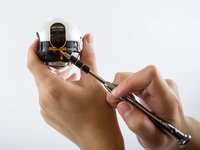
    6. Samsung Gear 360 Motherboard Replacement: 步骤 6 中的图像 1,2 Samsung Gear 360 Motherboard Replacement: 步骤 6 中的图像 2,2
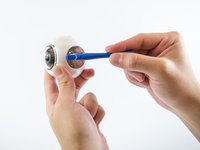
      • Using a plastic opening tool, pry the tripod mount off the device.

      询问修复机器人
      添加评论

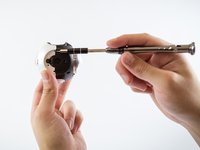
    7. Samsung Gear 360 Motherboard Replacement: 步骤 7 中的图像 1,2 Samsung Gear 360 Motherboard Replacement: 步骤 7 中的图像 2,2
      • Using both hands, carefully remove the right cover off the camera body.

      询问修复机器人
      添加评论

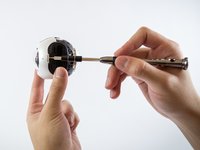
    8. Samsung Gear 360 Motherboard Replacement: 步骤 8 中的图像 1,3 Samsung Gear 360 Motherboard Replacement: 步骤 8 中的图像 2,3 Samsung Gear 360 Motherboard Replacement: 步骤 8 中的图像 3,3
      • To remove the left cover of the camera body, lift the left cover using a small flathead screwdriver and pull it off.

      询问修复机器人
      添加评论

    9. Samsung Gear 360 Motherboard Replacement: 步骤 9 中的图像 1,2 Samsung Gear 360 Motherboard Replacement: 步骤 9 中的图像 2,2
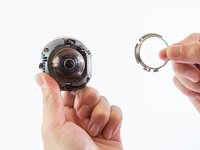
      • Once the camera body has been removed, lift and pull off the metal support ring using a small flathead screwdriver.

      • Repeat for both sides of the camera.

      询问修复机器人

      添加评论

    10. Samsung Gear 360 Motherboard Replacement: 步骤 10 中的图像 1,2 Samsung Gear 360 Motherboard Replacement: 步骤 10 中的图像 2,2
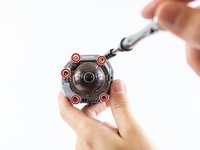
      • Remove all Phillips #00 0.75 mm screws from the body of the camera using a PH00 screwdriver head.

      询问修复机器人

      添加评论

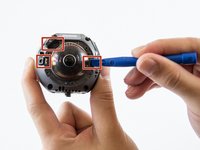
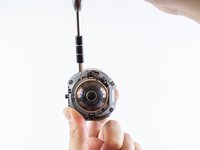
    11. Samsung Gear 360 Motherboard Replacement: 步骤 11 中的图像 1,3 Samsung Gear 360 Motherboard Replacement: 步骤 11 中的图像 2,3 Samsung Gear 360 Motherboard Replacement: 步骤 11 中的图像 3,3
      • Carefully lift the three sensors off using a plastic opening tool and pull them aside.

      询问修复机器人
      添加评论

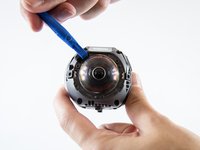
    12. Samsung Gear 360 Motherboard Replacement: 步骤 12 中的图像 1,2 Samsung Gear 360 Motherboard Replacement: 步骤 12 中的图像 2,2
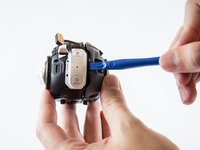
      • Carefully use a plastic opening tool to separate the gray case from the black case on the device.

      询问修复机器人
      添加评论

    13. Samsung Gear 360 Motherboard Replacement: 步骤 13 中的图像 1,3 Samsung Gear 360 Motherboard Replacement: 步骤 13 中的图像 2,3 Samsung Gear 360 Motherboard Replacement: 步骤 13 中的图像 3,3
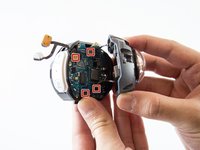
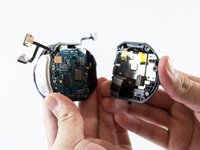
      • Insert a plastic removal tool underneath the four sensors on the motherboard to fully separate the camera case.

      询问修复机器人

      添加评论

    1. Samsung Gear 360 Motherboard Replacement, Motherboard: 步骤 14 中的图像 1,2 Samsung Gear 360 Motherboard Replacement, Motherboard: 步骤 14 中的图像 2,2
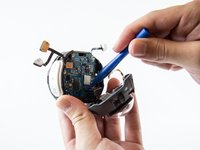
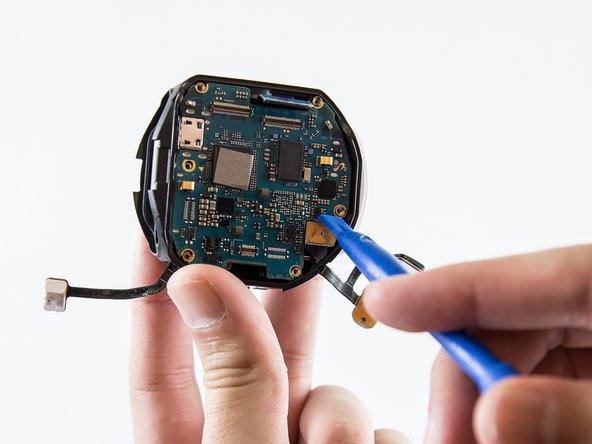
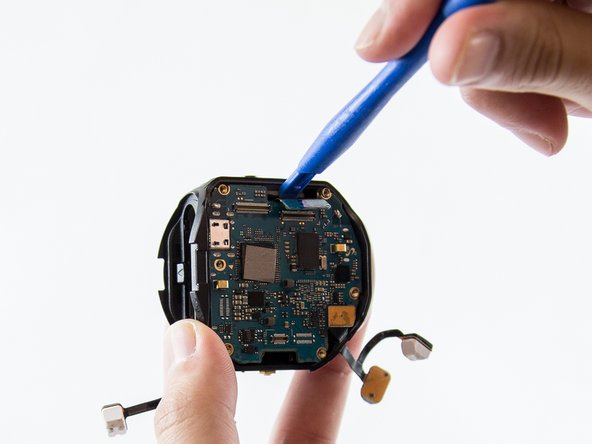
      • Use a plastic opening tool to disconnect the sensors from the motherboard to free it.

      询问修复机器人

      添加评论

    2. Samsung Gear 360 Motherboard Replacement: 步骤 15 中的图像 1,1
      • Using a PH000 Screwdriver head, unscrew the Phillips #000 0.5 mm screw connected to the motherboard.

      询问修复机器人
      添加评论

    3. Samsung Gear 360 Motherboard Replacement: 步骤 16 中的图像 1,3 Samsung Gear 360 Motherboard Replacement: 步骤 16 中的图像 2,3 Samsung Gear 360 Motherboard Replacement: 步骤 16 中的图像 3,3
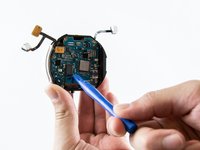
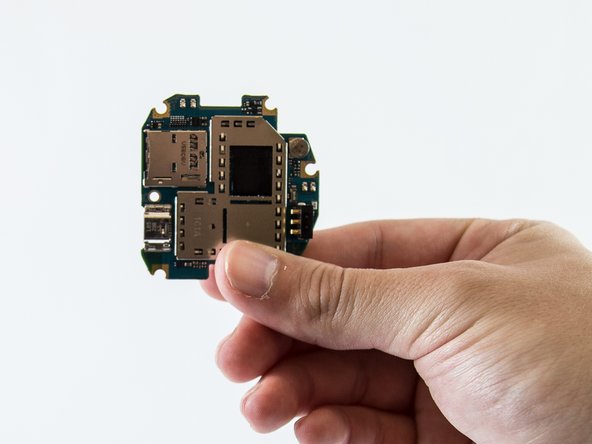
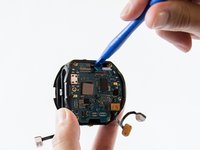
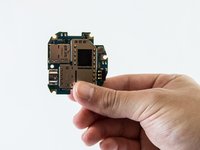
      • To remove the motherboard from the device, use a plastic opening tool on the edges and lift up.

      询问修复机器人

      添加评论

结论

To reassemble your device, follow these instructions in reverse order.

取消:我没有完成这个指南。

另外一个人完成了本指南。

作者

与

Connor

于02/20/17注册

454 声望

创作了3篇指南

团队

USF Tampa, Team S3-G5, Sullivan Spring 2017 USF Tampa, Team S3-G5, Sullivan Spring 2017 的会员

USFT-SULLIVAN-S17S3G5

4 名成员

创作了84篇指南

1指南评论

What is the part number of the motherboard? Mine is stuck in firmware upgrade state and Samsung won't even look at it.

So maybe a motherboard replacement is the easiest answer.

Thanks

Hane Hormes - 回复 分享

添加评论

浏览统计数据:

过去 24 小时: 1

过去 7 天: 23

过去 30 天: 97

总计 2,008