跳转到主内容
加入维修社区 - 创建账户

Samsung Galaxy Note II MicroSD Card Replacement

你所需要的

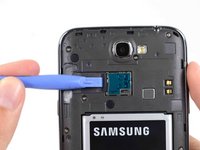
    1. Samsung Galaxy Note II MicroSD Card Replacement, Rear Case: 步骤 1 中的图像 1,2 Samsung Galaxy Note II MicroSD Card Replacement, Rear Case: 步骤 1 中的图像 2,2
      • Pry with a plastic opening tool, or your fingernail, in the divot to the left of the rear-facing camera, near the power button.

      询问修复机器人

      添加评论

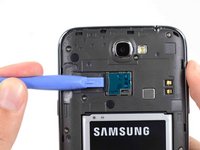
    2. Samsung Galaxy Note II MicroSD Card Replacement: 步骤 2 中的图像 1,3 Samsung Galaxy Note II MicroSD Card Replacement: 步骤 2 中的图像 2,3 Samsung Galaxy Note II MicroSD Card Replacement: 步骤 2 中的图像 3,3
      • Lift the rear case by the corner nearest the divot and remove it from the phone.

      询问修复机器人

      添加评论

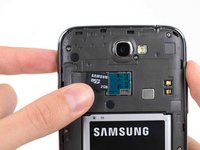
    1. Samsung Galaxy Note II MicroSD Card Replacement, MicroSD Card: 步骤 3 中的图像 1,3 Samsung Galaxy Note II MicroSD Card Replacement, MicroSD Card: 步骤 3 中的图像 2,3 Samsung Galaxy Note II MicroSD Card Replacement, MicroSD Card: 步骤 3 中的图像 3,3
      • If you have an SD card inserted, use the flat end of a spudger, or your fingernail, to press the microSD card slightly deeper into its slot until you hear a click.

      • After the click, release the card and it will pop out of its slot.

      • Remove the microSD card.

      • For reassembly, push the microSD card into the slot until it clicks in place.

      询问修复机器人

      添加评论

结论

To reassemble your device, follow these instructions in reverse order.

取消:我没有完成这个指南。

15等其他人完成本指南。

Sam Goldheart

于10/18/12注册

477,905 声望

创作了538篇指南

团队

iFixit iFixit 的会员

Staff

123 名成员

创作了61,353篇指南

0指南评论

添加评论

浏览统计数据:

过去 24 小时: 3

过去 7 天: 16

过去 30 天: 52

总计 12,993