跳转到主内容

SAFFUN Wireless N64 Controller Button Replacement

你所需要的

  1. SAFFUN Wireless N64 Controller Button Replacement, Back Plate: 步骤 1 中的图像 1,1
    • Before you begin, make sure the controller is disconnected and the LED indicator light is off.

  2. SAFFUN Wireless N64 Controller Button Replacement: 步骤 2 中的图像 1,2 SAFFUN Wireless N64 Controller Button Replacement: 步骤 2 中的图像 2,2
    • Use a Phillips #1 screwdriver to remove the seven 9.3 mm screws from the backplate.

  3. SAFFUN Wireless N64 Controller Button Replacement: 步骤 3 中的图像 1,2 SAFFUN Wireless N64 Controller Button Replacement: 步骤 3 中的图像 2,2
    • Use a Phillips #1 screwdriver to remove the two 9.3 mm screws.

    • Use a screwdriver with a shaft length of at least 60 mm to reach the deep-set screws.

  4. SAFFUN Wireless N64 Controller Button Replacement: 步骤 4 中的图像 1,3 SAFFUN Wireless N64 Controller Button Replacement: 步骤 4 中的图像 2,3 SAFFUN Wireless N64 Controller Button Replacement: 步骤 4 中的图像 3,3
    • Slide an opening pick along the edge of the rear cover to release the clips.

    • Gently remove the back plate from the controller.

  5. SAFFUN Wireless N64 Controller Button Replacement, Button: 步骤 5 中的图像 1,2 SAFFUN Wireless N64 Controller Button Replacement, Button: 步骤 5 中的图像 2,2
    • Remove left and right bumpers.

  6. SAFFUN Wireless N64 Controller Button Replacement: 步骤 6 中的图像 1,2 SAFFUN Wireless N64 Controller Button Replacement: 步骤 6 中的图像 2,2
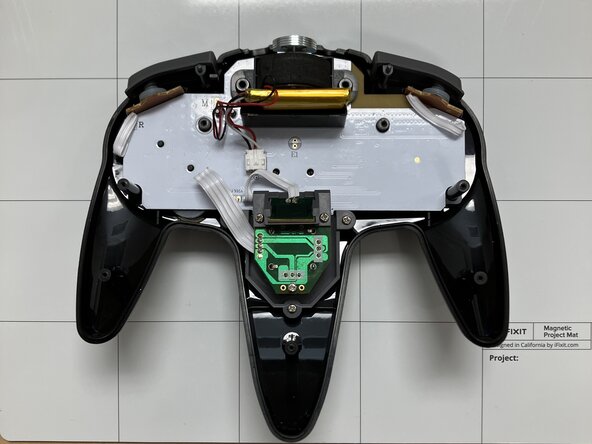
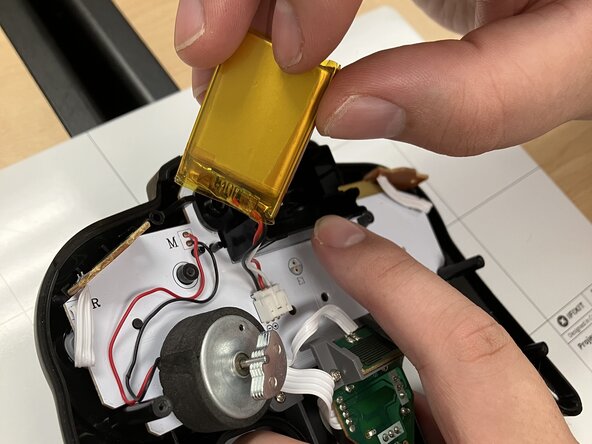
    • Remove battery, rumble motor, and set aside.

    • Do not rip out the wires.

  7. SAFFUN Wireless N64 Controller Button Replacement: 步骤 7 中的图像 1,3 SAFFUN Wireless N64 Controller Button Replacement: 步骤 7 中的图像 2,3 SAFFUN Wireless N64 Controller Button Replacement: 步骤 7 中的图像 3,3
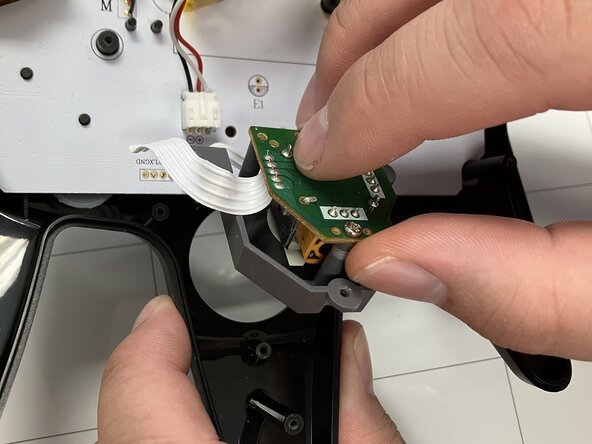
    • Remove the plastic holder from the motherboard.

  8. SAFFUN Wireless N64 Controller Button Replacement: 步骤 8 中的图像 1,3 SAFFUN Wireless N64 Controller Button Replacement: 步骤 8 中的图像 2,3 SAFFUN Wireless N64 Controller Button Replacement: 步骤 8 中的图像 3,3
    • Use a Phillips #1 screwdriver to remove the two 7.2 mm screws on the Z-Button board that reinforces the joystick board.

  9. SAFFUN Wireless N64 Controller Button Replacement: 步骤 9 中的图像 1,3 SAFFUN Wireless N64 Controller Button Replacement: 步骤 9 中的图像 2,3 SAFFUN Wireless N64 Controller Button Replacement: 步骤 9 中的图像 3,3
    • Use a Phillips #1 screwdriver to remove:

    • Two 9.3 mm-long screws

    • One 7.3 mm-long screw

    • Remove joystick board.

  10. SAFFUN Wireless N64 Controller Button Replacement: 步骤 10 中的图像 1,3 SAFFUN Wireless N64 Controller Button Replacement: 步骤 10 中的图像 2,3 SAFFUN Wireless N64 Controller Button Replacement: 步骤 10 中的图像 3,3
    • Place joystick onto motherboard.

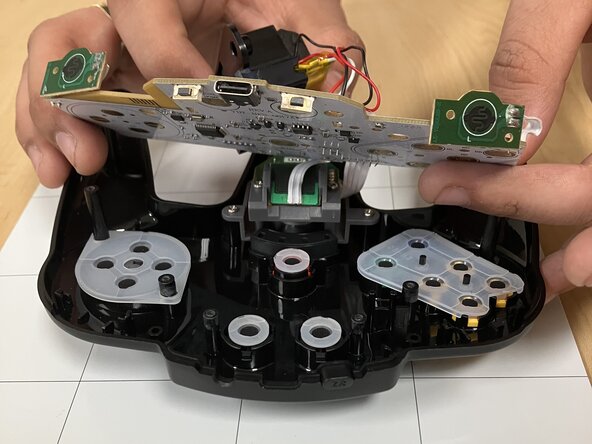
    • Carefully lift the motherboard by its edges and remove it from the case.

    • Use a spudger to lift the board slightly, then remove it by hand.

  11. SAFFUN Wireless N64 Controller Button Replacement: 步骤 11 中的图像 1,1
    • Lift up and away from the controller.

  12. SAFFUN Wireless N64 Controller Button Replacement: 步骤 12 中的图像 1,2 SAFFUN Wireless N64 Controller Button Replacement: 步骤 12 中的图像 2,2
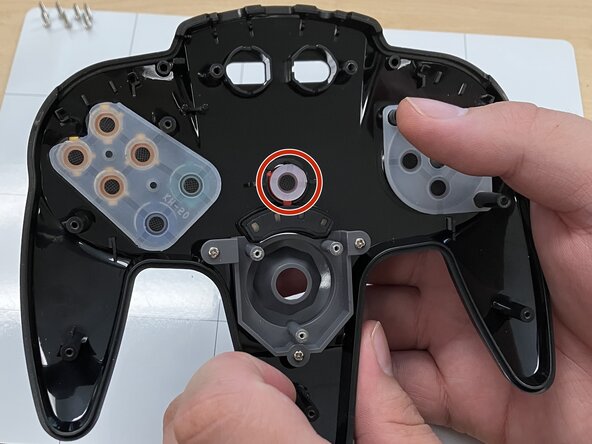
    • Take out the little black button at the top.

  13. SAFFUN Wireless N64 Controller Button Replacement: 步骤 13 中的图像 1,3 SAFFUN Wireless N64 Controller Button Replacement: 步骤 13 中的图像 2,3 SAFFUN Wireless N64 Controller Button Replacement: 步骤 13 中的图像 3,3
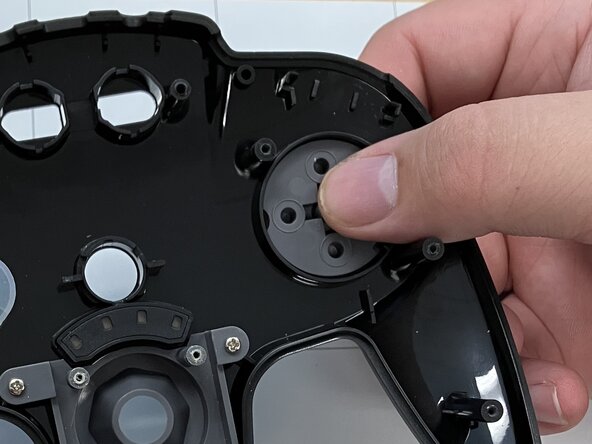
    • Pop out the right home button with your finger on the outside of the frontplate.

    • Make sure the home button is placed back in the correct slot when replacing.

  14. SAFFUN Wireless N64 Controller Button Replacement: 步骤 14 中的图像 1,2 SAFFUN Wireless N64 Controller Button Replacement: 步骤 14 中的图像 2,2
    • Pop out the left select button with your finger on the outside of the frontplate.

    • Make sure the select button is placed back in the correct slot when replacing.

  15. SAFFUN Wireless N64 Controller Button Replacement: 步骤 15 中的图像 1,3 SAFFUN Wireless N64 Controller Button Replacement: 步骤 15 中的图像 2,3 SAFFUN Wireless N64 Controller Button Replacement: 步骤 15 中的图像 3,3
    • Pop out the start button with your finger on the outside of the frontplate.

    • Make sure the start button is placed back in the correct slot when replacing.

  16. SAFFUN Wireless N64 Controller Button Replacement: 步骤 16 中的图像 1,3 SAFFUN Wireless N64 Controller Button Replacement: 步骤 16 中的图像 2,3 SAFFUN Wireless N64 Controller Button Replacement: 步骤 16 中的图像 3,3
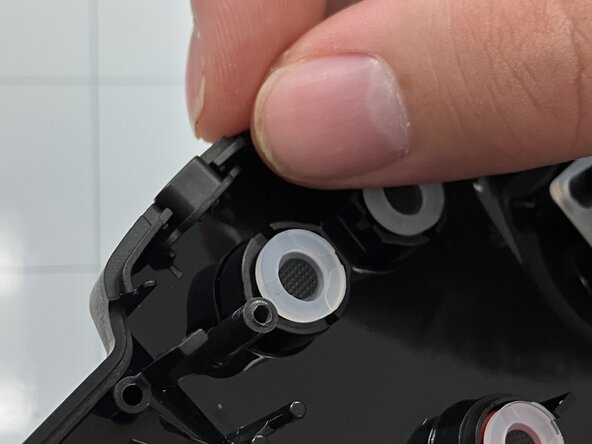
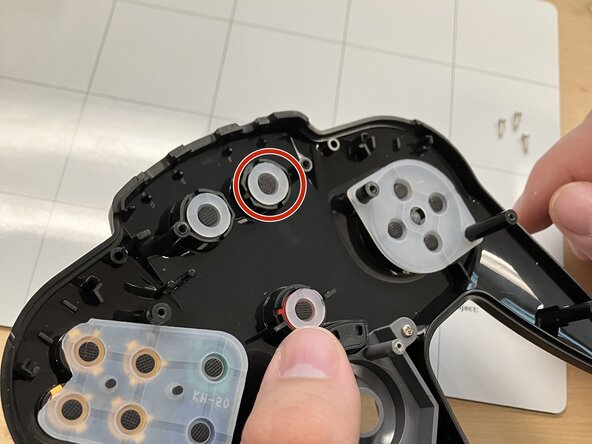
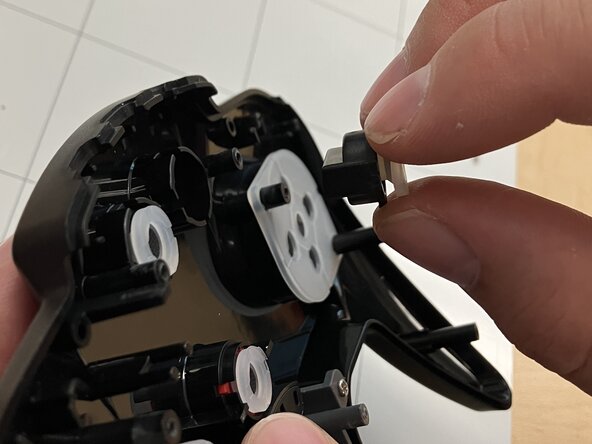
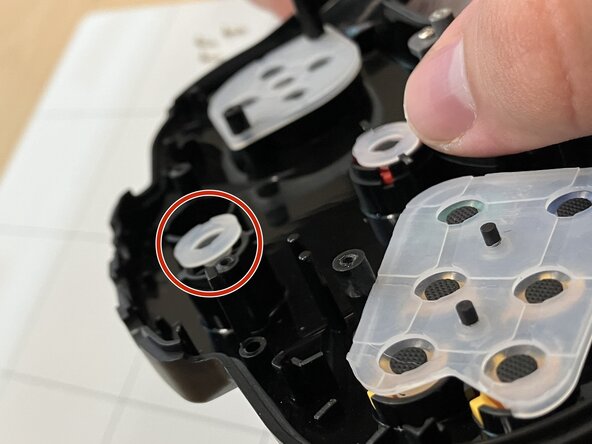
    • Remove rubber covering.

    • Pop out the D-Pad with your finger on the outside of the frontplate.

    • Make sure the D-Pad is placed back in the correct slot when replacing.

  17. SAFFUN Wireless N64 Controller Button Replacement: 步骤 17 中的图像 1,3 SAFFUN Wireless N64 Controller Button Replacement: 步骤 17 中的图像 2,3 SAFFUN Wireless N64 Controller Button Replacement: 步骤 17 中的图像 3,3
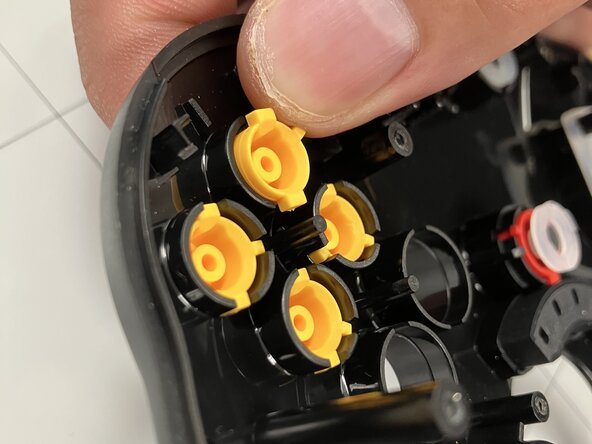
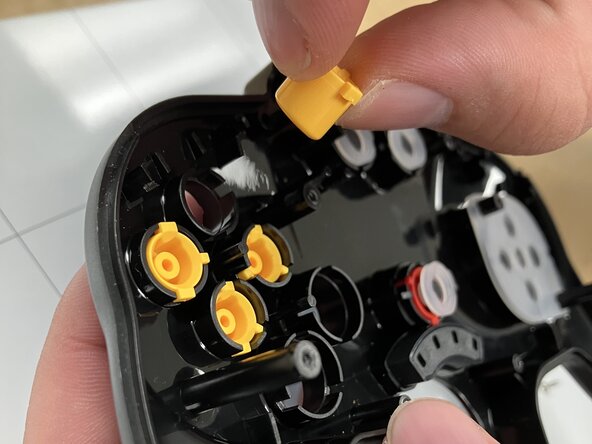
    • Remove rubber covering.

    • Pop out each yellow button with your finger on the outside of the frontplate.

    • Make sure each yellow button is placed back in the correct slot when replacing.

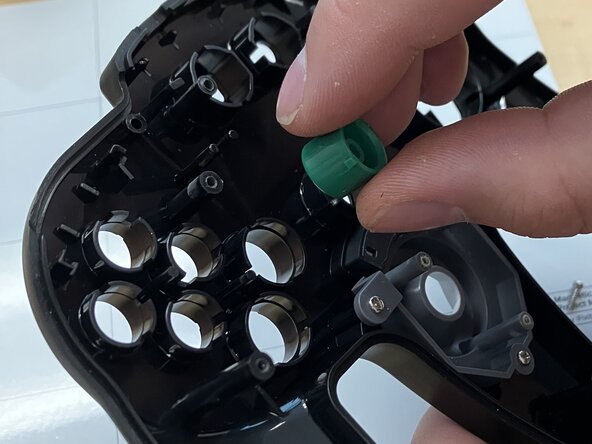
  18. SAFFUN Wireless N64 Controller Button Replacement: 步骤 18 中的图像 1,2 SAFFUN Wireless N64 Controller Button Replacement: 步骤 18 中的图像 2,2
    • Pop out blue and green buttons with your finger on the outside of the frontplate.

    • Make sure each button is placed back in the correct slot when replacing.

结论

To reassemble your device, follow these instructions in reverse order.

Jacob Overcash

于09/23/25注册

541 声望

创作了4篇指南

团队

0指南评论

添加评论

浏览统计数据:

过去 24 小时: 4

过去 7 天: 4

过去 30 天: 4

总计 53