跳转到主内容

S7 MaxV Ultra Dock: Motherboard replacement

你所需要的

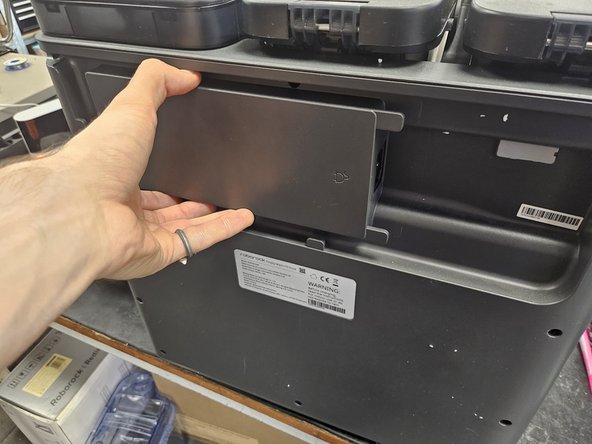
  1. S7 MaxV Ultra Dock: Motherboard replacement, Removing the back cover: 步骤 1 中的图像 1,3 S7 MaxV Ultra Dock: Motherboard replacement, Removing the back cover: 步骤 1 中的图像 2,3 S7 MaxV Ultra Dock: Motherboard replacement, Removing the back cover: 步骤 1 中的图像 3,3
    • Remove the marked screws.

    • Pull the back cover off.

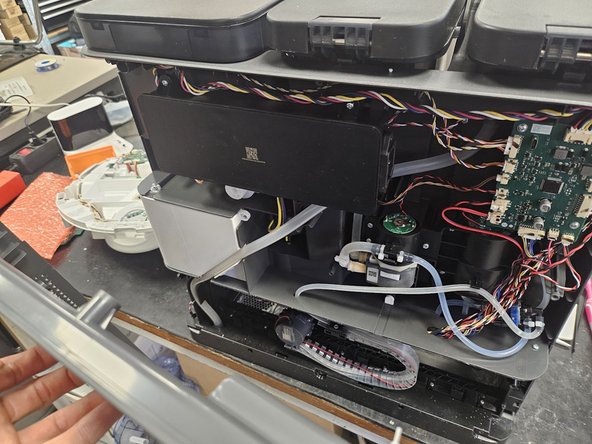
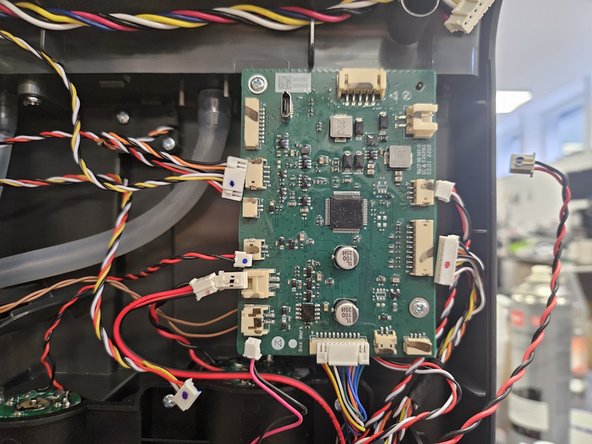
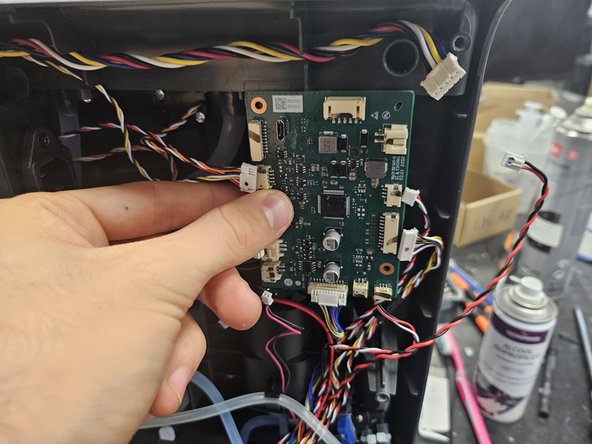
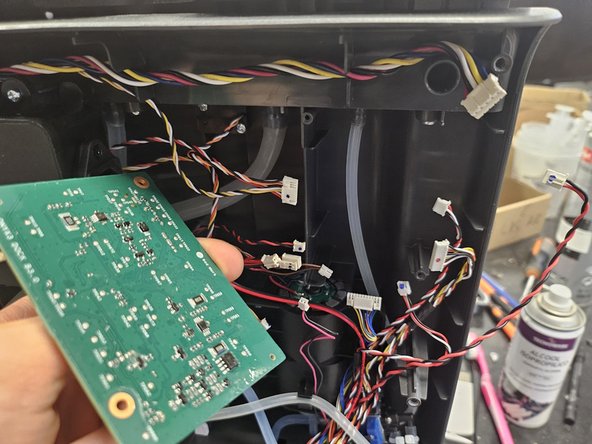
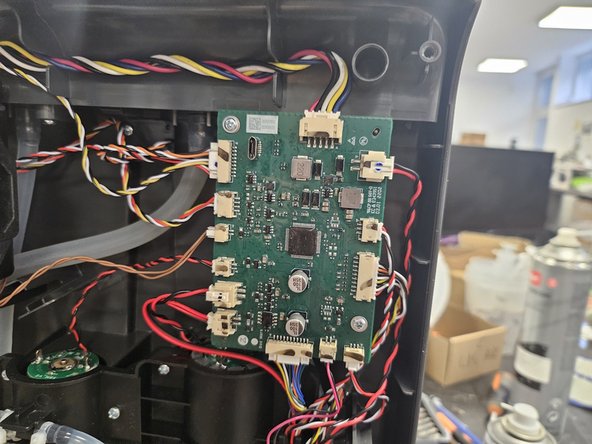
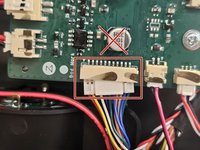
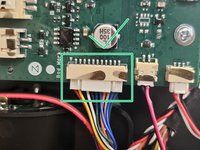
  2. S7 MaxV Ultra Dock: Motherboard replacement, Disconnect the motherboard.: 步骤 2 中的图像 1,2 S7 MaxV Ultra Dock: Motherboard replacement, Disconnect the motherboard.: 步骤 2 中的图像 2,2
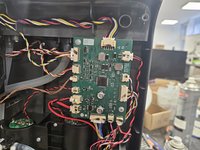
    • Disconnect the cables from the motherboard.

    • The motherboard is in the top right of the dock itself.

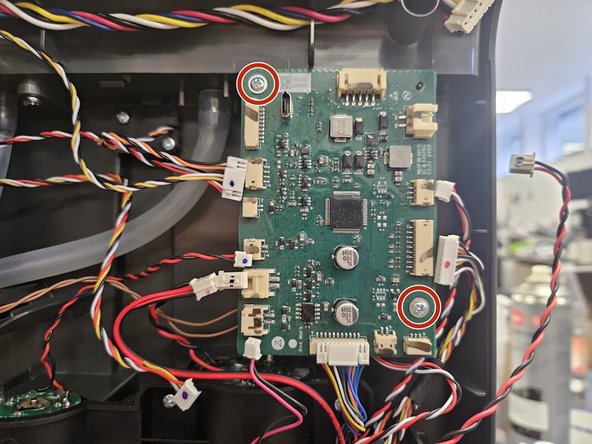
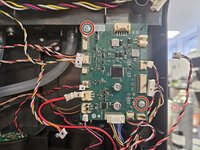
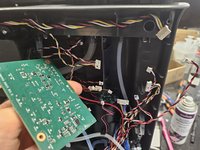
  3. S7 MaxV Ultra Dock: Motherboard replacement, Remove the motherboard.: 步骤 3 中的图像 1,3 S7 MaxV Ultra Dock: Motherboard replacement, Remove the motherboard.: 步骤 3 中的图像 2,3 S7 MaxV Ultra Dock: Motherboard replacement, Remove the motherboard.: 步骤 3 中的图像 3,3
    • Remove the screws.

    • Once those are removed, take the motherboard out.

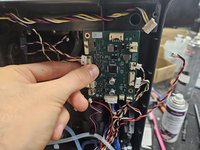
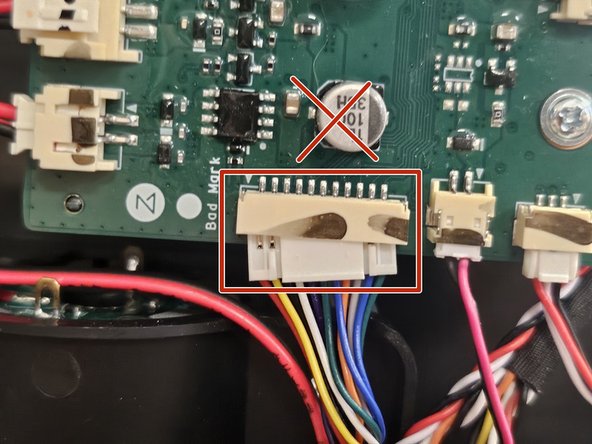
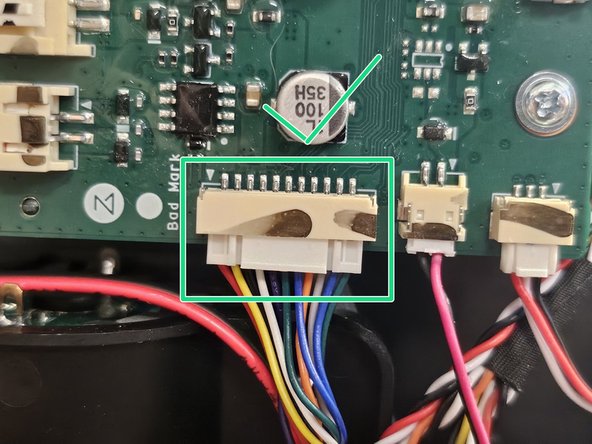
  4. S7 MaxV Ultra Dock: Motherboard replacement, Caution!: 步骤 4 中的图像 1,3 S7 MaxV Ultra Dock: Motherboard replacement, Caution!: 步骤 4 中的图像 2,3 S7 MaxV Ultra Dock: Motherboard replacement, Caution!: 步骤 4 中的图像 3,3
    • When connecting the cables to a new motherboard, ensure all connectors are fully connected.

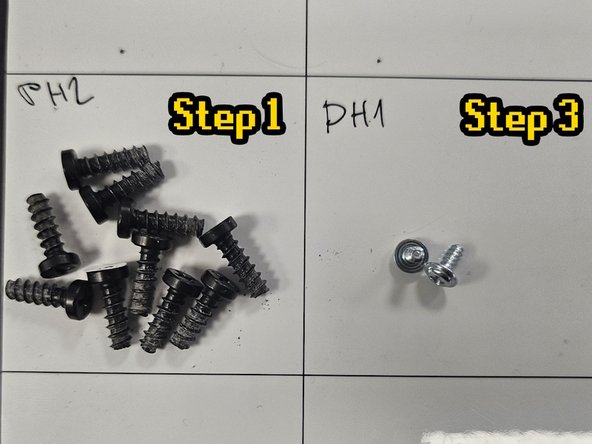
  5. S7 MaxV Ultra Dock: Motherboard replacement, Screeeeeeeeeews: 步骤 5 中的图像 1,1
    • Here are the screws organised by steps and size.

    • Use this if needed as a reference during reassembly.

结论

To finish the reassembly, simply add the back cover and screw it back on.

DegenFixer

于09/18/24注册

5,081 声望

创作了24篇指南

0指南评论

添加评论

浏览统计数据:

过去 24 小时: 3

过去 7 天: 20

过去 30 天: 106

总计 1,087