跳转到主内容

Roborock S5 Series Sidebrush Motor Replacement

你所需要的

  1. Roborock S5 Series Sidebrush Motor Replacement, Side Brush: 步骤 1 中的图像 1,2 Roborock S5 Series Sidebrush Motor Replacement, Side Brush: 步骤 1 中的图像 2,2
    • Power down your Roborock and place it upside down on a flat work surface.

    • Use a Phillips #2 screwdriver to loosen the captive screw holding the side brush in place.

  2. Roborock S5 Series Sidebrush Motor Replacement: 步骤 2 中的图像 1,1
    • Gently lift the side brush away from the robot vacuum.

  3. Roborock S5 Series Sidebrush Motor Replacement, Remove the bottom lid: 步骤 3 中的图像 1,1
    • Remove the 7 screws holding the bottom lid in place.

    • Lift off the bottom lid.

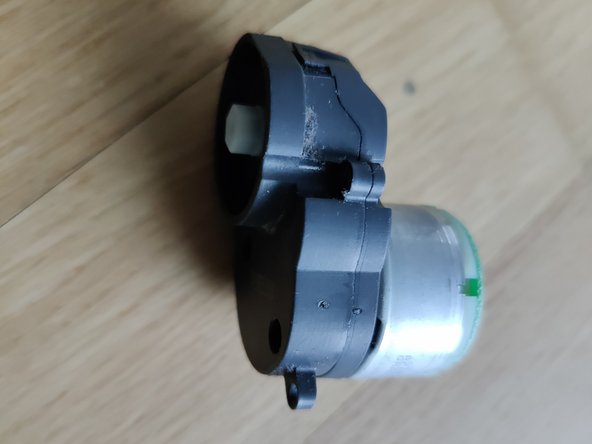
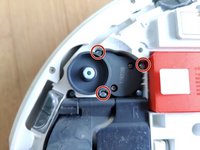
  4. Roborock S5 Series Sidebrush Motor Replacement, Remove gearbox with motor: 步骤 4 中的图像 1,2 Roborock S5 Series Sidebrush Motor Replacement, Remove gearbox with motor: 步骤 4 中的图像 2,2
    • Remove the 3 screws holding the gearbox in place and lift it out.

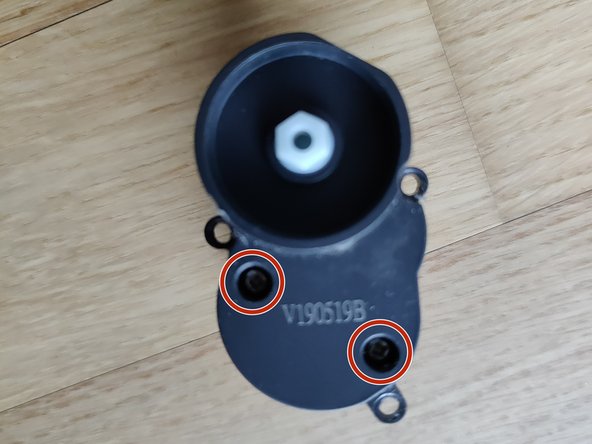
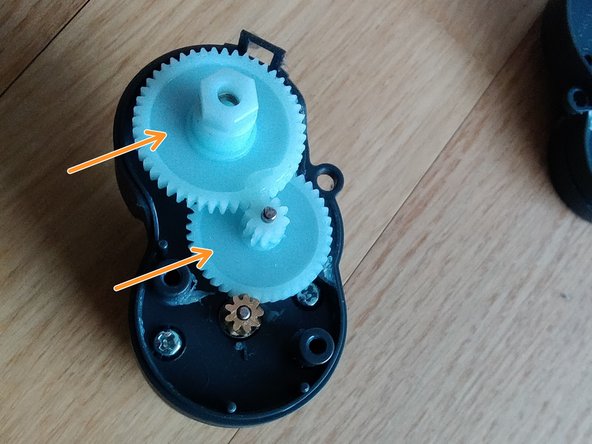
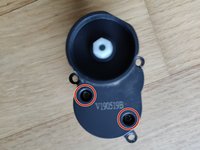
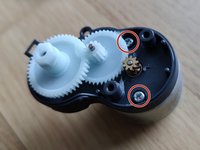
  5. Roborock S5 Series Sidebrush Motor Replacement, Open the gearbox: 步骤 5 中的图像 1,2 Roborock S5 Series Sidebrush Motor Replacement, Open the gearbox: 步骤 5 中的图像 2,2
    • Remove the 2 screws of the gearbox.

    • Carefully lift of the lid (try not to break the clip or loose the gears)

    • Pull the 2 white plastic gear wheels off to the top (potentially inspect those for damage while it's open anyway).

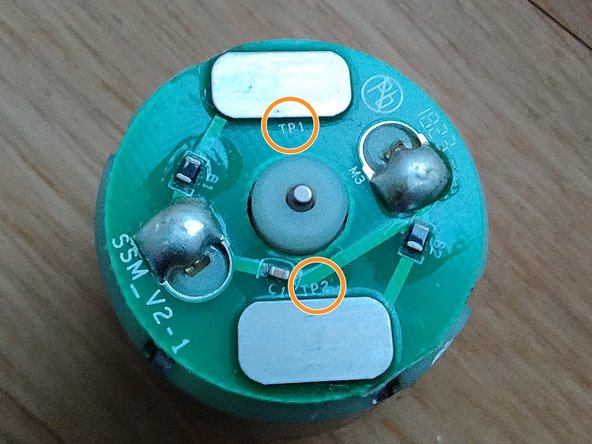
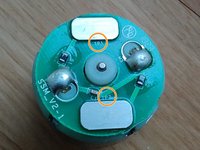
  6. Roborock S5 Series Sidebrush Motor Replacement, Remove the motor: 步骤 6 中的图像 1,2 Roborock S5 Series Sidebrush Motor Replacement, Remove the motor: 步骤 6 中的图像 2,2
    • Check the orientation on the motor by looking at it from the back. Note the TP1 and TP2 markers on the PCB.

    • Remove 2 screws holding the motor in place.

    • Pull it off to the back.

结论

To reassemble your device, follow these instructions in reverse order.

另外一个人完成了本指南。

particleflux

于01/24/25注册

139 声望

撰写一个指南

0指南评论

添加评论

浏览统计数据:

过去 24 小时: 0

过去 7 天: 8

过去 30 天: 27

总计 263