跳转到主内容
加入维修社区 - 创建账户

Prerequisite Only

仅作为前提条件
本指南仅提供前提条件!本指南是另一个程序的一部分,不能单独使用。

你所需要的

  1. Prerequisite Only, Prerequisite Only: 步骤 1 中的图像 1,1
    • Find the grooves around the buttons on the front and carefully remove the panel. This can be done without the use of any tools.

  2. Prerequisite Only: 步骤 2 中的图像 1,1
    • Using a plastic opening tool, place the skinny flat end between the groove running along side of the device.

    • Using a twisting motion, detach the control panel from the device

  3. Prerequisite Only: 步骤 3 中的图像 1,1
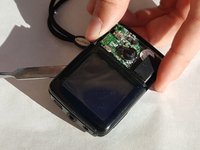
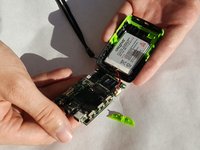
    • Find the groove around the outside of the green section. Use an ESD safe spudger to slowly lift the plastic panel up.

  4. Prerequisite Only: 步骤 4 中的图像 1,2 Prerequisite Only: 步骤 4 中的图像 2,2
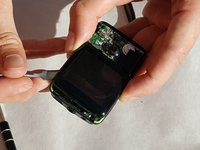
    • After removing the green section, find the groove around the display. Insert a ESD safe spudger and carefully lift the display.

  5. Prerequisite Only: 步骤 5 中的图像 1,1
    • The display can lift up the display but be sure not to damage any of the cables connecting it to the mother board.

    • Remove the screw located under the display using the 00 Phillips head screwdriver.

  6. Prerequisite Only: 步骤 6 中的图像 1,3 Prerequisite Only: 步骤 6 中的图像 2,3 Prerequisite Only: 步骤 6 中的图像 3,3
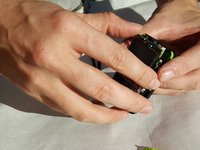
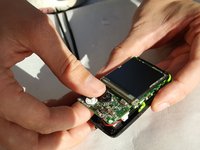
    • Pull up on the motherboard and display. It is glued to the base so it will require a little force. Be careful though, as the board is fragile.

结论

To reassemble your device, follow these instructions in reverse order.

Joshua Meines

于10/19/16注册

316 声望

创作了3篇指南

团队

IUPUI, Team 2-5, Baechle Fall 2016 IUPUI, Team 2-5, Baechle Fall 2016 的会员

IUPUI-BAECHLE-F16S2G5

4 名成员

创作了7篇指南

0指南评论

添加评论

浏览统计数据:

过去 24 小时: 0

过去 7 天: 0

过去 30 天: 1

总计 73