跳转到主内容
加入维修社区 - 创建账户

Power Mac G5 Bottom Right Cooling Fan Unit Replacement

    1. Power Mac G5 Bottom Right Cooling Fan Unit Replacement, Side Panel: 步骤 1 中的图像 1,1
      • To avoid electrocution, shut down the computer. Do not open the computer or attempt to install any items inside it while the computer is on.

      • To avoid being burned, wait at least 10 minutes to allow the computer's internal components to cool.

      询问修复机器人

      添加评论

    2. Power Mac G5 Bottom Right Cooling Fan Unit Replacement: 步骤 2 中的图像 1,1
      • Remove all the cables, including the power cables before opening the unit.

      询问修复机器人

      添加评论

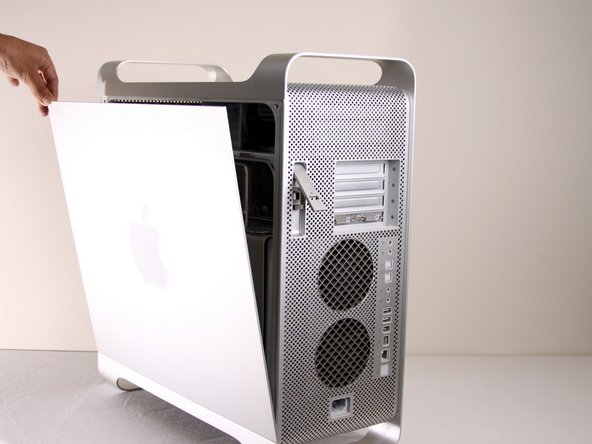
    3. Power Mac G5 Bottom Right Cooling Fan Unit Replacement: 步骤 3 中的图像 1,2 Power Mac G5 Bottom Right Cooling Fan Unit Replacement: 步骤 3 中的图像 2,2
      • Lift the tab to unlock the side panel.

      • The panel should fall out. If the panel does not fall out by itself pull a little from the edges.

      询问修复机器人

      添加评论

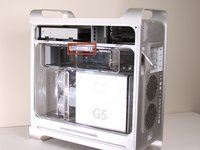
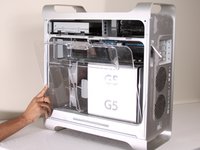
    4. Power Mac G5 Bottom Right Cooling Fan Unit Replacement: 步骤 4 中的图像 1,3 Power Mac G5 Bottom Right Cooling Fan Unit Replacement: 步骤 4 中的图像 2,3 Power Mac G5 Bottom Right Cooling Fan Unit Replacement: 步骤 4 中的图像 3,3
      • Remove the air deflector (the clear plastic cover) by pulling on the handle.

      询问修复机器人

      添加评论

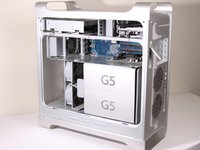
    1. Power Mac G5 Bottom Right Cooling Fan Unit Replacement, Bottom Right Cooling Fan Unit: 步骤 5 中的图像 1,2 Power Mac G5 Bottom Right Cooling Fan Unit Replacement, Bottom Right Cooling Fan Unit: 步骤 5 中的图像 2,2
      • The cooling fan unit is located on the bottom right of the Apple G5 Desktop.

      询问修复机器人

      添加评论

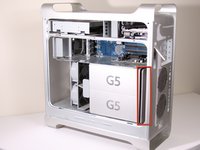
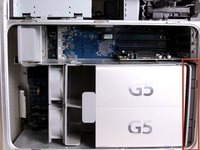
    2. Power Mac G5 Bottom Right Cooling Fan Unit Replacement: 步骤 6 中的图像 1,2 Power Mac G5 Bottom Right Cooling Fan Unit Replacement: 步骤 6 中的图像 2,2
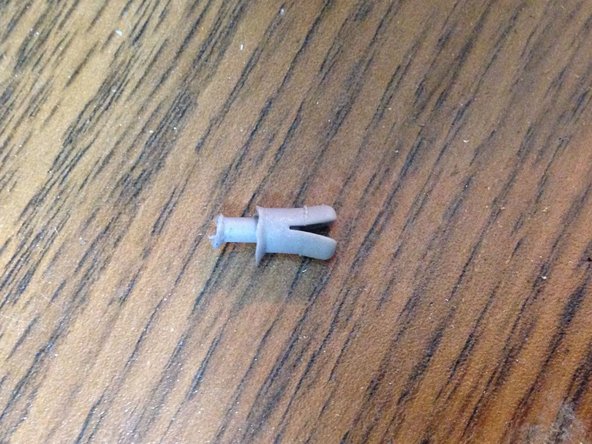
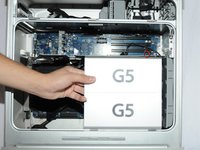
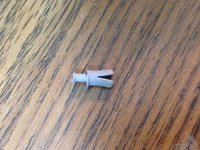
      • Remove the G5 metal cover from the processing/cooling unit of the computer. NOTE: Apple inserted a rather fragile plastic pin that inserts through the top divider shield and clips into a tab on the hidden ledge of this CPU shield. Removing this pin, certainly voided Mac's warranty - but more appropriate for now, voids most after-market insurance plans. A replacement pin (new) is hard to get ahold of, and very few are talented and patient enough to remove this pin without damaging it. Just something to keep in mind. If you have no warranty any longer or don't care, please continue...

      • Pull the metal plate to the left and outward to remove the plate from the processing/cooling unit.

      添加评论

    3. Power Mac G5 Bottom Right Cooling Fan Unit Replacement: 步骤 7 中的图像 1,1
      • Locate the bottom right fan.

      询问修复机器人

      添加评论

    4. Power Mac G5 Bottom Right Cooling Fan Unit Replacement: 步骤 8 中的图像 1,1
      • Unplug the fan's power cable from the upper rightmost corner of the motherboard (connection J45). If there is a video card in place, carefully pull the cable plug down between the back edge of the video card and the motherboard. Note, the photo shows the unplugged cable and the area it plugs into outlined in yellow. No video card is shown in this photo.

      添加评论

    5. Power Mac G5 Bottom Right Cooling Fan Unit Replacement: 步骤 9 中的图像 1,2 Power Mac G5 Bottom Right Cooling Fan Unit Replacement: 步骤 9 中的图像 2,2
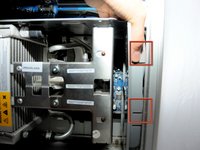
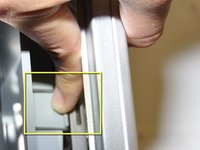
      • Locate the tabs on the fan unit.

      • While pushing in on the tabs, highlighted in yellow, pull the fan back towards the cooling unit.

      询问修复机器人

      添加评论

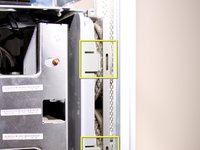
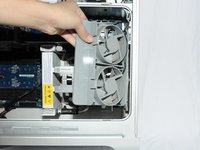
    6. Power Mac G5 Bottom Right Cooling Fan Unit Replacement: 步骤 10 中的图像 1,2 Power Mac G5 Bottom Right Cooling Fan Unit Replacement: 步骤 10 中的图像 2,2
      • After the latches are out, pull the fan out.

      添加评论

    7. Power Mac G5 Bottom Right Cooling Fan Unit Replacement: 步骤 11 中的图像 1,1
      • After removal of the bottom right fan the space should look like this.

      询问修复机器人

      添加评论

结论

To reassemble your device, follow these instructions in reverse order.

取消:我没有完成这个指南。

33等其他人完成本指南。

Adam

于01/22/10注册

873 声望

创作了3篇指南

团队

Cal Poly, Team 5-8, Forte Winter 2010 Cal Poly, Team 5-8, Forte Winter 2010 的会员

CPSU-FORTE-W10S5G8

7 名成员

创作了43篇指南

0指南评论

添加评论

浏览统计数据:

过去 24 小时: 1

过去 7 天: 23

过去 30 天: 105

总计 35,512