简介
This guide shows you how to replace a broken front glass and touch module but most disassembly steps are valid for other repair such as changing the screen as welll and can be easily adapted.
你所需要的
-
-
Use the opening tool to lift the panel from the back cover
-
The panel is clipped to the frame so you should feel the clips release
-
Sliding the opening tool sideways after opening the first clips helps opening others
-
You will need to open clips on all 4 sides
-
-
-
Lift the panel out of the back and put it on a soft surface with the glass down without stretching the flex cable connecting the back and the mainboard
-
The element forming the three buttons will probably fall out at this point. Put it aside but remember to put it back into the back cover before closing the device
-
-
-
The wifi antenna is glued to the frame
-
Carefully peel it of without tearing it apart
-
It is sticky enough to hold again later without extra glue
-
-
-
-
Unscrew the speaker (mounted at the top with metal surfaces)
-
Lift the front camera out of its hole. It has no screws or clips
-
Move those parts inwards so they rest on the back of the LCD
-
-
-
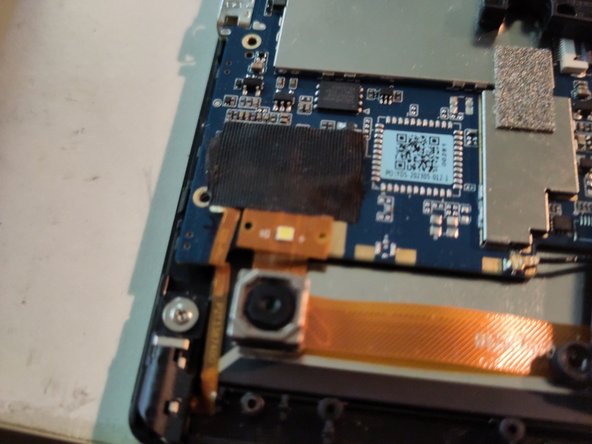
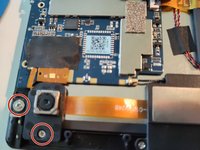
Unscrew and lift aside the black plastic that holds the back camera in place
-
The camera itself can remain
-
Remove the washer screw holding the headphone jack in place (next to the camera)
-
-
-
Carefully lift the round sensor from its position in the frame
-
Remove the speaker cables from their trenches in the black support element, it may be covered by tape
-
Unscrew the element and put it aside
-
-
-
Remove the flat cable connecting the touch from the mainboard by flipping up the black latch holding it in place
-
-
-
Remove the screws holding the mainboard
-
Lift it up carefully to access the LCD clips underneath
-
-
-
Unclip the LCD panel from the front glass panel by carefully wedging an opening pick between the panel and the clips holding it in place
-
-
-
You can now swap the front glass and touch unit
-
The replacement unit has a protective foil on the inside. You need to remove that before installing the new glass
-
The foil started to leave residue on the glass so i used a hair dryer to weaken the glue
-




To reassemble your device, follow these instructions in reverse order.
Congratulations you now have a touch device again



