跳转到主内容
加入维修社区 - 创建账户

Pebble battery Replacement

你所需要的

  1. Pebble battery Replacement, Check watch model: 步骤 1 中的图像 1,2 Pebble battery Replacement, Check watch model: 步骤 1 中的图像 2,2
    • Some pebble watches, especially the original Kickstarter ones, do not have screws on the back. These watches are glued together, making them much more difficult to repair. the disassembly process for those watches is not covered here.

  2. Pebble battery Replacement, Remove wristband: 步骤 2 中的图像 1,2 Pebble battery Replacement, Remove wristband: 步骤 2 中的图像 2,2
    • Take a small flathead or something similar to push the metal rod holding the wrist band in

    • Due to the Pebble classic's age, It is likely that the rubber wristband has deteriorated significantly, which can lead to brittleness and the rubber tearing.

    • The Pebble classic uses a standard 22 mm wristband, meaning that it can be replaced with any compatible band.

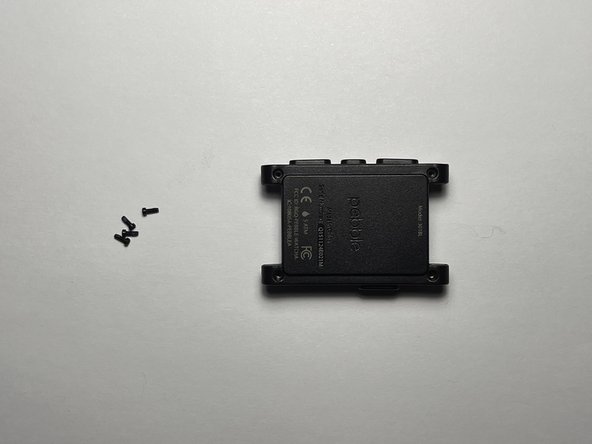
  3. Pebble battery Replacement, Remove the torx screws: 步骤 3 中的图像 1,2 Pebble battery Replacement, Remove the torx screws: 步骤 3 中的图像 2,2
    • Remove the four T4 torx screws

  4. Pebble battery Replacement: 步骤 4 中的图像 1,2 Pebble battery Replacement: 步骤 4 中的图像 2,2
    • Use an opening tool to separate the front and back of the case

    • Do not fully separate. Doing so could break the haptic component glued to the back of the watch

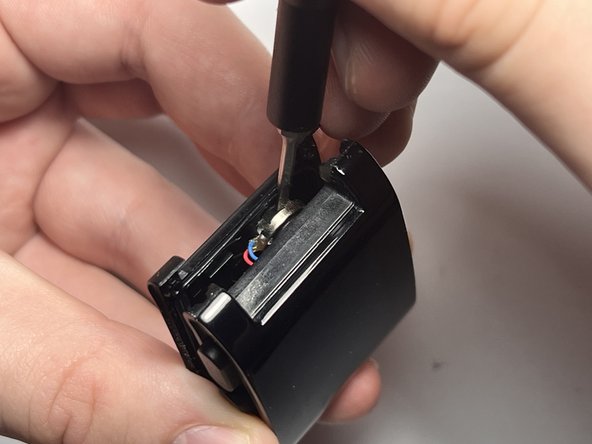
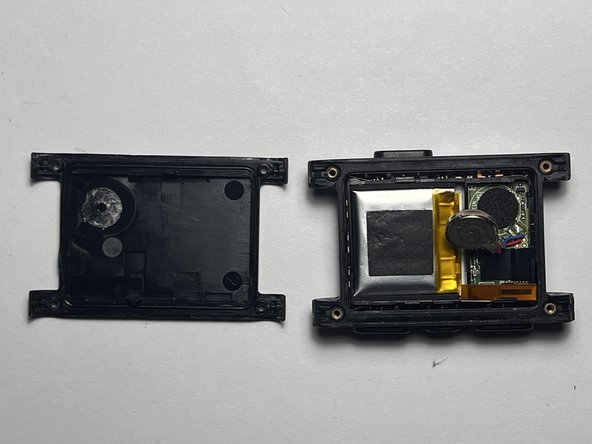
  5. Pebble battery Replacement, Separate haptic component from back: 步骤 5 中的图像 1,3 Pebble battery Replacement, Separate haptic component from back: 步骤 5 中的图像 2,3 Pebble battery Replacement, Separate haptic component from back: 步骤 5 中的图像 3,3
    • There is one component glued to the back of the watch. Use a small flathead or a similar tool to pry it from the back of the watch.

    • During re-assembly, ensure the haptic component is fitted into its original position.

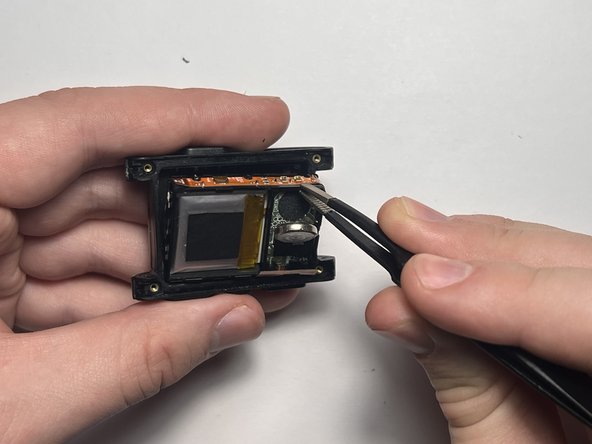
  6. Pebble battery Replacement, Remove internals: 步骤 6 中的图像 1,3 Pebble battery Replacement, Remove internals: 步骤 6 中的图像 2,3 Pebble battery Replacement, Remove internals: 步骤 6 中的图像 3,3
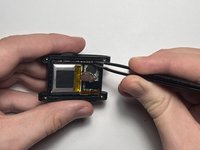
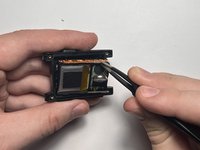
    • The internals of the watch lie inside a plastic housing which can be disconnected from the screen. This is more difficult for some watches than others. Use a pair of tweezers that have a good grip.

  7. Pebble battery Replacement, Remove light shield: 步骤 7 中的图像 1,3 Pebble battery Replacement, Remove light shield: 步骤 7 中的图像 2,3 Pebble battery Replacement, Remove light shield: 步骤 7 中的图像 3,3
    • Using tweezers or fingers, carefully remove the black film from the side with the white light diffuser. Set it aside to be reapplied during reassembly.

  8. Pebble battery Replacement, Remove light diffuser: 步骤 8 中的图像 1,3 Pebble battery Replacement, Remove light diffuser: 步骤 8 中的图像 2,3 Pebble battery Replacement, Remove light diffuser: 步骤 8 中的图像 3,3
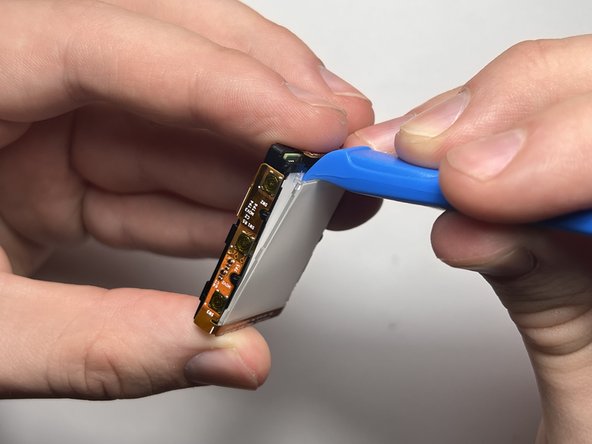
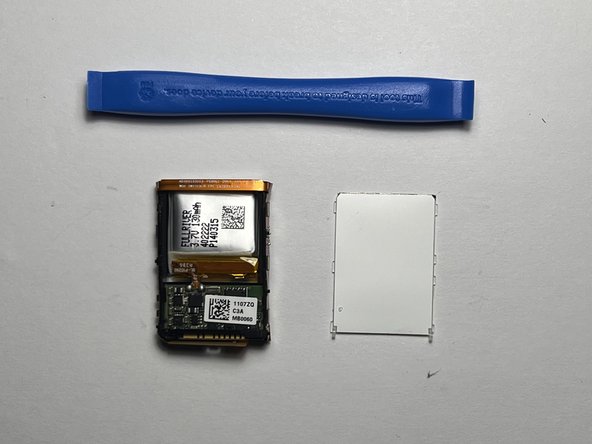
    • Using a prying tool, separate the diffuser from the casing via the small plastic hooks.

    • This can take a decent amount of force, but take it slow. excessive bending can crack the diffusion material between the two white plastic sheets.

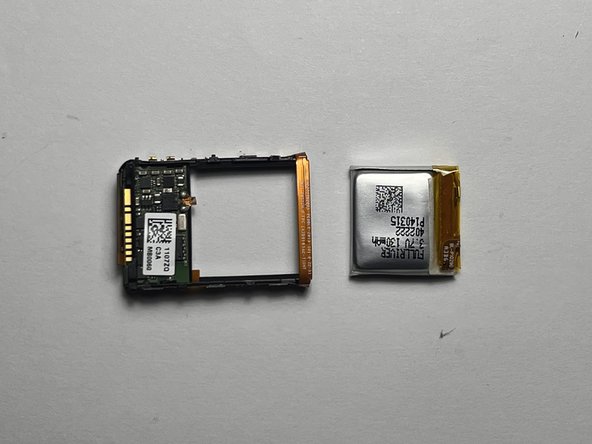
  9. Pebble battery Replacement, Remove battery: 步骤 9 中的图像 1,2 Pebble battery Replacement, Remove battery: 步骤 9 中的图像 2,2
    • Using scissors or a small blade, carefully cut the ribbon cable connecting the battery to the main board.

    • Take caution as to not puncture the battery. Doing so could result in an explosion or fire.

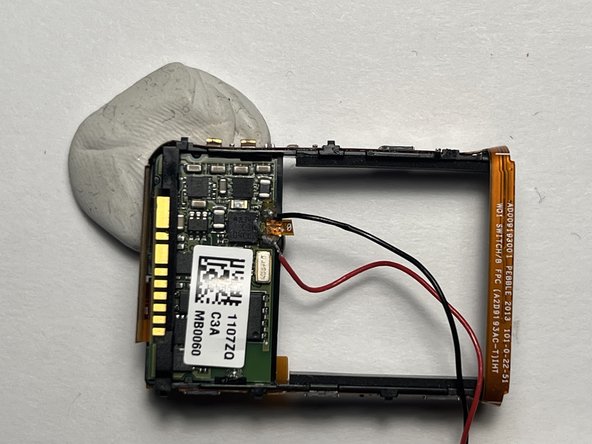
  10. Pebble battery Replacement, Scrape off flux residue: 步骤 10 中的图像 1,1
    • Using a sharp blade, scrape the residual flux off of the solder points. This is necessary when soldering the new battery to the board.

  11. Pebble battery Replacement, Solder the black wire: 步骤 11 中的图像 1,2 Pebble battery Replacement, Solder the black wire: 步骤 11 中的图像 2,2
    • Using soldering iron and a pair of precision tweezers, solder the black wire of your replacement battery to the contact shown in the picture. The pre-applied solder should be sufficient for this, but more can be applied if necessary.

    • Using some kind of putty makes this much easier.

    • Soldering Iron temp around 340° C should be sufficient.

  12. Pebble battery Replacement, Solder the red wire: 步骤 12 中的图像 1,2 Pebble battery Replacement, Solder the red wire: 步骤 12 中的图像 2,2
    • Just like with step 11, use a soldering iron and a pair of precision tweezers to solder the red wire of your replacement battery to the contact shown in the picture. The pre-applied solder should be sufficient for this, but more can be applied if necessary.

    • After successfully soldering these wires, you should see the backlight light up

  13. Pebble battery Replacement, Insert the new battery: 步骤 13 中的图像 1,2 Pebble battery Replacement, Insert the new battery: 步骤 13 中的图像 2,2
    • Now the the new battery is soldered, Insert is as shown. Other orientations are fine as well, as long as the connection points for the wire are not under stress.

结论

To reassemble your device, follow these instructions in reverse order. Take special care re-inserting the light diffuser.

2等其他人完成本指南。

Elliot Wyrick

于09/19/24注册

297 声望

撰写一个指南

2指南评论

Hard but doable.

Make sure to pull the internals out by the up/down side closest to the battery (not the vibrator) or you'll crack the mount like I did, which might lead to screen tearing.

It's so easy to crack the light diffuser, I sure did. My black film didn't want to come off, so it stayed in the watch, which was fine.

Tiny soldier points, what a YouTube if your not familiar on tiny points.

I put the internals back in about a dozen times before I had good enough contact to avoid screen tearing, and even then it only did under pressure...which I got when I screwed it back together.

In the end, success!!!

Thank you author.

Rob - 回复

Each time I re-installed the board in my watch, connecting it to the screen, the screen jut showed garbage (like static, or stars). I spent a lot of time troubleshooting the connector before realizing that I just needed to reboot it with back + up + select.

Joel Crane - 回复

添加评论

浏览统计数据:

过去 24 小时: 20

过去 7 天: 114

过去 30 天: 598

总计 5,298