跳转到主内容

P775DM3 RAM Replacement

你所需要的

  1. P775DM3 RAM Replacement, Battery: 步骤 1 中的图像 1,2 P775DM3 RAM Replacement, Battery: 步骤 1 中的图像 2,2
    • Unlock the lock circled in red.

  2. P775DM3 RAM Replacement: 步骤 2 中的图像 1,3 P775DM3 RAM Replacement: 步骤 2 中的图像 2,3 P775DM3 RAM Replacement: 步骤 2 中的图像 3,3
    • Lift the battery while unlocking the lock circled in red.

  3. P775DM3 RAM Replacement, Access to major components: 步骤 3 中的图像 1,2 P775DM3 RAM Replacement, Access to major components: 步骤 3 中的图像 2,2
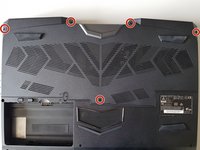
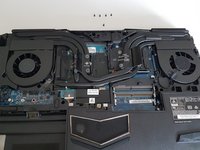
    • Unscrew the five screws circled in red.

  4. P775DM3 RAM Replacement: 步骤 4 中的图像 1,2 P775DM3 RAM Replacement: 步骤 4 中的图像 2,2
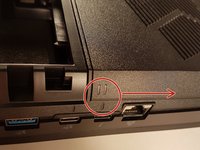
    • Slide the plate in the direction of the red arrow.

  5. P775DM3 RAM Replacement: 步骤 5 中的图像 1,2 P775DM3 RAM Replacement: 步骤 5 中的图像 2,2
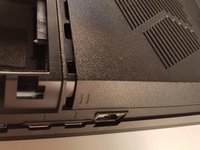
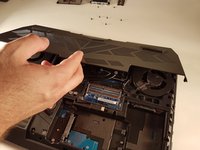
    • Lift the plate.

  6. P775DM3 RAM Replacement, Keyboard: 步骤 6 中的图像 1,2 P775DM3 RAM Replacement, Keyboard: 步骤 6 中的图像 2,2
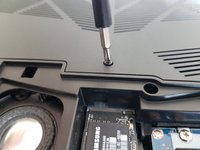
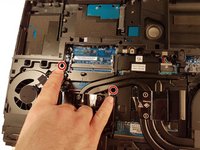
    • Unscrew the two screws circled in red

  7. P775DM3 RAM Replacement: 步骤 7 中的图像 1,3 P775DM3 RAM Replacement: 步骤 7 中的图像 2,3 P775DM3 RAM Replacement: 步骤 7 中的图像 3,3
    • Press a paper clip in the three places marked in red

    • Lift the keyboard and feel free to put some strength

  8. P775DM3 RAM Replacement: 步骤 8 中的图像 1,2 P775DM3 RAM Replacement: 步骤 8 中的图像 2,2
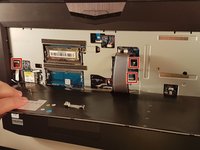
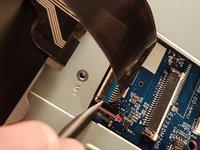
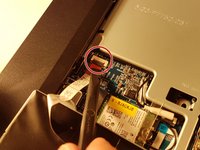
    • Disconnect the three framed connectors in red

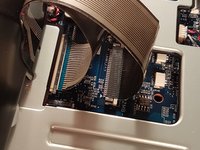
  9. P775DM3 RAM Replacement: 步骤 9 中的图像 1,2 P775DM3 RAM Replacement: 步骤 9 中的图像 2,2
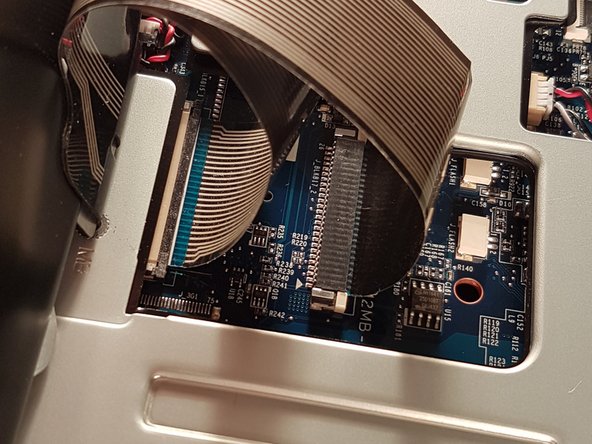
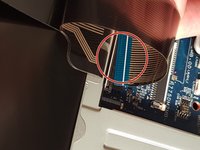
    • Pull the white drawer in the direction of the arrow to unlock the connector

    • Disconnect the red circled connector

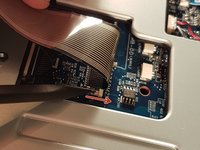
  10. P775DM3 RAM Replacement: 步骤 10 中的图像 1,2 P775DM3 RAM Replacement: 步骤 10 中的图像 2,2
    • Pull the black drawer in the direction of the arrow to unlock the connector

    • Disconnect the red circled connector

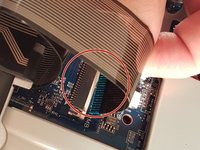
  11. P775DM3 RAM Replacement: 步骤 11 中的图像 1,3 P775DM3 RAM Replacement: 步骤 11 中的图像 2,3 P775DM3 RAM Replacement: 步骤 11 中的图像 3,3
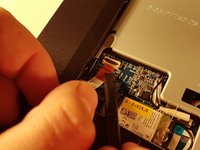
    • Lift the flap that holds the connector circled in red

    • Disconnect the red circled connector

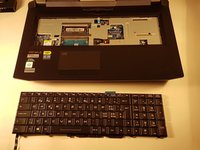
    • Remove the keyboard

  12. P775DM3 RAM Replacement, RAM: 步骤 12 中的图像 1,3 P775DM3 RAM Replacement, RAM: 步骤 12 中的图像 2,3 P775DM3 RAM Replacement, RAM: 步骤 12 中的图像 3,3
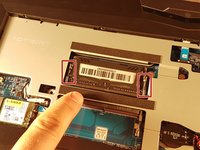
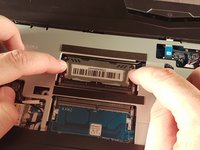
    • Spread the two clips in red.

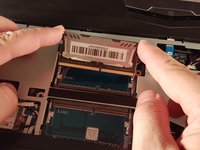
    • Remove the RAM card.

结论

To reassemble your device, follow these instructions in reverse order.

由衷感谢以下译者:

fr en

100%

这些译者帮助我们修补全世界! 您也想加入吗?
开始翻译 ›

Felice Suglia

于06/15/13注册

33,538 声望

创作了283篇指南

0指南评论

添加评论

浏览统计数据:

过去 24 小时: 0

过去 7 天: 4

过去 30 天: 13

总计 429