跳转到主内容
加入维修社区 - 创建账户

Optical Drive Enclosure Faceplate

仅作为前提条件
本指南仅提供前提条件!本指南是另一个程序的一部分,不能单独使用。

你所需要的

  1. Optical Drive Enclosure Faceplate, Optical Drive Enclosure Faceplate: 步骤 1 中的图像 1,1
    • Remove the three 3.0 mm Phillips screws from the optical bay enclosure.

  2. Optical Drive Enclosure Faceplate: 步骤 2 中的图像 1,3 Optical Drive Enclosure Faceplate: 步骤 2 中的图像 2,3 Optical Drive Enclosure Faceplate: 步骤 2 中的图像 3,3
    • Starting from the left edge, gently pull open the optical bay enclosure.

    • Continue to pull open the two halves of the enclosure until they separate.

  3. Optical Drive Enclosure Faceplate: 步骤 3 中的图像 1,1
    • Remove the two 3.0 mm Phillips screws securing the faceplate to the optical bay enclosure.

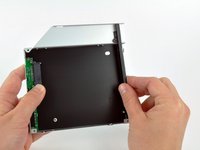
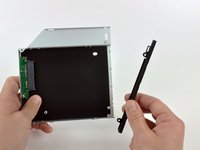
  4. Optical Drive Enclosure Faceplate: 步骤 4 中的图像 1,3 Optical Drive Enclosure Faceplate: 步骤 4 中的图像 2,3 Optical Drive Enclosure Faceplate: 步骤 4 中的图像 3,3
    • Lift the black plastic faceplate out of the optical bay enclosure.

    • You will no longer need the faceplate or the two Phillips screws that held it in place. Set those parts aside if you ever wish to put the faceplate back into the enclosure.

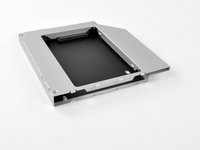
    • Reassemble the optical bay enclosure without the faceplate, reusing the original three 3.0 mm Phillips screws to keep it intact.

结论

To reassemble your device, follow these instructions in reverse order.

Brittany McCrigler

于03/05/12注册

90,562 声望

创作了142篇指南

团队

iFixit iFixit 的会员

Staff

123 名成员

创作了23,855篇指南

0指南评论

添加评论

浏览统计数据:

过去 24 小时: 0

过去 7 天: 0

过去 30 天: 2

总计 819