跳转到主内容
加入维修社区 - 创建账户

Nvidia Shield TV 1st Generation Controller Battery Replacement

你所需要的

    1. Nvidia Shield TV 1st Generation Controller Battery Replacement, Controller Battery: 步骤 1 中的图像 1,2 Nvidia Shield TV 1st Generation Controller Battery Replacement, Controller Battery: 步骤 1 中的图像 2,2
      • Remove the indicated six screws using the T6 Torx screwdriver.

      询问修复机器人

      添加评论

    2. Nvidia Shield TV 1st Generation Controller Battery Replacement: 步骤 2 中的图像 1,2 Nvidia Shield TV 1st Generation Controller Battery Replacement: 步骤 2 中的图像 2,2
      • Use the plastic opening tool to pry the face of the controller away from the body.

      • Make sure the controller is face down during this step as the buttons can easily fall out.

      询问修复机器人

      添加评论

    3. Nvidia Shield TV 1st Generation Controller Battery Replacement: 步骤 3 中的图像 1,1
      • Carefully remove the indicated ribbon wires from the face of the controller.

      添加评论

    4. Nvidia Shield TV 1st Generation Controller Battery Replacement: 步骤 4 中的图像 1,2 Nvidia Shield TV 1st Generation Controller Battery Replacement: 步骤 4 中的图像 2,2
      在这个步骤中使用的工具:
      Tweezers
      $3.99
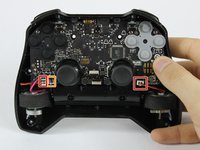
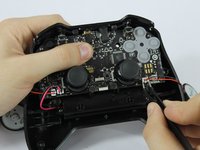
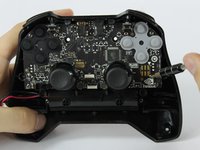
      • Use the angled tweezers to remove the vibration motor cable, moving it upward from its socket.

      • Lift the vibration motor out of the front case.

      • Repeat for the other side.

      • Use the angled tweezers to remove the battery cable, moving it upward from its socket.

      询问修复机器人

      添加评论

    5. Nvidia Shield TV 1st Generation Controller Battery Replacement: 步骤 5 中的图像 1,3 Nvidia Shield TV 1st Generation Controller Battery Replacement: 步骤 5 中的图像 2,3 Nvidia Shield TV 1st Generation Controller Battery Replacement: 步骤 5 中的图像 3,3
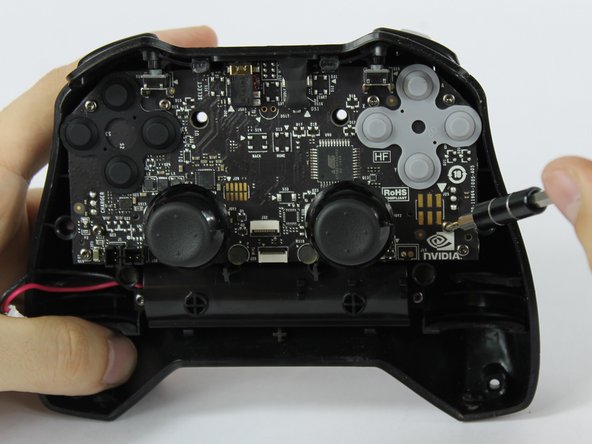
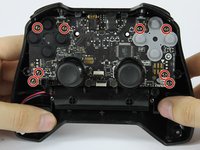
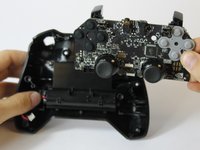
      • Using the T6 Torx screwdriver, remove the indicated eight screws from the logic board.

      • Lift the logic board away from the front case.

      添加评论

    6. Nvidia Shield TV 1st Generation Controller Battery Replacement: 步骤 6 中的图像 1,3 Nvidia Shield TV 1st Generation Controller Battery Replacement: 步骤 6 中的图像 2,3 Nvidia Shield TV 1st Generation Controller Battery Replacement: 步骤 6 中的图像 3,3
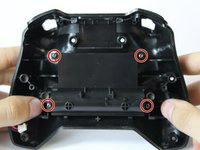
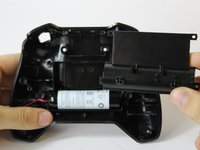
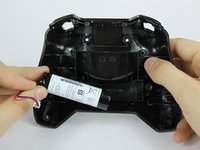
      • Using the T6 Torx screwdriver, remove the indicated four screws from the panel.

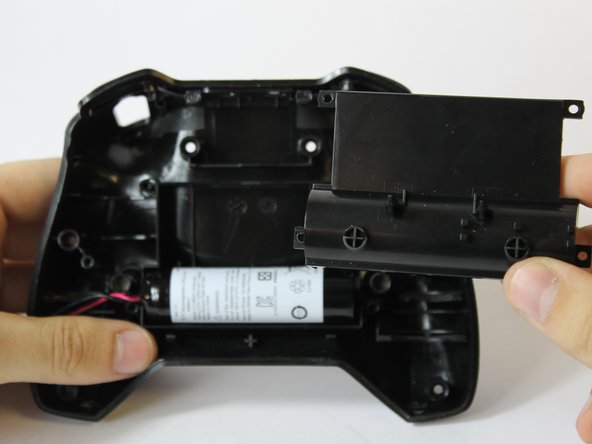
      • Remove the panel from the front case.

      • Lift the battery from the front case to remove it.

      添加评论

结论

To reassemble your device, follow these instructions in reverse order.

取消:我没有完成这个指南。

12等其他人完成本指南。

团队

USF Tampa, Team S16-G6, Eyestone Fall 2017 USF Tampa, Team S16-G6, Eyestone Fall 2017 的会员

USFT-EYESTONE-F17S16G6

3 名成员

创作了14篇指南

8指南评论

Where can i buy the replacement Battery? What tags should i use to find it?

Rancid 3000a - 回复 分享

LC18650 Remote Control accu

djcornelissen - 回复 分享

Are battery packs available for the 2017 controller?

Andrew - 回复 分享

Simply reconnecting the battery fixed my issues

Charles Keisler - 回复 分享

添加评论

浏览统计数据:

过去 24 小时: 3

过去 7 天: 16

过去 30 天: 67

总计 21,697