跳转到主内容

Nintendo Switch Micro SD Card Reader Replacement

已存档的指南
本指南只作为历史记录保留。请使用指南的最新版本来进行维修。

你所需要的

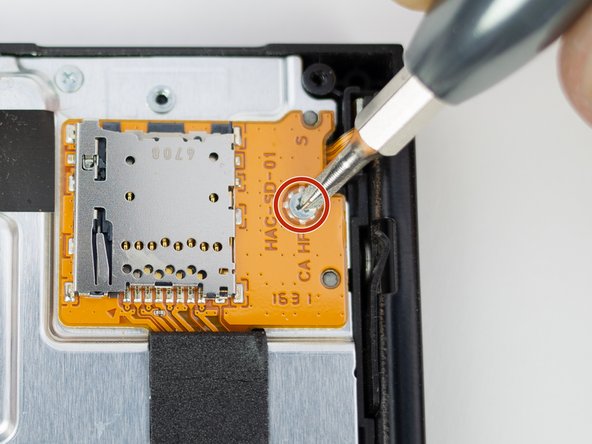
  1. Nintendo Switch Micro SD Card Reader Replacement, Micro SD Card Reader: 步骤 1 中的图像 1,1
    • Remove the single 3.1 mm Phillips screw from micro SD card board.

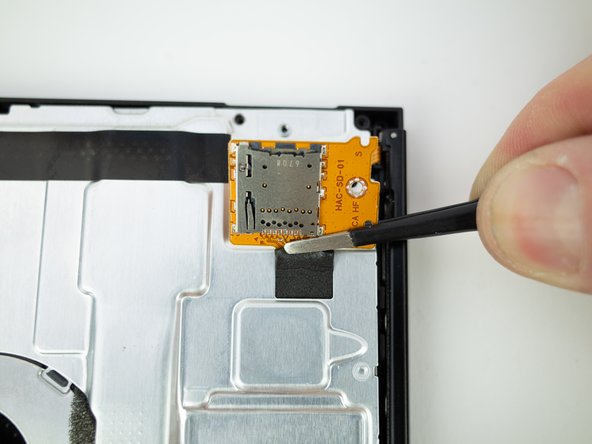
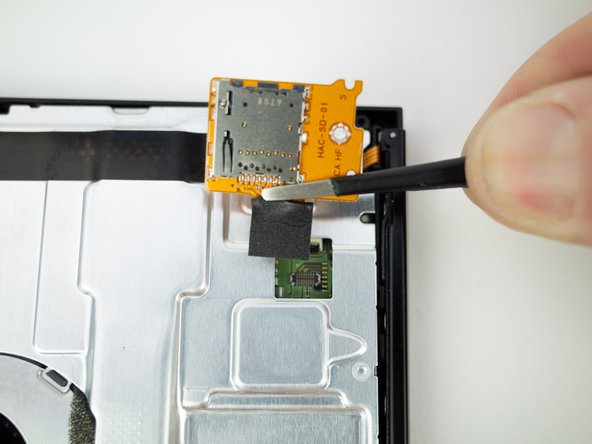
  2. Nintendo Switch Micro SD Card Reader Replacement: 步骤 2 中的图像 1,2 Nintendo Switch Micro SD Card Reader Replacement: 步骤 2 中的图像 2,2
    • Gently lift the micro SD card board straight up, away from the Switch to disconnect and remove it.

    • During reassembly, line up the micro SD card board and lightly press on the foam pad until the press connector snaps into place to reconnect it.

结论

To reassemble your device, follow these instructions in reverse order.

Blake Klein

于01/29/17注册

73,855 声望

创作了50篇指南

0指南评论

添加评论

浏览统计数据:

过去 24 小时: 0

过去 7 天: 0

过去 30 天: 0

总计 13